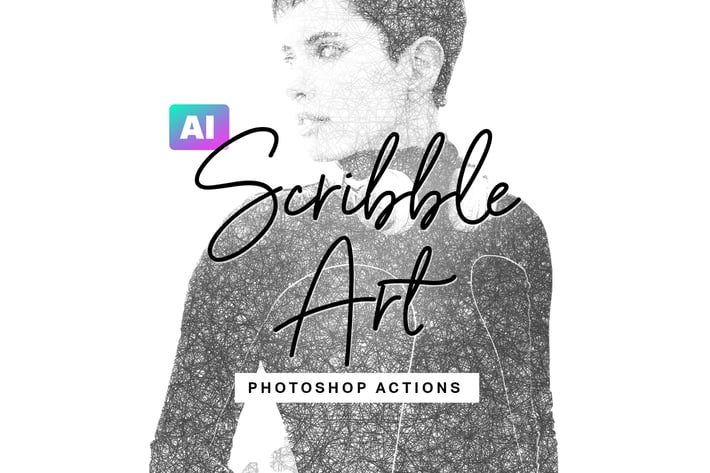
AI Scribble Art Photoshop Actions
Author
sparklestock
Published
Jan 11, 2021
Item Code
9e43a3d6-0477-4737-9124-609ea2d41166
How to Download
- 1 Copy the Item Code above
- 2 Go to fuckdcma.com
- 3 Paste the code in the text box and click "Generate Download Link"
About This Item
Create scribble sketch art from any photo with these AI-powered Photoshop actions.
- Popular architecture sketch styles used by property developers
- Simple and easy to use
- Artificial Intelligence does most of the work for you.
- It generates multiple effects in one click.
- Fully customizable styles.
- Made for Photoshop CC 2019 or newer.
Photoshop Actions
- Step 1 - Select Main Subject
- Step 2 - Render Effects
- ----- Color Styles -----
- Pencil Sketch
- Pen (Black)
- Pen (Brown)
- Pen (Blue)
- Pen (Red)
- Gradient (Purple Cyan)
- Gradient (Yellow Cyan)
- Gradient (Fuschia Yellow)
- ----- Scribble Size -----
- XSmall
- Small
- Medium
- Large
- ----- Background -----
- 0%
- 10%
- 20%
- 30%
- 40%
- 50%
- 60%
- 70%
- 80%
- 90%
- 100%
- ----- Skin Visibility-----
- 0%
- 10%
- 20%
- 30%
- 40%
- 50%
- 60%
- 70%
- 80%
- 90%
- 100%
- ----- Masking -----
- Edit Mask
- Save Mask
- ----- Help -----
- Need Help?
- Smart Diagnostics
✔ Easy Scribble Sketch Art in Seconds
Turn any photo into sketch art with the simple 2-step process. An additional 36 actions make it easy for you to customize the look.
✔ Powered by Artificial Intelligence
Highlight the main subject and artificial intelligence will do most of the work for you. This saves you a ton of time.
✔ Face-Detection Skin Visibility
Get better results with the customizable skin visibility setting. This feature uses face-detection algorithms to make faces more visible.
✔ Fully Editable Layers
Fine-tune the look with fully editable layers. Everything is fully accessible and made with nondestructive techniques.
✔ Works with All Languages
Many Photoshop actions will only run if Photoshop is set to English. These actions, however, work with ALL languages. You can use the actions without changing the language setting.
Works WIth:
- Photoshop CC 2019 or Newer
- Mac and Windows
Artificial Intelligence
These actions use artificial intelligence powered by Adobe Sensei. They work on most photos and reduce the amount of time masking. Some touchups may be required. The algorithm is continuously improving - keep Photoshop updated to take advantage of this.
- Popular architecture sketch styles used by property developers
- Simple and easy to use
- Artificial Intelligence does most of the work for you.
- It generates multiple effects in one click.
- Fully customizable styles.
- Made for Photoshop CC 2019 or newer.
Photoshop Actions
- Step 1 - Select Main Subject
- Step 2 - Render Effects
- ----- Color Styles -----
- Pencil Sketch
- Pen (Black)
- Pen (Brown)
- Pen (Blue)
- Pen (Red)
- Gradient (Purple Cyan)
- Gradient (Yellow Cyan)
- Gradient (Fuschia Yellow)
- ----- Scribble Size -----
- XSmall
- Small
- Medium
- Large
- ----- Background -----
- 0%
- 10%
- 20%
- 30%
- 40%
- 50%
- 60%
- 70%
- 80%
- 90%
- 100%
- ----- Skin Visibility-----
- 0%
- 10%
- 20%
- 30%
- 40%
- 50%
- 60%
- 70%
- 80%
- 90%
- 100%
- ----- Masking -----
- Edit Mask
- Save Mask
- ----- Help -----
- Need Help?
- Smart Diagnostics
✔ Easy Scribble Sketch Art in Seconds
Turn any photo into sketch art with the simple 2-step process. An additional 36 actions make it easy for you to customize the look.
✔ Powered by Artificial Intelligence
Highlight the main subject and artificial intelligence will do most of the work for you. This saves you a ton of time.
✔ Face-Detection Skin Visibility
Get better results with the customizable skin visibility setting. This feature uses face-detection algorithms to make faces more visible.
✔ Fully Editable Layers
Fine-tune the look with fully editable layers. Everything is fully accessible and made with nondestructive techniques.
✔ Works with All Languages
Many Photoshop actions will only run if Photoshop is set to English. These actions, however, work with ALL languages. You can use the actions without changing the language setting.
Works WIth:
- Photoshop CC 2019 or Newer
- Mac and Windows
Artificial Intelligence
These actions use artificial intelligence powered by Adobe Sensei. They work on most photos and reduce the amount of time masking. Some touchups may be required. The algorithm is continuously improving - keep Photoshop updated to take advantage of this.
More from sparklestock
View all →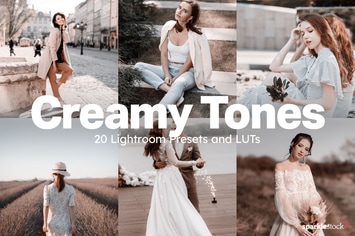
20 Creamy Lightroom Presets and LUTs
by sparklestock
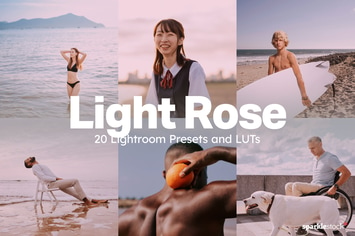
20 Light Rose Lightroom Presets and LUTs
by sparklestock
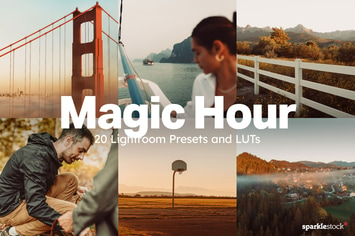
20 Magic Hour Lightroom Presets and LUTs
by sparklestock
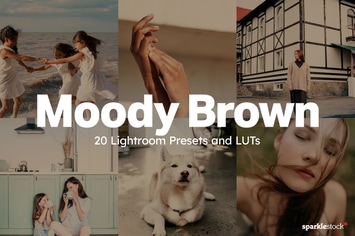
20 Moody Brown Lightroom Presets and LUTs
by sparklestock

20 Uncharted Lightroom Presets and LUTs
by sparklestock
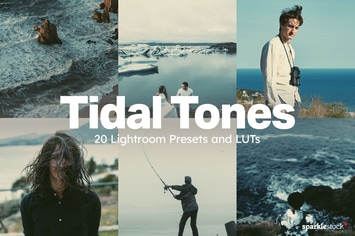
20 Tidal Tones Lightroom Presets and LUTs
by sparklestock
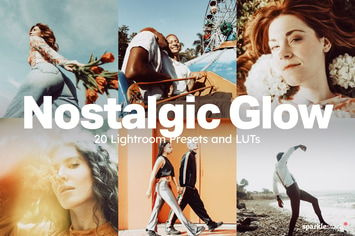
20 Nostalgic Glow Lightroom Presets and LUTs
by sparklestock
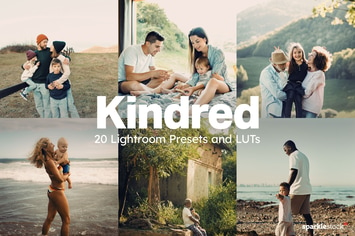
20 Kindred Lightroom Presets and LUTs
by sparklestock
You May Also Like
Anniversary Lightroom Presets - Volume I
by Presetrain
Megapack of Chalks for Adobe Illustrator
by guerillacraft
Elegant Floral Brushes for Photoshop
by Oxana-Milka
Winter Photoshop Actions
by sevenstyles
Havana Mobile & Desktop Lightroom Presets
by creativetacos
Retro Print CS4+ Photoshop Action
by FD-Design
12 Real Wedding Lightroom Presets
by zvolia
5 Retro Color Action
by feydesign_studio