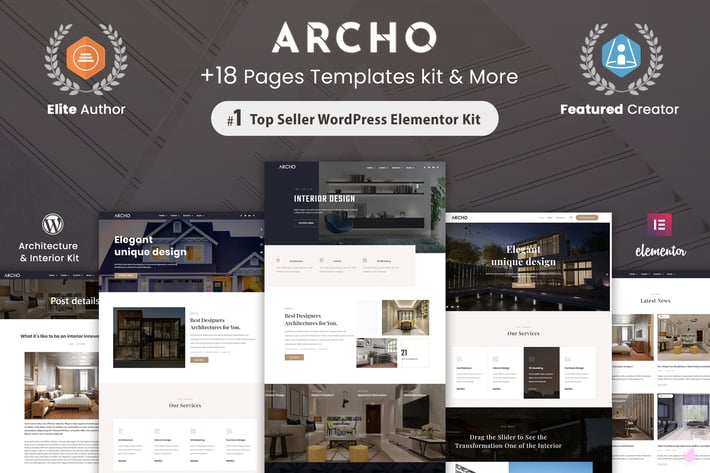
Archo - Architecture & Interior Elementor Template Kit
Author
ThemesCamp
Published
Aug 12, 2021
Item Code
7a66bf2e-95e3-4818-8a16-25c076518884
How to Download
- 1 Copy the Item Code above
- 2 Go to fuckdcma.com
- 3 Paste the code in the text box and click "Generate Download Link"
About This Item
Archo is an elegant Architecture & Interior kit for all your future online business success and creative agencies. Responsive based on Bootstrap. All files and code has been well organized and nicely commented for easy to customize.
Features
- True no-code customization with drag and drop visual builder
- Customize fonts and colors in one place or fine-tune on individual elements
- Modern, professional design
- Fast-loading
- Works with most Elementor themes.
Required Plugins :
Elementor
Better Elementor Addons
Header & Footer Builder for Elementor
How to Use Template Kits:
1. Install and Activate the "Envato Elements" plugin from Plugins > Add New in WordPress
2. Download your kit file and Do not unzip
3. Go to Elements > Installed Kits and click the Upload Template Kit button. You may also import automatically by clicking Connect Account to link your Elements subscription, then import under Elements > Template Kits.
4. Check for the orange banner at the top and click Install Requirements to load any plugins the kit uses
5. Click import on the Global Kit Styles first
6. Click Import on one template at a time. These are stored in Elementor under Templates > Saved Templates.
7. Go to Pages and create a new page and click Edit with Elementor
8. Click the gear icon at lower-left of the builder to view page settings and choose Elementor Full Width and hide page title
9. Click the gray folder icon to access My Templates tab and then Import the page you'd like to customize.
If you have Elementor Pro, headers and footers may be customized under Theme Builder.
Detailed Guide:
For further support, go to Elementor > Get Help in WordPress menu.
Setup Global Header and Footer in Header Footer & Blocks plugin
1. Import the header and footer template
2. Go to Appearance > Header Footer and click Add New button
3. Give it a title and select Header, Display on Entire Site and click Publish
4. Click Edit with Elementor
5. Click the gray folder icon to access My Templates tab and select the header template to import and Update.
6. Repeat for Footer
This Template Kit uses demo images from Envato Elements. You will need to license these images from Envato Elements to use them on your website, or you can substitute them with your own.
Features
- True no-code customization with drag and drop visual builder
- Customize fonts and colors in one place or fine-tune on individual elements
- Modern, professional design
- Fast-loading
- Works with most Elementor themes.
Required Plugins :
Elementor
Better Elementor Addons
Header & Footer Builder for Elementor
How to Use Template Kits:
1. Install and Activate the "Envato Elements" plugin from Plugins > Add New in WordPress
2. Download your kit file and Do not unzip
3. Go to Elements > Installed Kits and click the Upload Template Kit button. You may also import automatically by clicking Connect Account to link your Elements subscription, then import under Elements > Template Kits.
4. Check for the orange banner at the top and click Install Requirements to load any plugins the kit uses
5. Click import on the Global Kit Styles first
6. Click Import on one template at a time. These are stored in Elementor under Templates > Saved Templates.
7. Go to Pages and create a new page and click Edit with Elementor
8. Click the gear icon at lower-left of the builder to view page settings and choose Elementor Full Width and hide page title
9. Click the gray folder icon to access My Templates tab and then Import the page you'd like to customize.
If you have Elementor Pro, headers and footers may be customized under Theme Builder.
Detailed Guide:
For further support, go to Elementor > Get Help in WordPress menu.
Setup Global Header and Footer in Header Footer & Blocks plugin
1. Import the header and footer template
2. Go to Appearance > Header Footer and click Add New button
3. Give it a title and select Header, Display on Entire Site and click Publish
4. Click Edit with Elementor
5. Click the gray folder icon to access My Templates tab and select the header template to import and Update.
6. Repeat for Footer
This Template Kit uses demo images from Envato Elements. You will need to license these images from Envato Elements to use them on your website, or you can substitute them with your own.
More from ThemesCamp
View all →
Swak - Creative Portfolio & Agency Nextjs Template
by ThemesCamp

Obelisk - Creative WordPress Portfolio Theme
by ThemesCamp

Avo - React Creative Agency & Showcase Portfolio
by ThemesCamp

Bayone - Creative Agency & Portfolio WordPress The
by ThemesCamp

Iteck - Gatsby Software & Technology Template
by ThemesCamp

Vie - React Creative Portfolio & Agency template
by ThemesCamp

Webfolio - Creative Portfolio & Digital Agency Wor
by ThemesCamp
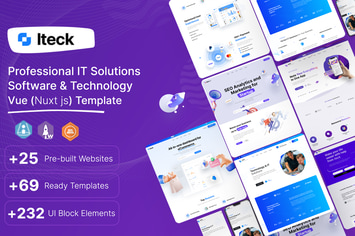
Iteck - Vue Software & Technology Template
by ThemesCamp
You May Also Like
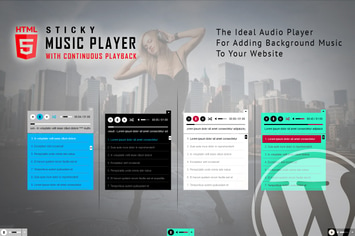
Sticky HTML5 Music Player WordPress Plugin
by LambertGroup

Elementy - Multipurpose WordPress Theme
by 11Soft

69 Clothing
by axiomthemes
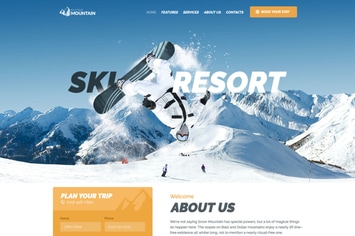
Snow Mountain | Ski Resort & Snowboard School WP
by AncoraThemes
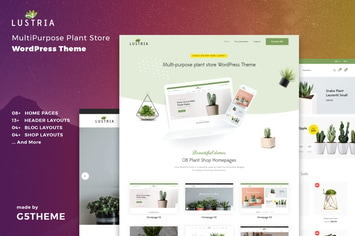
Lustria - MultiPurpose Plant Store WordPress Theme
by G5Theme

Blake - Editorial Fashion Magazine Blog Theme
by Burnhambox

Petzy – Pet Care & Veterinary Elementor Template Kit
by jegtheme
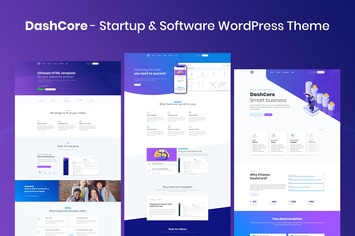
DashCore - Startup & Software WordPress Theme
by vergatheme