
Archouse - Architecture & Interior Design Studio Elementor Template Kit
Author
PuzzlerBox
Published
May 09, 2025
Item Code
371fd756-8c41-41b1-b9d7-b8cd65e5bdff
How to Download
- 1 Copy the Item Code above
- 2 Go to fuckdcma.com
- 3 Paste the code in the text box and click "Generate Download Link"
About This Item
Archouse - Architecture & Interior Design Studio Elementor Template Kit this kit is created by professional designers for architectural agencies and interior studios. This kit includes all the basic pages to get your site up and running quickly, just fill it with your content. Also make any changes will be very easy, since the templates are built on the most popular page builder Elementor. The template "Archouse - Architecture & Interior Design Studio" is based on the free version of Elementor and compatible free plugins, which are available in the WordPress library and will be installed automatically. The template is optimized and tested on the "Hello Elementor" theme.
Kit Features
Beautifully Designed Templates
Fully and Easily Customizable
Fast Loading and Optimised for Search Engines
Cross Browser Compatible
Quick and Easy Templates Import
Free Plug-ins Used
Elementor
Jeg Elementor Kit
Make Column Clickable Elementor
Qi Addons For Elementor
Elementor Header & Footer Builder
MetForm
How to Use Template Kits:
1. Install and Activate the "Envato Elements" plugin from Plugins > Add New in WordPress
2. Download your kit file and Do not unzip
3. Go to Elements > Installed Kits and click the Upload Template Kit button. You may also import automatically by clicking Connect Account to link your Elements subscription, then import under Elements > Template Kits.
4. Check for the orange banner at the top and click Install Requirements to load any plugins the kit uses
5. Click import on the Global Kit Styles first
6. Click Import on one template at a time. These are stored in Elementor under Templates > Saved Templates.
7. Go to Pages and create a new page and click Edit with Elementor
8. Click the gear icon at lower-left of the builder to view page settings and choose Elementor Full Width and hide page title
9. Click the gray folder icon to access My Templates tab and then Import the page you'd like to customize.
If you have Elementor Pro, headers and footers may be customized under Theme Builder.
Detailed Guide:
For further support, go to Elementor > Get Help in WordPress menu.
Metforms
1. Import the page where the form appears
2. Right-click the builder area to enable the Navigator if needed
3. Locate the Metform widget and select it
4. Click Edit on the left panel and select a form to insert (or choose blank to make your own)
5. A new builder popup will appear for customizing your form. When done, click Update and the form will be inserted into the page design
Images
This Template Kit uses demo images from Envato Elements. You will need to license these images from Envato Elements to use them on your website, or you can substitute them with your own.
Kit Features
Beautifully Designed Templates
Fully and Easily Customizable
Fast Loading and Optimised for Search Engines
Cross Browser Compatible
Quick and Easy Templates Import
Free Plug-ins Used
Elementor
Jeg Elementor Kit
Make Column Clickable Elementor
Qi Addons For Elementor
Elementor Header & Footer Builder
MetForm
How to Use Template Kits:
1. Install and Activate the "Envato Elements" plugin from Plugins > Add New in WordPress
2. Download your kit file and Do not unzip
3. Go to Elements > Installed Kits and click the Upload Template Kit button. You may also import automatically by clicking Connect Account to link your Elements subscription, then import under Elements > Template Kits.
4. Check for the orange banner at the top and click Install Requirements to load any plugins the kit uses
5. Click import on the Global Kit Styles first
6. Click Import on one template at a time. These are stored in Elementor under Templates > Saved Templates.
7. Go to Pages and create a new page and click Edit with Elementor
8. Click the gear icon at lower-left of the builder to view page settings and choose Elementor Full Width and hide page title
9. Click the gray folder icon to access My Templates tab and then Import the page you'd like to customize.
If you have Elementor Pro, headers and footers may be customized under Theme Builder.
Detailed Guide:
For further support, go to Elementor > Get Help in WordPress menu.
Metforms
1. Import the page where the form appears
2. Right-click the builder area to enable the Navigator if needed
3. Locate the Metform widget and select it
4. Click Edit on the left panel and select a form to insert (or choose blank to make your own)
5. A new builder popup will appear for customizing your form. When done, click Update and the form will be inserted into the page design
Images
This Template Kit uses demo images from Envato Elements. You will need to license these images from Envato Elements to use them on your website, or you can substitute them with your own.
More from PuzzlerBox
View all →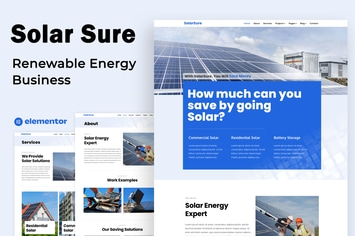
Solar Sure - Renewable Energy Business - Elementor Template Kit
by PuzzlerBox
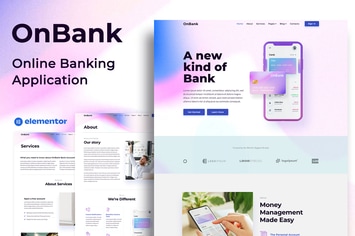
OnBank - Online Banking & Money Transfers - Elementor Kit
by PuzzlerBox

Cyber.NFT Marketplace & Portfolio Elementor Template Kit
by PuzzlerBox

BBW - Web Design Agency Elementor Template Kit
by PuzzlerBox

DMA - Digital Marketing Agency Template Kit
by PuzzlerBox

Logo Mock-Ups
by PuzzlerBox

Tube Mockup
by PuzzlerBox

Flyer, Poster and Billboard Mockups
by PuzzlerBox
You May Also Like

Maaya Blog - Travel Blog, Personal Blog
by designthemes
NEX-Forms - PayPal PRO Add-on
by Basix

Uplands - Golf Course WordPress Theme
by Themovation

Helas - Multipurpose WooCommerce Theme
by LA-Studio
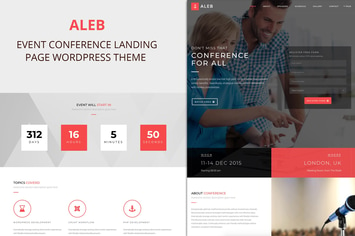
Aleb - Event Conference Onepage WordPress Theme
by ovatheme

GoodResto - Restaurant WordPress Theme + Woocommer
by enovathemes

Corredo
by axiomthemes
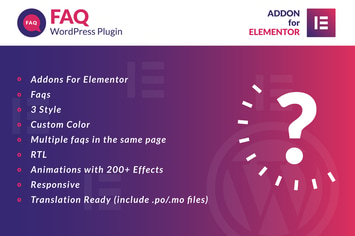
Faq for Elementor WordPress Plugin
by ad-theme