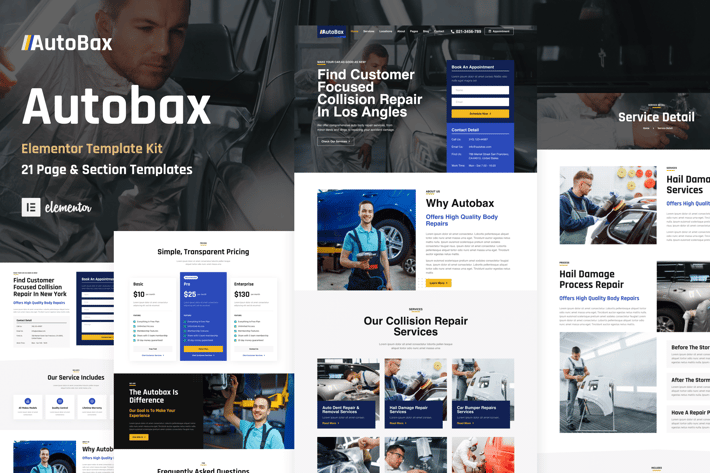
Autobax - Car Body Repair Shop Elementor Pro Template Kit
Author
ThemeWarriors
Published
Nov 06, 2025
Item Code
dc71dd05-3931-4a99-8cb9-1e8585ab0ad4
How to Download
- 1 Copy the Item Code above
- 2 Go to fuckdcma.com
- 3 Paste the code in the text box and click "Generate Download Link"
About This Item
Introducing Autobax is an Elementor Pro template kit for car body repair shops. If you're looking for an easy-to-use, professional solution to enhance your WordPress website, look no further.
With 19 sleek and modern templates to choose from, Autobax provides everything you need to create a stunning online presence for your auto body repair business. From landing pages to service descriptions and pricing tables, each template has been expertly designed to showcase your services and help you stand out from the competition.
With Autobax's responsive design, your website will look great on any device, ensuring that your customers have a seamless experience no matter how they access your site.
## Template List
1. Global Kit Styles
2. Global Header
3. Global Footer
4. Homepage
5. About Us
6. Our Services
7. Service Detail
8. Book An Appointment
9. Locations
10. Our Team
11. Pricing
12. Blog
13. Testimonials
14. FAQ
15. Single Post
16. Archive Blog/li>
17. Contact Us
18. Coming Soon
19. 404 Page
20. Popup Banner
Elementor Pro upgrade is required for some templates and features (not included)
How to Use Template Kits:
1. Install and Activate the "Envato Elements" plugin from Plugins > Add New in WordPress
2. Download your kit file and Do not unzip
3. Go to Elements > Installed Kits and click the Upload Template Kit button. You may also import automatically by clicking Connect Account to link your Elements subscription, then import under Elements > Template Kits.
4. Check for the orange banner at the top and click Install Requirements to load any plugins the kit uses
5. Click import on the Global Kit Styles first
6. Click Import on one template at a time. These are stored in Elementor under Templates > Saved Templates.
7. Go to Pages and create a new page and click Edit with Elementor
8. Click the gear icon at lower-left of the builder to view page settings and choose Elementor Full Width and hide page title
9. Click the gray folder icon to access My Templates tab and then Import the page you'd like to customize.
If you have Elementor Pro, headers and footers may be customized under Theme Builder.
Detailed Guide:
For further support, go to Elementor > Get Help in WordPress menu.
This Template Kit uses demo images from Envato Elements. You will need to license these images from Envato Elements to use them on your website, or you can substitute them with your own.
With 19 sleek and modern templates to choose from, Autobax provides everything you need to create a stunning online presence for your auto body repair business. From landing pages to service descriptions and pricing tables, each template has been expertly designed to showcase your services and help you stand out from the competition.
With Autobax's responsive design, your website will look great on any device, ensuring that your customers have a seamless experience no matter how they access your site.
## Template List
1. Global Kit Styles
2. Global Header
3. Global Footer
4. Homepage
5. About Us
6. Our Services
7. Service Detail
8. Book An Appointment
9. Locations
10. Our Team
11. Pricing
12. Blog
13. Testimonials
14. FAQ
15. Single Post
16. Archive Blog/li>
17. Contact Us
18. Coming Soon
19. 404 Page
20. Popup Banner
Elementor Pro upgrade is required for some templates and features (not included)
How to Use Template Kits:
1. Install and Activate the "Envato Elements" plugin from Plugins > Add New in WordPress
2. Download your kit file and Do not unzip
3. Go to Elements > Installed Kits and click the Upload Template Kit button. You may also import automatically by clicking Connect Account to link your Elements subscription, then import under Elements > Template Kits.
4. Check for the orange banner at the top and click Install Requirements to load any plugins the kit uses
5. Click import on the Global Kit Styles first
6. Click Import on one template at a time. These are stored in Elementor under Templates > Saved Templates.
7. Go to Pages and create a new page and click Edit with Elementor
8. Click the gear icon at lower-left of the builder to view page settings and choose Elementor Full Width and hide page title
9. Click the gray folder icon to access My Templates tab and then Import the page you'd like to customize.
If you have Elementor Pro, headers and footers may be customized under Theme Builder.
Detailed Guide:
For further support, go to Elementor > Get Help in WordPress menu.
This Template Kit uses demo images from Envato Elements. You will need to license these images from Envato Elements to use them on your website, or you can substitute them with your own.
More from ThemeWarriors
View all →
Wicked Knight – Blackletter Font
by ThemeWarriors

GetPaid - Payment Gateway & Fintech Service WordPress Elementor Template Kit
by ThemeWarriors

Ride ON - Motorcycle Dealership WordPress Elementor Template Kit
by ThemeWarriors

Brush Haven - Brush Font
by ThemeWarriors
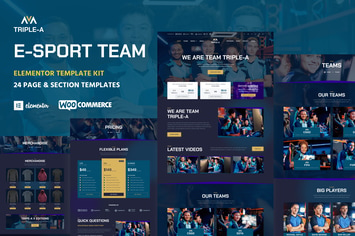
Triple-A - eSport Team Gaming WooCommerce Elementor Template Kit
by ThemeWarriors

Transpo - Charter Bus Rental Company Elementor Pro Template Kit
by ThemeWarriors

ClearView - Eyeglasses & Eyewear Store WooCommerce Elementor Template Kit
by ThemeWarriors

SatuKIlo - Brush Font
by ThemeWarriors
You May Also Like

Pithree – Construction & Building WordPress Theme
by G5Theme
Precise - A Modern, Minimalistic Shop Theme
by Be_Achemit
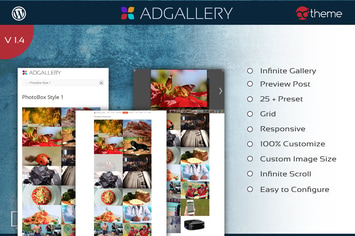
AD Gallery - Premium Wordpress Plugin
by ad-theme

Filmic - Movie Studio & Film Maker WordPress Theme
by BoostifyThemes
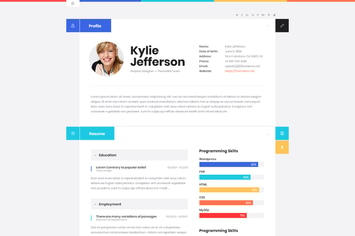
ShiftCV - Blog \ Resume \ Portfolio \ WordPress
by ThemeREX

Fishing & Hunting Multipurpose WordPress Theme
by AA-Team

Nikah | Wedding Organizer & Planner WordPress
by themesawesome
WooCommerce Sale Products Layout for Elementor
by ad-theme