
Avida - Health & Medical Elementor Template Kit
Author
Fox_Creation
Published
Aug 19, 2025
Item Code
1597e357-a745-412c-bbeb-0d4556775d86
How to Download
- 1 Copy the Item Code above
- 2 Go to fuckdcma.com
- 3 Paste the code in the text box and click "Generate Download Link"
About This Item
Avida is a modern and professional Elementor Template Kit for health and medical websites. You can also use this creative template kit for health care, clinic, doctor, hospital, dentist pharmacy, surgeon, psychiatrist, , and many more.
Elementor Template Kits contain page content for Elementor page builder. This kit has been optimized for use with the free Hello Elementor theme but may be used with most themes that support Elementor.
Layout Features:
100% Responsive & Mobile-friendly
Modern clean design
Easy to Edit & Customize
12+ pre-built templates ready to use
Template kit built with Hello Elementor Theme
Template Include :
Home
About Us
Services
Service Detail
Appointment
Our Team
FAQs
404 Page
Blog Archive
Single Post
Contact Us
Header
Footer
MetForm Appointment
MetForm Newsletter
MetForm Contact
Addons installed with kit :
Elementor
ElementsKit Lite
Jeg Elementor Kit
MetForm
Skyboot Custom Icons for Elementor
How to Use Template Kits:
This is not a WordPress Theme. Template kits contain the design data for Elementor only and are installed using the envato Elements plugin for WordPress or directly through Elementor.
Elementor Template Kits use the Envato Elements plugin to install.
Detailed Guide:
For further support, go to Elementor > Get Help in WordPress menu.
How to Import Metforms
If you have Elementor Pro, skip install of Metform and form blocks.
1. Import the metform block templates
2. Import the page template where the form appears and right-click to enable the Navigator
3. Locate and select the Metform widget and click Edit Form. Choose New, then Edit Form. The builder will appear
4. Click ‘Add Template’ grey folder icon.
5. Click ‘My Templates’ tab.
6. Choose your imported metform template, then click ‘Insert’ (click No for page settings).
7. Once the template is loaded, make any desired customizations and click ‘Update & Close’ The form will appear in the template
8. Click Update
How to setup header in Jeg Elementor Kit plugin
If you have Elementor Pro, headers and footers may be customized under Theme Builder.
1. Go to Jeg Elementor Kit menu item > Header Template
2. Click Add New Header
3. Add condition > All Site and click Create
4. Click the pencil icon to Edit and elementor will appear
5. Click gray folder icon to access My Templates tab
6. Insert the header template.
7. Customize and Save.
Images
This Template Kit uses demo images from Envato Elements. You will need to license these images from Envato Elements to use them on your website, or you can substitute them with your own.
Elementor Template Kits contain page content for Elementor page builder. This kit has been optimized for use with the free Hello Elementor theme but may be used with most themes that support Elementor.
Layout Features:
100% Responsive & Mobile-friendly
Modern clean design
Easy to Edit & Customize
12+ pre-built templates ready to use
Template kit built with Hello Elementor Theme
Template Include :
Home
About Us
Services
Service Detail
Appointment
Our Team
FAQs
404 Page
Blog Archive
Single Post
Contact Us
Header
Footer
MetForm Appointment
MetForm Newsletter
MetForm Contact
Addons installed with kit :
Elementor
ElementsKit Lite
Jeg Elementor Kit
MetForm
Skyboot Custom Icons for Elementor
How to Use Template Kits:
This is not a WordPress Theme. Template kits contain the design data for Elementor only and are installed using the envato Elements plugin for WordPress or directly through Elementor.
Elementor Template Kits use the Envato Elements plugin to install.
Detailed Guide:
For further support, go to Elementor > Get Help in WordPress menu.
How to Import Metforms
If you have Elementor Pro, skip install of Metform and form blocks.
1. Import the metform block templates
2. Import the page template where the form appears and right-click to enable the Navigator
3. Locate and select the Metform widget and click Edit Form. Choose New, then Edit Form. The builder will appear
4. Click ‘Add Template’ grey folder icon.
5. Click ‘My Templates’ tab.
6. Choose your imported metform template, then click ‘Insert’ (click No for page settings).
7. Once the template is loaded, make any desired customizations and click ‘Update & Close’ The form will appear in the template
8. Click Update
How to setup header in Jeg Elementor Kit plugin
If you have Elementor Pro, headers and footers may be customized under Theme Builder.
1. Go to Jeg Elementor Kit menu item > Header Template
2. Click Add New Header
3. Add condition > All Site and click Create
4. Click the pencil icon to Edit and elementor will appear
5. Click gray folder icon to access My Templates tab
6. Insert the header template.
7. Customize and Save.
Images
This Template Kit uses demo images from Envato Elements. You will need to license these images from Envato Elements to use them on your website, or you can substitute them with your own.
More from Fox_Creation
View all →
Greenwood - Golf Club & Academy Elementor Template Kit
by Fox_Creation

Rezolve - Business Consulting Elementor Template Kit
by Fox_Creation

Risegarden - Landscape & Gardening Service Elementor Template Kit
by Fox_Creation

Rechiro - Chiropractic & Physiotherapy Elementor Template Kit
by Fox_Creation
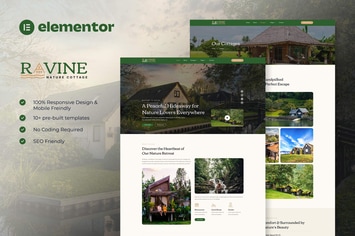
Ravine - Nature Cottage Elementor Template Kit
by Fox_Creation
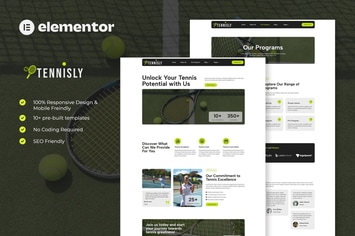
Tennisly - Tennis School & Sports Club Elementor Template Kit
by Fox_Creation

Creepy Silence - Creepy Horror Font
by Fox_Creation

Revoltz - Electrical Installation & Maintenance Elementor Template Kit
by Fox_Creation
You May Also Like

Delizus | Restaurant Cafe WordPress Theme
by OceanThemes

Gatsby - WordPress + eCommerce Theme
by Monkeysan

Narration - A Responsive WordPress Blog Theme
by imithemes
Top Sliding Bar - WordPress Widgets
by scripteo

Kolaso - Modern Multi-Purpose WordPress Theme
by zytheme
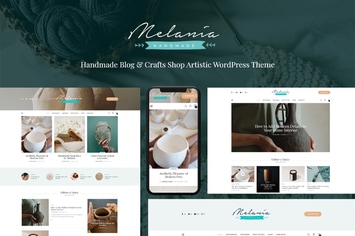
Melania
by ThemeREX

Price List for Elementor
by merkulove

Nikah | Wedding Organizer & Planner WordPress
by themesawesome