
Decho - Car Repair Mechanic Elementor Template Kit
Author
surisoft
Published
Oct 09, 2025
Item Code
10a919d3-da32-4830-962e-464f1eb888a2
How to Download
- 1 Copy the Item Code above
- 2 Go to fuckdcma.com
- 3 Paste the code in the text box and click "Generate Download Link"
About This Item
Decho is a Template Kit specially for Car Service, Car Repair Company, Service Company, and Car Easy Solution Services. The Car Service & Repair template has a beautiful and unique design that will be best suited for your online web presence. Installation and using theme are easy with Elementor , all you need just drag and drop and replace the image and the content within the kit. No code required to modify this theme
This is not a WordPress theme. Template Kits contain page content for Elementor page builder. This kit has been optimized for use with the free Hello Elementor theme but may be used with most themes that support Elementor.
### Kit Key Features:
2 Home pages Unique
Car Repair & Mechanic
7+ Ready Pages
No Coding Knowledge
Fully with Elementor free version ( Elementor Pro is not required )
Header & Footer Builder Included
One Click Demo Import
Unique and Modern Style.
Super Clear and Clean Layout
Cross browser compatible
Post Widget
Carousel Slide Box ( Create sliders with anything )
Responsive and Retina Ready
Optimized for search engines
### Required Plugins :
Themesflat Addons For Elementor
MetForm
* ElementsKit Lite
How to Use Template Kits:
1. Install and Activate the "Envato Elements" plugin from Plugins > Add New in WordPress
2. Download your kit file and Do not unzip
3. Go to Elements > Installed Kits and click the Upload Template Kit button. You may also import automatically by clicking Connect Account to link your Elements subscription, then import under Elements > Template Kits.
4. Check for the orange banner at the top and click Install Requirements to load any plugins the kit uses
5. Click import on the Global Kit Styles first
6. Click Import on one template at a time. These are stored in Elementor under Templates > Saved Templates.
7. Go to Pages and create a new page and click Edit with Elementor
8. Click the gear icon at lower-left of the builder to view page settings and choose Elementor Full Width and hide page title
9. Click the gray folder icon to access My Templates tab and then Import the page you'd like to customize.
If you have Elementor Pro, headers and footers may be customized under Theme Builder.
Detailed Guide:
For further support, go to Elementor > Get Help in WordPress menu.
How to Import Metforms
1. Import the metform block templates
2. Import the page template where the form appears and right-click to enable the Navigator
3. Locate and select the Metform widget and click Edit Form. Choose New, then Edit Form. The builder will appear
4. Click ‘Add Template’ grey folder icon.
5. Click ‘My Templates’ tab.
6. Choose your imported metform template, then click ‘Insert’ (click No for page settings).
7. Once the template is loaded, make any desired customizations and click ‘Update & Close’ The form will appear in the template
8. Click Update
Setup Global Header and Footer in ElementsKit
1. Import the header and footer template
2. Go to ElementsKit > Header Footer and click Add New (if prompted with a wizard, you may click Next through it without taking any action)
3. Title the header, leave Entire Site selected and toggle Activation to On
4. Click the gray Edit Content button to load the builder
5. Click the gray folder icon and select the header template to import, select your menu in the nav element and click Update.
6. Repeat for Footer
This Template Kit uses demo images from Envato Elements. You will need to license these images from Envato Elements to use them on your website, or you can substitute them with your own.
This is not a WordPress theme. Template Kits contain page content for Elementor page builder. This kit has been optimized for use with the free Hello Elementor theme but may be used with most themes that support Elementor.
### Kit Key Features:
2 Home pages Unique
Car Repair & Mechanic
7+ Ready Pages
No Coding Knowledge
Fully with Elementor free version ( Elementor Pro is not required )
Header & Footer Builder Included
One Click Demo Import
Unique and Modern Style.
Super Clear and Clean Layout
Cross browser compatible
Post Widget
Carousel Slide Box ( Create sliders with anything )
Responsive and Retina Ready
Optimized for search engines
### Required Plugins :
Themesflat Addons For Elementor
MetForm
* ElementsKit Lite
How to Use Template Kits:
1. Install and Activate the "Envato Elements" plugin from Plugins > Add New in WordPress
2. Download your kit file and Do not unzip
3. Go to Elements > Installed Kits and click the Upload Template Kit button. You may also import automatically by clicking Connect Account to link your Elements subscription, then import under Elements > Template Kits.
4. Check for the orange banner at the top and click Install Requirements to load any plugins the kit uses
5. Click import on the Global Kit Styles first
6. Click Import on one template at a time. These are stored in Elementor under Templates > Saved Templates.
7. Go to Pages and create a new page and click Edit with Elementor
8. Click the gear icon at lower-left of the builder to view page settings and choose Elementor Full Width and hide page title
9. Click the gray folder icon to access My Templates tab and then Import the page you'd like to customize.
If you have Elementor Pro, headers and footers may be customized under Theme Builder.
Detailed Guide:
For further support, go to Elementor > Get Help in WordPress menu.
How to Import Metforms
1. Import the metform block templates
2. Import the page template where the form appears and right-click to enable the Navigator
3. Locate and select the Metform widget and click Edit Form. Choose New, then Edit Form. The builder will appear
4. Click ‘Add Template’ grey folder icon.
5. Click ‘My Templates’ tab.
6. Choose your imported metform template, then click ‘Insert’ (click No for page settings).
7. Once the template is loaded, make any desired customizations and click ‘Update & Close’ The form will appear in the template
8. Click Update
Setup Global Header and Footer in ElementsKit
1. Import the header and footer template
2. Go to ElementsKit > Header Footer and click Add New (if prompted with a wizard, you may click Next through it without taking any action)
3. Title the header, leave Entire Site selected and toggle Activation to On
4. Click the gray Edit Content button to load the builder
5. Click the gray folder icon and select the header template to import, select your menu in the nav element and click Update.
6. Repeat for Footer
This Template Kit uses demo images from Envato Elements. You will need to license these images from Envato Elements to use them on your website, or you can substitute them with your own.
More from surisoft
View all →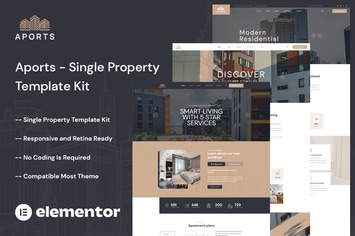
Aports - Single Property Elementor Template Kit
by surisoft

Podover - Podcast Elementor Template Kit
by surisoft

Wellfood - Fast Food & Restaurant Elementor Pro Template Kit
by surisoft

Retirio - Architecture & Interior Elementor Template Kit
by surisoft
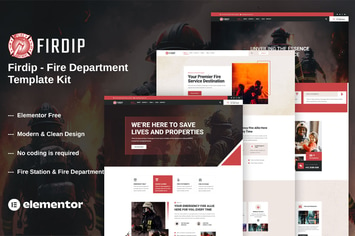
Firdip - Fire Department Elementor Template Kit
by surisoft
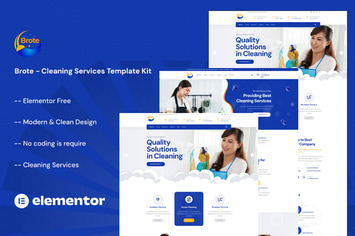
Brote - Cleaning Services Elementor Template Kit
by surisoft

Aivons - Business Consulting Template Kit
by surisoft

Ridda - Web Design Agency Template Kit
by surisoft
You May Also Like
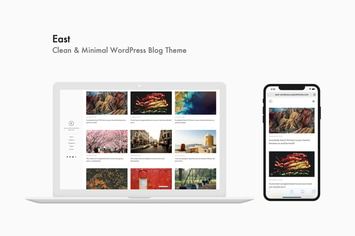
East - Clean & Minimal WordPress Blog Theme
by aspirethemes

Inez - Clean Portfolio & Agency Theme
by subsolar

Meminz - Download Software Landing Page Theme
by cththemes
Benten
by ridianur

Hero - ShoutCast and IceCast Radio Player
by LambertGroup

Alister Bank - Credits & Banking Finance WP Theme
by cmsmasters

Theater - Concert & Art Event Entertainment Theme
by cmsmasters

Sports Store
by cmsmasters