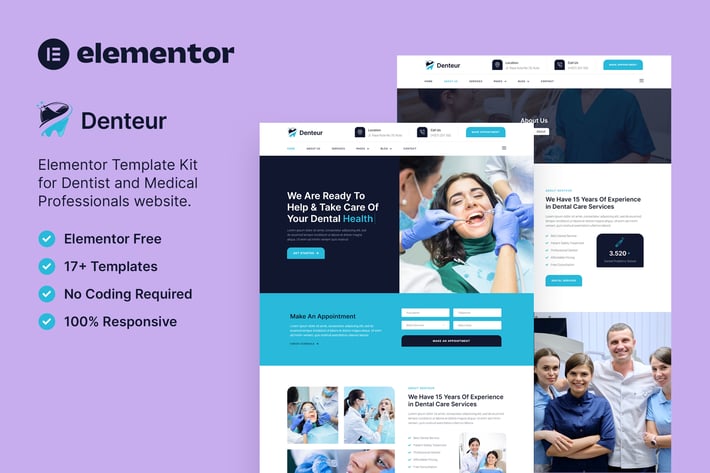
Denteur – Dentist & Dental Clinic Elementor Template Kit
Author
baliniz
Published
Dec 30, 2024
Item Code
736eb589-3e46-4aa4-85e2-79e985dda416
How to Download
- 1 Copy the Item Code above
- 2 Go to fuckdcma.com
- 3 Paste the code in the text box and click "Generate Download Link"
About This Item
Denteur is a modern Elementor Template Kit to create a pro-level and functional website for Dentists, Dental Clinics, Doctors, pediatrics, hospitals, Healthcare, Medical Clinics, psychiatrist, and other medical-related practices.
This template kit includes carefully crafted 17+ Elementor templates with a clean and elegant design. You can build your professional and functional WordPress website just a click away and without coding!
Features:
Using Free Plugins (Elementor Pro is not required)
Modern & Clean Design
17+ Ready to use templates
Fully Responsive Layout
Retina Ready
Fully Customizable
Cross Browser Compatibility: Chrome, Firefox, Safari, Opera
Templates Include:
Home
About Us
Services
Pricing
Doctor
FAQ
Blog
Single Blog
Contact
Off-Canvas
MetForm Appointment
MetForm Appointment 2
MetForm Contact
404 Page
Header
Footer
Global Theme Style
Required Plugin:
Elementor
Jeg Elementor Kit
MetForm
How to Use Template Kits:
1. Install and Activate the "Envato Elements" plugin from Plugins > Add New in WordPress
2. Download your kit file and Do not unzip
3. Go to Elements > Installed Kits and click the Upload Template Kit button. You may also import automatically by clicking Connect Account to link your Elements subscription, then import under Elements > Template Kits.
4. Check for the orange banner at the top and click Install Requirements to load any plugins the kit uses
5. Click import on the Global Kit Styles first
6. Click Import on one template at a time. These are stored in Elementor under Templates > Saved Templates.
7. Go to Pages and create a new page and click Edit with Elementor
8. Click the gear icon at lower-left of the builder to view page settings and choose Elementor Full Width and hide page title
9. Click the gray folder icon to access My Templates tab and then Import the page you'd like to customize.
Detailed Guide:
For further support, go to Elementor > Get Help in WordPress menu.
How to Import Metforms
1. Import the metform block templates
2. Import the page template where the form appears and right-click to enable the Navigator
3. Locate and select the Metform widget and click Edit Form. Choose New, then Edit Form. The builder will appear
4. Click ‘Add Template’ grey folder icon.
5. Click ‘My Templates’ tab.
6. Choose your imported metform template, then click ‘Insert’ (click No for page settings).
7. Once the template is loaded, make any desired customizations and click ‘Update & Close’ The form will appear in the template
8. Click Update
How to setup header in Jeg Elementor Kit plugin
1. Go to Jeg Elementor Kit menu item > Header Template
2. Click Add New Header
3. Add condition > All Site and click Create
4. Click gray folder icon to access My Templates tab
5. Insert the header template.
6. Customize and Save.
Images: This Template Kit uses demo images from Envato Elements. You will need to license these images from Envato Elements to use them on your website, or you can substitute them with your own.
This template kit includes carefully crafted 17+ Elementor templates with a clean and elegant design. You can build your professional and functional WordPress website just a click away and without coding!
Features:
Using Free Plugins (Elementor Pro is not required)
Modern & Clean Design
17+ Ready to use templates
Fully Responsive Layout
Retina Ready
Fully Customizable
Cross Browser Compatibility: Chrome, Firefox, Safari, Opera
Templates Include:
Home
About Us
Services
Pricing
Doctor
FAQ
Blog
Single Blog
Contact
Off-Canvas
MetForm Appointment
MetForm Appointment 2
MetForm Contact
404 Page
Header
Footer
Global Theme Style
Required Plugin:
Elementor
Jeg Elementor Kit
MetForm
How to Use Template Kits:
1. Install and Activate the "Envato Elements" plugin from Plugins > Add New in WordPress
2. Download your kit file and Do not unzip
3. Go to Elements > Installed Kits and click the Upload Template Kit button. You may also import automatically by clicking Connect Account to link your Elements subscription, then import under Elements > Template Kits.
4. Check for the orange banner at the top and click Install Requirements to load any plugins the kit uses
5. Click import on the Global Kit Styles first
6. Click Import on one template at a time. These are stored in Elementor under Templates > Saved Templates.
7. Go to Pages and create a new page and click Edit with Elementor
8. Click the gear icon at lower-left of the builder to view page settings and choose Elementor Full Width and hide page title
9. Click the gray folder icon to access My Templates tab and then Import the page you'd like to customize.
Detailed Guide:
For further support, go to Elementor > Get Help in WordPress menu.
How to Import Metforms
1. Import the metform block templates
2. Import the page template where the form appears and right-click to enable the Navigator
3. Locate and select the Metform widget and click Edit Form. Choose New, then Edit Form. The builder will appear
4. Click ‘Add Template’ grey folder icon.
5. Click ‘My Templates’ tab.
6. Choose your imported metform template, then click ‘Insert’ (click No for page settings).
7. Once the template is loaded, make any desired customizations and click ‘Update & Close’ The form will appear in the template
8. Click Update
How to setup header in Jeg Elementor Kit plugin
1. Go to Jeg Elementor Kit menu item > Header Template
2. Click Add New Header
3. Add condition > All Site and click Create
4. Click gray folder icon to access My Templates tab
5. Insert the header template.
6. Customize and Save.
Images: This Template Kit uses demo images from Envato Elements. You will need to license these images from Envato Elements to use them on your website, or you can substitute them with your own.
More from baliniz
View all →
Hiro – Human Resources & Recruitment Agency Elementor Template Kit
by baliniz
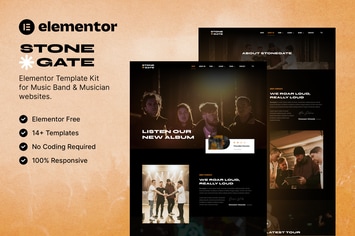
Stonegate – Music Band & Musician Elementor Template Kit
by baliniz
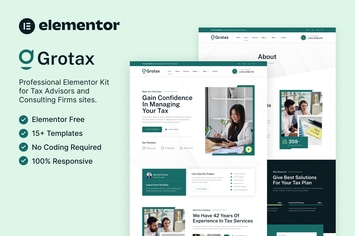
Grotax – Tax Advisor & Consulting Firm Elementor Template Kit
by baliniz

Socialzy – Social Media Marketing Agency Elementor Template Kit
by baliniz

Chemisty – Science Research & Laboratory Elementor Template Kit
by baliniz
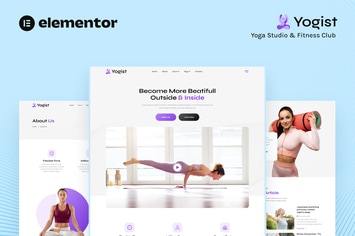
Yogist – Yoga Studio & Fitness Club Elementor Template Kit
by baliniz
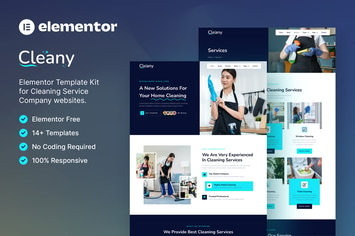
Cleany – Cleaning Service Company Elementor Template Kit
by baliniz
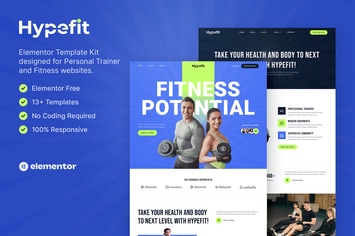
Hypefit – Personal Trainer & Fitness Elementor Template Kit
by baliniz
You May Also Like
FreightCo
by ThemeREX

Techie | Tech Company & Digital Startup Elementor Template Kit
by axiomthemes

Fudee - Organic Food Elementor WordPress Theme
by shtheme
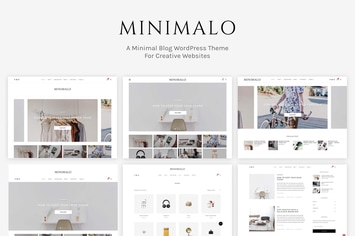
Minimalo - A Minimal Blog WordPress Theme
by rootlayers
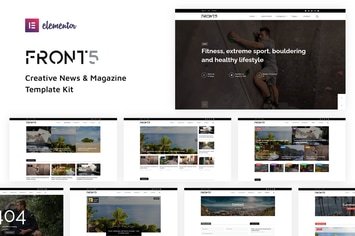
FrontFive - Creative News & Magazine Template Kit
by IG_design
Disency | Creative Digital Agency Elementor Template Kit
by tokopress
FitGym - Fitness & Gym Elementor Template Kit
by kinforce
Pressroom - News and Magazine WordPress Theme
by QuanticaLabs