
Digital Realism | NFT Elementor Template Kit
Author
designingmedia
Published
Sep 01, 2024
Item Code
480e654d-16f2-47d7-a8ab-45cdac58f6a0
How to Download
- 1 Copy the Item Code above
- 2 Go to fuckdcma.com
- 3 Paste the code in the text box and click "Generate Download Link"
About This Item
Digital Realism NFT is a Modern Multipurpose Business Elementor Template Kit design for NFT Marketplace and Portfolio. The template provides the best solution for discovering best Digital art and Collecting NFTs. Make your NFT portflio and Marketplace using this Modern and yet easiy to customize template.
This is not a WordPress theme. Template Kits contain page content for Elementor page builder. This kit has been optimized for use with the free Hello Elementor theme but may be used with most themes that support Elementor.
Features
- True no-code customization with drag and drop visual builder
- Customize fonts and colors in one place or fine-tune on individual elements
- Modern, professional design
- Fast-loading
- Works with most Elementor themes.
Addons installed with kit
Elementor
Countdown Timer for Elementor
Events Addon for Elementor
Themesflat Addons For Elementor
CURCY - Multi Currency for WooCommerce
WooCommerce
Elementor Pro upgrade is required for some templates and features (not included)
How to Use Template Kits:
1. Install and Activate the "Envato Elements" plugin from Plugins > Add New in WordPress
2. Download your kit file and Do not unzip
3. Go to Elements > Installed Kits and click the Upload Template Kit button. You may also import automatically by clicking Connect Account to link your Elements subscription, then import under Elements > Template Kits.
4. Check for the orange banner at the top and click Install Requirements to load any plugins the kit uses
5. Click import on the Global Kit Styles first
6. Click Import on one template at a time. These are stored in Elementor under Templates > Saved Templates.
7. Go to Pages and create a new page and click Edit with Elementor
8. Click the gear icon at lower-left of the builder to view page settings and choose Elementor Full Width and hide page title
9. Click the gray folder icon to access My Templates tab and then Import the page you'd like to customize.
If you have Elementor Pro, headers and footers may be customized under Theme Builder.
Detailed Guide:
For further support, go to Elementor > Get Help in WordPress menu.
All images are used for preview purposes only. They are not part of the template and hence, not included in the final purchase files. Design graphics by Freepik.
This Template Kit uses demo images from Envato Elements. You will need to license these images from Envato Elements to use them on your website, or you can substitute them with your own.
* All images are used for preview purposes only. They are not part of the template and hence, not included in the final purchase files.
This is not a WordPress theme. Template Kits contain page content for Elementor page builder. This kit has been optimized for use with the free Hello Elementor theme but may be used with most themes that support Elementor.
Features
- True no-code customization with drag and drop visual builder
- Customize fonts and colors in one place or fine-tune on individual elements
- Modern, professional design
- Fast-loading
- Works with most Elementor themes.
Addons installed with kit
Elementor
Countdown Timer for Elementor
Events Addon for Elementor
Themesflat Addons For Elementor
CURCY - Multi Currency for WooCommerce
WooCommerce
Elementor Pro upgrade is required for some templates and features (not included)
How to Use Template Kits:
1. Install and Activate the "Envato Elements" plugin from Plugins > Add New in WordPress
2. Download your kit file and Do not unzip
3. Go to Elements > Installed Kits and click the Upload Template Kit button. You may also import automatically by clicking Connect Account to link your Elements subscription, then import under Elements > Template Kits.
4. Check for the orange banner at the top and click Install Requirements to load any plugins the kit uses
5. Click import on the Global Kit Styles first
6. Click Import on one template at a time. These are stored in Elementor under Templates > Saved Templates.
7. Go to Pages and create a new page and click Edit with Elementor
8. Click the gear icon at lower-left of the builder to view page settings and choose Elementor Full Width and hide page title
9. Click the gray folder icon to access My Templates tab and then Import the page you'd like to customize.
If you have Elementor Pro, headers and footers may be customized under Theme Builder.
Detailed Guide:
For further support, go to Elementor > Get Help in WordPress menu.
All images are used for preview purposes only. They are not part of the template and hence, not included in the final purchase files. Design graphics by Freepik.
This Template Kit uses demo images from Envato Elements. You will need to license these images from Envato Elements to use them on your website, or you can substitute them with your own.
* All images are used for preview purposes only. They are not part of the template and hence, not included in the final purchase files.
More from designingmedia
View all →
STRACK Multipurpose Business | Elementor Template Kit
by designingmedia

Hillcrest - Interior Design Elementor Template Kit
by designingmedia

Fierce Finance | HTML Template
by designingmedia

Artelligence | AI & Robotics HTML Template
by designingmedia

Repay | Payment Gateway HTML Template
by designingmedia

Finanzo | HTML Template
by designingmedia

SenCare | Elderly Home & Senior Care HTML Template
by designingmedia

Exolve | Creative Portfolio Elementor Template Kit
by designingmedia
You May Also Like
Pro Bulk Watermark Plugin for WordPress
by AA-Team

Mamita
by AncoraThemes
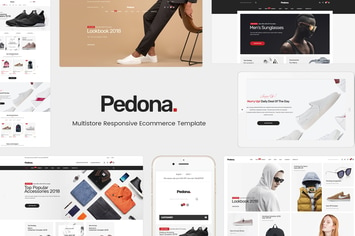
Pedona - Fashion & Sport Theme for WordPress
by Plaza-Themes
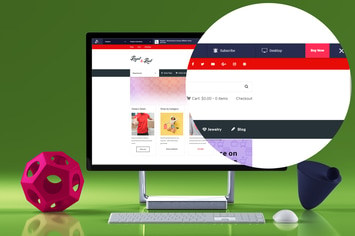
Live Preview Switch Bar for WordPress
by AA-Team

Bespoke - Onepage Creative WordPress Theme
by themewar
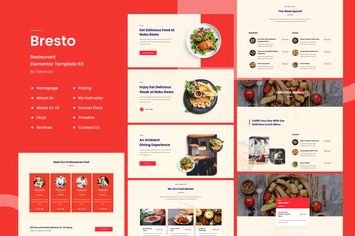
Bresto | Restaurant & Cafe Food Elementor Template Kit
by tokomoo

Fashion Spirit - WooCommerce Elementor Template Kit
by touringxx
LearnKit - e-Learning Elementor Template Kit
by VictorThemes