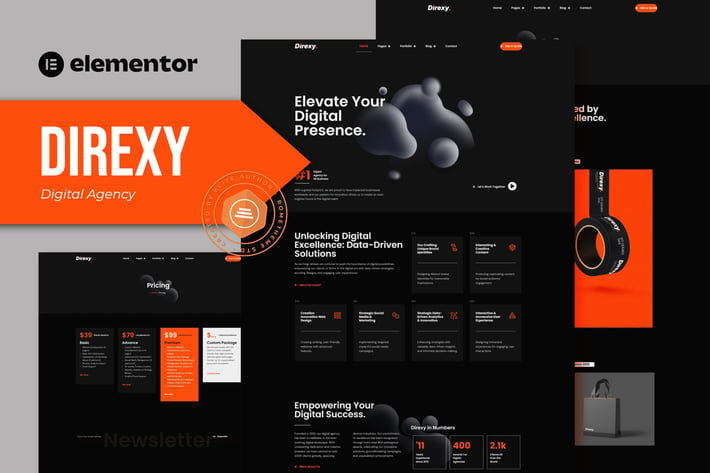
Direxy - Digital Agency Elementor Pro Template Kit
Author
Rometheme
Published
Feb 24, 2025
Item Code
e52196c6-2d04-43ff-b7e9-6057aa3fdcff
How to Download
- 1 Copy the Item Code above
- 2 Go to fuckdcma.com
- 3 Paste the code in the text box and click "Generate Download Link"
About This Item
Digemail is an Elementor Pro Template Kit designed for creative, marketing or development websites.
This kit has a modern and unique design with a 100% fully responsive layout, easy installation, and sure very easy to customize because using Elementor so you don’t need a single line of coding!
This is not a WordPress theme. Template Kits contain page content for Elementor page builder. This kit has been optimized for use with the free Hello Elementor theme but may be used with most themes that support Elementor.
Features :
Cross Browser Compatibility: Chrome, Firefox, Safari, Opera
Using Free Plugins (Elementor Pro is not required)
100% Fully Responsive & mobile-friendly
Modern and Unique design
12+ pre-built templates ready to use
Customize fonts and colors in one place (Global Kit Style)
Templates in Zip :
Homepage
About Us
Our Services
Our Team
FAQ
Pricing
Error 404
Portfolio 1
Portfolio 2
Blog
Single Post
Contact
Header
Footer
Elementor Pro upgrade is required for some templates and features (not included)
How to Use Template Kits:
1. Install and Activate the "Envato Elements" plugin from Plugins > Add New in WordPress. You do NOT need an Envato Elements subscription to use this plugin to install kits.
2. Download your kit file and Do not unzip it! If you have Safari, ensure "open safe files after downloading" is not enabled in preferences.
3. Go to Elements > Installed Kits and click the Upload Template Kit button. You may also import automatically by clicking Connect Account to link your Elements subscription, then import under Elements > Template Kits.
4. Check for the orange banner at the top and click Install Requirements to load any plugins the kit uses
5. Click import on the Global Kit Styles first
6. Click Import on one template at a time. These are stored in Elementor under Templates > Saved Templates.
7. Go to Pages and create a new page and click Edit with Elementor
8. Click the gear icon at lower-left of the builder to view page settings and choose Elementor Full Width and hide page title
9. Click the gray folder icon to access My Templates tab and then Import the page you'd like to customize.
If you have Elementor Pro, headers and footers may be customized under Theme Builder.
Detailed Guide:
For further support, go to Elementor > Get Help in WordPress menu.
This Template Kit uses demo images from Envato Elements. You will need to license these images from Envato Elements to use them on your website, or you can substitute them with your own.
This kit has a modern and unique design with a 100% fully responsive layout, easy installation, and sure very easy to customize because using Elementor so you don’t need a single line of coding!
This is not a WordPress theme. Template Kits contain page content for Elementor page builder. This kit has been optimized for use with the free Hello Elementor theme but may be used with most themes that support Elementor.
Features :
Cross Browser Compatibility: Chrome, Firefox, Safari, Opera
Using Free Plugins (Elementor Pro is not required)
100% Fully Responsive & mobile-friendly
Modern and Unique design
12+ pre-built templates ready to use
Customize fonts and colors in one place (Global Kit Style)
Templates in Zip :
Homepage
About Us
Our Services
Our Team
FAQ
Pricing
Error 404
Portfolio 1
Portfolio 2
Blog
Single Post
Contact
Header
Footer
Elementor Pro upgrade is required for some templates and features (not included)
How to Use Template Kits:
1. Install and Activate the "Envato Elements" plugin from Plugins > Add New in WordPress. You do NOT need an Envato Elements subscription to use this plugin to install kits.
2. Download your kit file and Do not unzip it! If you have Safari, ensure "open safe files after downloading" is not enabled in preferences.
3. Go to Elements > Installed Kits and click the Upload Template Kit button. You may also import automatically by clicking Connect Account to link your Elements subscription, then import under Elements > Template Kits.
4. Check for the orange banner at the top and click Install Requirements to load any plugins the kit uses
5. Click import on the Global Kit Styles first
6. Click Import on one template at a time. These are stored in Elementor under Templates > Saved Templates.
7. Go to Pages and create a new page and click Edit with Elementor
8. Click the gear icon at lower-left of the builder to view page settings and choose Elementor Full Width and hide page title
9. Click the gray folder icon to access My Templates tab and then Import the page you'd like to customize.
If you have Elementor Pro, headers and footers may be customized under Theme Builder.
Detailed Guide:
For further support, go to Elementor > Get Help in WordPress menu.
This Template Kit uses demo images from Envato Elements. You will need to license these images from Envato Elements to use them on your website, or you can substitute them with your own.
More from Rometheme
View all →
Point - Creative Digital Agency HTML Template
by Rometheme
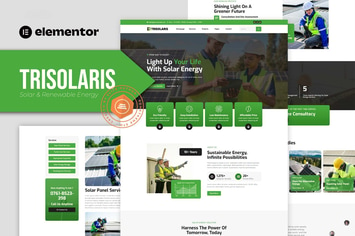
Trisolaris - Solar & Renewable Energy Elementor Template Kit
by Rometheme

Prudent - Notary Public & Legal Services Elementor Template Kit
by Rometheme

Decover - Insurance Company Elementor Pro Template Kit
by Rometheme
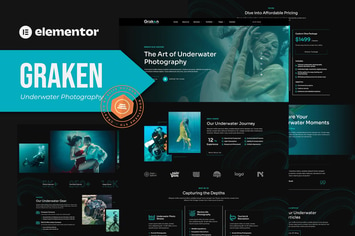
Graken - Underwater Photography Elementor Template Kit
by Rometheme

Pillar - Lawyer & Attorney HTML Template
by Rometheme
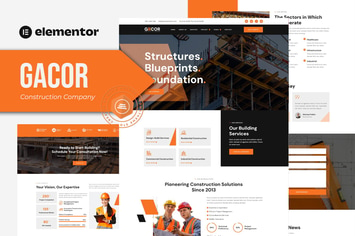
Gacor - Construction Company Elementor Template Kit
by Rometheme

Goodlend - Venture Capital & Investment Elementor Template Kit
by Rometheme
You May Also Like
Upking - Hiking Club WordPress Theme
by themeton

BookCard - 3D Folded vCard WordPress Theme
by pixelwars

Lisbeth - A Lifestyle WordPress Blog Theme
by gljivec

APRIL - Wonderful Fashion WooCommerce WordPress Th
by G5Theme

Rodich - A Restaurant WordPress Theme
by VictorThemes
Pallas - Creative Multi-Purpose WordPress Theme
by OceanThemes

Bakery WordPress Theme
by nicdark

Google Related Keywords Generator - Wordpress SEO
by divcoderPlugins