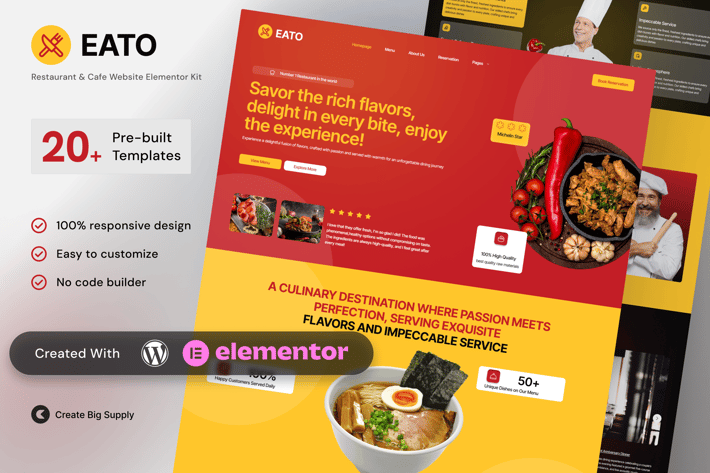
Eato - Restaurant & Cafe Elementor Template Kit
Author
CreateBigSupply
Published
Dec 08, 2025
Item Code
83749776-a019-4c96-b52e-7284b6ab3bde
How to Download
- 1 Copy the Item Code above
- 2 Go to fuckdcma.com
- 3 Paste the code in the text box and click "Generate Download Link"
About This Item
Eato is a tasteful and modern Elementor Template Kit crafted for restaurants, cafes, bistros, and culinary brands. With its clean typography, elegant food photography layouts, and reservation friendly sections, Eato helps you create a delightful online experience that reflects your cuisine and ambiance.
Whether you run a fine dining restaurant, local coffee shop, or catering service, Eato includes all essential pages to showcase your menu, tell your story, and convert visitors into diners. Fully editable with Elementor Free and responsive across all devices.
Key Features:
20+ ready to use page templates
Using Free Plugins (Elementor Pro is not required)
Cross Browser Compatibility: Chrome, Firefox, Safari, Opera
Built with Free Plugins – No premium add-ons required, making setup hassle-free.
100% Fully Responsive & mobile-friendly
Customize fonts and colors in one place (Global Kit Style)
One Click Installation – Import demo content easily with the Envato Elements plugin.
Fast-loading, clean code, and cross-browser compatible.
Designed for food businesses, cafes, and restaurants
Sleek layouts for menus, galleries, and bookings
Mobile optimized and SEO ready
Built with Elementor Free, no coding needed
Includes CTA sections for reservations or orders
Templates in Zip:
Global Style
Homepage
Menu Page
About Us
Reservation
Events & Private Dining
Gallery Page
Customer Reviews & Testimonial
Blog/Insight
Special Offers
FAQs
Contact Us
Coming Soon
Select 404 Error
404 Error
Single Post
Header 1
Header 2
Footer
Required Plugins:
- Elementor
- MetForm
- ElementsKit Lite
- Ultimate Addons for Elementor
- RomethemeKit For Elementor
How to Use Template Kits:
This is not a WordPress Theme. Template kits contain the design data for Elementor only and are installed using the envato Elements plugin for WordPress or directly through Elementor.
Elementor Template Kits use the Envato Elements plugin to install.
Detailed Guide:
For further support, go to Elementor > Get Help in WordPress menu.
How to Import MetForm Custom Form:
1. Import MetForm template.
2. Import the template where the form appears, then edit in Elementor.
3. Click the MetForm widget in the column where the form should be and click Edit Form.
4. Select New, leave blank selected then click Edit Form button.
5. Click ‘Add Template’ grey folder button.
6. Click ‘My Templates’ tab.
7. Choose your imported MetForm template, then click ‘Insert’.
8. Once the template is loaded, click ‘Update’.
Setup Global Header and Footer in UAE
If you have Elementor Pro, headers and footers may be customized under Theme Builder.
1. Go to UAE > Header Footer and click Add New button
3. Give it a title and select Header, Display on Entire Website and click Publish
4. Click Edit with Elementor
5. Click the gray folder icon to access My Templates tab and select the header template to import and Update.
6. Repeat for Footer
Images:
This Template Kit uses demo images from Envato Elements. You will need to license these images from Envato Elements to use them on your website, or you can substitute them with your own.
Eato - Restaurant & Cafe Elementor Template Kit
Eato is the perfect solution for culinary entrepreneurs and food venues that want to build a professional, inviting, and appetizing web presence with ease.
Create by: Create Big Supply
Whether you run a fine dining restaurant, local coffee shop, or catering service, Eato includes all essential pages to showcase your menu, tell your story, and convert visitors into diners. Fully editable with Elementor Free and responsive across all devices.
Key Features:
20+ ready to use page templates
Using Free Plugins (Elementor Pro is not required)
Cross Browser Compatibility: Chrome, Firefox, Safari, Opera
Built with Free Plugins – No premium add-ons required, making setup hassle-free.
100% Fully Responsive & mobile-friendly
Customize fonts and colors in one place (Global Kit Style)
One Click Installation – Import demo content easily with the Envato Elements plugin.
Fast-loading, clean code, and cross-browser compatible.
Designed for food businesses, cafes, and restaurants
Sleek layouts for menus, galleries, and bookings
Mobile optimized and SEO ready
Built with Elementor Free, no coding needed
Includes CTA sections for reservations or orders
Templates in Zip:
Global Style
Homepage
Menu Page
About Us
Reservation
Events & Private Dining
Gallery Page
Customer Reviews & Testimonial
Blog/Insight
Special Offers
FAQs
Contact Us
Coming Soon
Select 404 Error
404 Error
Single Post
Header 1
Header 2
Footer
Required Plugins:
- Elementor
- MetForm
- ElementsKit Lite
- Ultimate Addons for Elementor
- RomethemeKit For Elementor
How to Use Template Kits:
This is not a WordPress Theme. Template kits contain the design data for Elementor only and are installed using the envato Elements plugin for WordPress or directly through Elementor.
Elementor Template Kits use the Envato Elements plugin to install.
Detailed Guide:
For further support, go to Elementor > Get Help in WordPress menu.
How to Import MetForm Custom Form:
1. Import MetForm template.
2. Import the template where the form appears, then edit in Elementor.
3. Click the MetForm widget in the column where the form should be and click Edit Form.
4. Select New, leave blank selected then click Edit Form button.
5. Click ‘Add Template’ grey folder button.
6. Click ‘My Templates’ tab.
7. Choose your imported MetForm template, then click ‘Insert’.
8. Once the template is loaded, click ‘Update’.
Setup Global Header and Footer in UAE
If you have Elementor Pro, headers and footers may be customized under Theme Builder.
1. Go to UAE > Header Footer and click Add New button
3. Give it a title and select Header, Display on Entire Website and click Publish
4. Click Edit with Elementor
5. Click the gray folder icon to access My Templates tab and select the header template to import and Update.
6. Repeat for Footer
Images:
This Template Kit uses demo images from Envato Elements. You will need to license these images from Envato Elements to use them on your website, or you can substitute them with your own.
Eato - Restaurant & Cafe Elementor Template Kit
Eato is the perfect solution for culinary entrepreneurs and food venues that want to build a professional, inviting, and appetizing web presence with ease.
Create by: Create Big Supply
More from CreateBigSupply
View all →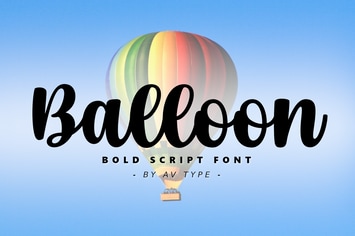
Balloon Script Font
by CreateBigSupply
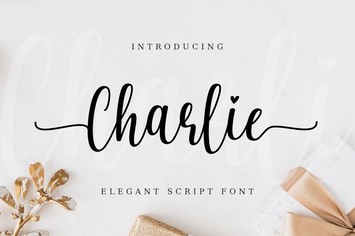
Charlie Delightful Script Font
by CreateBigSupply
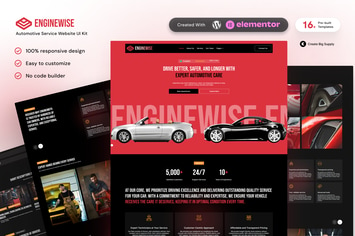
EngineWise - Automotive Service Elementor Template Kit
by CreateBigSupply
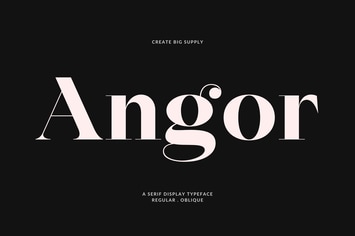
Modern Elegant Display Serif Typeface for Fashion
by CreateBigSupply
SaaSify - Modern Tech Startup Elementor Template Kit
by CreateBigSupply
Brogman – Elegant Minimalist Sans Serif Display
by CreateBigSupply

Clinicare - Elementor Template Kit Health & Medical Websites
by CreateBigSupply
Varelia – Modern Sans Serif Display Typeface
by CreateBigSupply