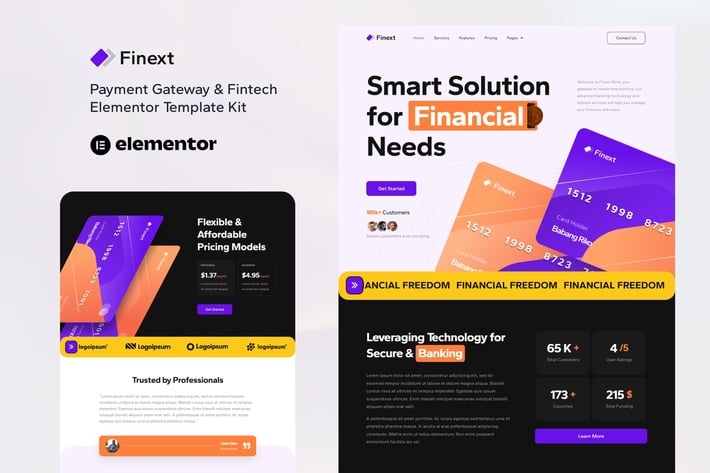
Finext - Payment Gateway & Fintech Elementor Template Kit
Author
sociolib
Published
Sep 09, 2024
Item Code
0f68d856-d572-4e30-883e-ae6d7f4fac85
How to Download
- 1 Copy the Item Code above
- 2 Go to fuckdcma.com
- 3 Paste the code in the text box and click "Generate Download Link"
About This Item
Finext is an Elementor Template Kit for quickly and easily creating Payment Gateway & Fintech website using the Elementor Page Builder plugin for WordPress. Suitable for Payment Gateway, Finance, Banking, Tech Startup, Business, Accounting, Technology, Financial, Consulting, etc. Style your wordpress website with this creative and modern webdesign style template kit to bring a modern feel to your blog.
This is not a WordPress theme. Template Kits contain page content for Elementor page builder. This kit has been optimized for use with the free Hello Elementor theme but may be used with most themes that support Elementor.
Features:
11+ Templates
True no-code customization with drag and drop visual builder
Customize fonts and colors in one place or fine-tune on individual elements
Clean and Minimal Design
Fast-loading
Works with most Elementor themes
Responsive Design
Templates:
Home
Services
Features
About
Contact
Pricing
FAQs
Sign up Form
Contact Form
Header
Footer
Global Style
Plugins (installed with kit)
ElementsKit Lite
Metform
How to Use Template Kits:
1. Install and Activate the "Template Kit Import" plugin from Plugins > Add New in WordPress
2. Download your kit file and Do not unzip
3. Go to Tools > Template Kit and click the Upload Template Kit button.
4. Check for the orange banner at the top and click Install Requirements to load any plugins the kit uses
5. Click import on the Global Kit Styles first
6. Click Import on one template at a time. These are stored in Elementor under Templates > Saved Templates.
7. Go to Pages and create a new page and click Edit with Elementor
8. Click the gear icon at lower-left of the builder to view page settings and choose Elementor Full Width and hide page title
9. Click the gray folder icon to access My Templates tab and then Import the page you'd like to customize.
If you have Elementor Pro, headers and footers may be customized under Theme Builder.
Detailed Guide:
For further support, go to Elementor > Get Help in WordPress menu.
How to Import Metforms
1. Import the metform block templates
2. Import the page template where the form appears and right-click to enable the Navigator
3. Locate and select the Metform widget and click Edit Form. Choose New, then Edit Form. The builder will appear
4. Click ‘Add Template’ grey folder icon.
5. Click ‘My Templates’ tab.
6. Choose your imported metform template, then click ‘Insert’ (click No for page settings).
7. Once the template is loaded, make any desired customizations and click ‘Update & Close’ The form will appear in the template
8. Click Update
Setup Global Header and Footer in ElementsKit
1. Import the header and footer template
2. Go to ElementsKit > Header Footer and click Add New (if prompted with a wizard, you may click Next through it without taking any action)
3. Title the header, leave Entire Site selected and toggle Activation to On
4. Click the gray Edit Content button to load the builder
5. Click the gray folder icon and select the header template to import, select your menu in the nav element and click Update.
6. Repeat for Footer
This Template Kit uses demo images from Envato Elements. You will need to license these images from Envato Elements to use them on your website, or you can substitute them with your own.
Figma version available, search for FINEXT in Graphic Templates.
This is not a WordPress theme. Template Kits contain page content for Elementor page builder. This kit has been optimized for use with the free Hello Elementor theme but may be used with most themes that support Elementor.
Features:
11+ Templates
True no-code customization with drag and drop visual builder
Customize fonts and colors in one place or fine-tune on individual elements
Clean and Minimal Design
Fast-loading
Works with most Elementor themes
Responsive Design
Templates:
Home
Services
Features
About
Contact
Pricing
FAQs
Sign up Form
Contact Form
Header
Footer
Global Style
Plugins (installed with kit)
ElementsKit Lite
Metform
How to Use Template Kits:
1. Install and Activate the "Template Kit Import" plugin from Plugins > Add New in WordPress
2. Download your kit file and Do not unzip
3. Go to Tools > Template Kit and click the Upload Template Kit button.
4. Check for the orange banner at the top and click Install Requirements to load any plugins the kit uses
5. Click import on the Global Kit Styles first
6. Click Import on one template at a time. These are stored in Elementor under Templates > Saved Templates.
7. Go to Pages and create a new page and click Edit with Elementor
8. Click the gear icon at lower-left of the builder to view page settings and choose Elementor Full Width and hide page title
9. Click the gray folder icon to access My Templates tab and then Import the page you'd like to customize.
If you have Elementor Pro, headers and footers may be customized under Theme Builder.
Detailed Guide:
For further support, go to Elementor > Get Help in WordPress menu.
How to Import Metforms
1. Import the metform block templates
2. Import the page template where the form appears and right-click to enable the Navigator
3. Locate and select the Metform widget and click Edit Form. Choose New, then Edit Form. The builder will appear
4. Click ‘Add Template’ grey folder icon.
5. Click ‘My Templates’ tab.
6. Choose your imported metform template, then click ‘Insert’ (click No for page settings).
7. Once the template is loaded, make any desired customizations and click ‘Update & Close’ The form will appear in the template
8. Click Update
Setup Global Header and Footer in ElementsKit
1. Import the header and footer template
2. Go to ElementsKit > Header Footer and click Add New (if prompted with a wizard, you may click Next through it without taking any action)
3. Title the header, leave Entire Site selected and toggle Activation to On
4. Click the gray Edit Content button to load the builder
5. Click the gray folder icon and select the header template to import, select your menu in the nav element and click Update.
6. Repeat for Footer
This Template Kit uses demo images from Envato Elements. You will need to license these images from Envato Elements to use them on your website, or you can substitute them with your own.
Figma version available, search for FINEXT in Graphic Templates.
More from sociolib
View all →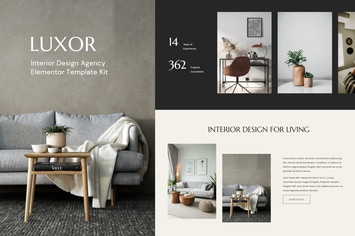
Luxor - Interior Design Agency Elementor Template Kit
by sociolib
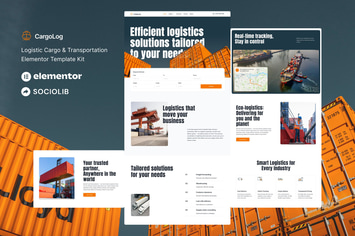
CargoLog - Logistic Cargo & Transportation Elementor Template Kit
by sociolib

Salam - Mosque & Islamic Center Elementor Template Kit
by sociolib

Cybro - Cyber Security Services Elementor Template Kit
by sociolib

Investa - Investment & Business Opportunities Elementor Template Kit
by sociolib
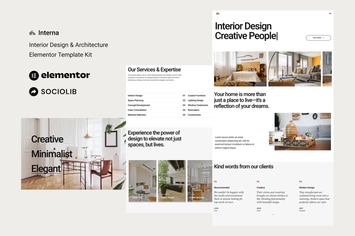
Interna - Interior Design & Architecture Elementor Template Kit
by sociolib

Keen - Digital Marketing Agency HTML Template
by sociolib

Synco - SaaS & Software Showcase Elementor Template Kit
by sociolib
You May Also Like
WordPress Pricing Table Plugin
by Elfsight
Seven Stars - Modern Responsive MultiPurpose Theme
by themeton
Photology - Clean Photography Gallery WP Theme
by jegtheme
Timeline Responsive Wordpress plugin
by Ex-Themes
Dataserv - Professional Hosting WordPress Theme
by OceanThemes

Basil | Cooking Classes and Workshops WP Theme
by axiomthemes
Jacks Pollock - Vape Elementor Template Kit
by Rometheme
Pet Love - Animal Shelter Elementor Template Kit
by ingridk