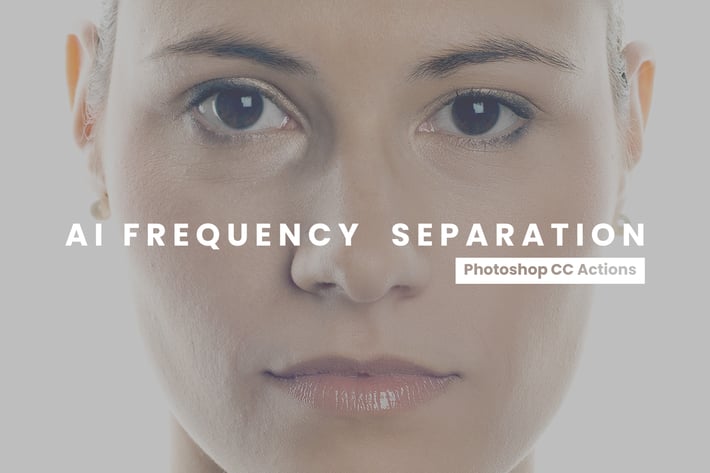
Frequency Separation Photoshop Actions
Author
sparklestock
Published
Jun 26, 2021
Item Code
2574a1ad-4b43-46e2-bcc7-c501161f9ce0
How to Download
- 1 Copy the Item Code above
- 2 Go to fuckdcma.com
- 3 Paste the code in the text box and click "Generate Download Link"
About This Item
Download these Frequency Separation Photoshop actions to retouch skin. Frequency Separation is one of the most common and effective techniques to give skin the airbrushed look. These actions are an incredibly fast and easy way to do that.
Photoshop Actions
- NEW: AI Auto Retouch
- Auto Retouch
- Frequency Separation (Autodetect Bit Depth)
- 8-Bit Files - Frequency Separation
- 16-Bit Files - Frequency Separation
- 32-Bit Files - Frequency Separation
- Traditional Frequency Separation (Autodetect Bit Depth)
- 8-Bit Files - Traditional Frequency Separation
- 16-Bit Files - Traditional Frequency Separation
- 32-Bit Files - Traditional Frequency Separation
- Select Skin Tones with Face Detection
- Test Document
- What is my photo's bit depth?
✔ One-Click AI AutoRetouch
Retouch skin in one click. This action applies frequency separation to your photo and autodetects skin tones using AI and face detection. Simply put, it's the fastest and easiest way to retouch skin in Photoshop.
✔ Traditional and Modern Frequency Separation
Frequency Separation is a technique to retouch skin. Whether you want something natural & sharp or strong & diffused, you have the choice with these actions. Use the standard/modern frequency separation actions for a natural look or the traditional frequency separation actions for a softer look.
✔ Fully Editable Layers
Adjust the high pass or low pass layers with ease. Using Photoshop's smart filters, you can adjust and reconfigure the settings at any time. Some of these settings may not be available for 16 and 32-bit photos,
✔ Intelligent Error Detection
No more headaches! In Photoshop CC, these actions are so advanced that they can even detect and fix common document issues.
✔ Works with All Languages
Many Photoshop actions will only run if Photoshop is set to English. These actions, however, work with ALL languages. You can use the actions without changing the language setting.
Compatible With
- Photoshop CC
- Mac and Windows
Product Updates
2.0.0
- New AI AutoRetouch action uses artificial intelligence to detect the person in your photo
- 16 and 32-bit files have editable softness/low-frequency settings.
Photoshop Actions
- NEW: AI Auto Retouch
- Auto Retouch
- Frequency Separation (Autodetect Bit Depth)
- 8-Bit Files - Frequency Separation
- 16-Bit Files - Frequency Separation
- 32-Bit Files - Frequency Separation
- Traditional Frequency Separation (Autodetect Bit Depth)
- 8-Bit Files - Traditional Frequency Separation
- 16-Bit Files - Traditional Frequency Separation
- 32-Bit Files - Traditional Frequency Separation
- Select Skin Tones with Face Detection
- Test Document
- What is my photo's bit depth?
✔ One-Click AI AutoRetouch
Retouch skin in one click. This action applies frequency separation to your photo and autodetects skin tones using AI and face detection. Simply put, it's the fastest and easiest way to retouch skin in Photoshop.
✔ Traditional and Modern Frequency Separation
Frequency Separation is a technique to retouch skin. Whether you want something natural & sharp or strong & diffused, you have the choice with these actions. Use the standard/modern frequency separation actions for a natural look or the traditional frequency separation actions for a softer look.
✔ Fully Editable Layers
Adjust the high pass or low pass layers with ease. Using Photoshop's smart filters, you can adjust and reconfigure the settings at any time. Some of these settings may not be available for 16 and 32-bit photos,
✔ Intelligent Error Detection
No more headaches! In Photoshop CC, these actions are so advanced that they can even detect and fix common document issues.
✔ Works with All Languages
Many Photoshop actions will only run if Photoshop is set to English. These actions, however, work with ALL languages. You can use the actions without changing the language setting.
Compatible With
- Photoshop CC
- Mac and Windows
Product Updates
2.0.0
- New AI AutoRetouch action uses artificial intelligence to detect the person in your photo
- 16 and 32-bit files have editable softness/low-frequency settings.
More from sparklestock
View all →
20 Creamy Lightroom Presets and LUTs
by sparklestock

20 Light Rose Lightroom Presets and LUTs
by sparklestock

20 Magic Hour Lightroom Presets and LUTs
by sparklestock

20 Moody Brown Lightroom Presets and LUTs
by sparklestock

20 Uncharted Lightroom Presets and LUTs
by sparklestock

20 Tidal Tones Lightroom Presets and LUTs
by sparklestock

20 Nostalgic Glow Lightroom Presets and LUTs
by sparklestock

20 Kindred Lightroom Presets and LUTs
by sparklestock
You May Also Like

Ashes n Embers Photoshop Action
by IndWorks

Retro Vintage Text Styles
by designhatti

Ephemera Animation Photoshop Action
by sreda

Fabric & Paper Procreate Brushes
by Veila

Macchiato Mobile & Desktop Lightroom Presets
by creativetacos

Photocopy Glitch Poster Photoshop Action
by bangingjoints
12 Rich Mood Lightroom Presets
by zvolia
A Tan For Days — Capture One Color Grading Style
by betoalanis