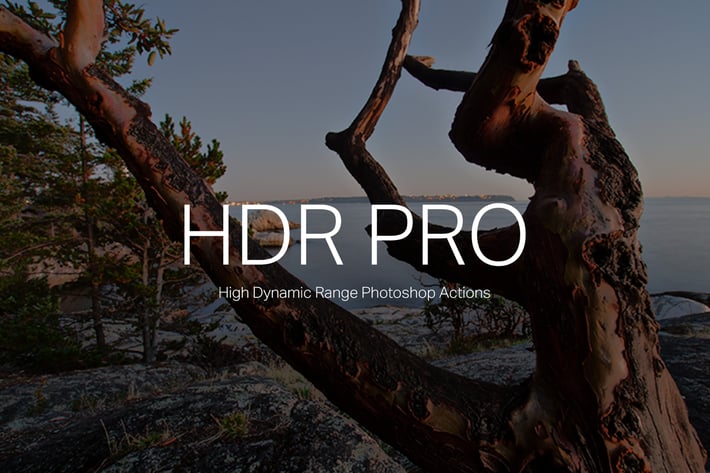
HDR Pro
Author
sparklestock
Published
Jan 11, 2021
Item Code
a7c9e1d4-0ed1-440e-b511-8cf888cbff33
How to Download
- 1 Copy the Item Code above
- 2 Go to fuckdcma.com
- 3 Paste the code in the text box and click "Generate Download Link"
About This Item
Create HDR and DRI images like a pro! This huge action set will let you create fully-editable layered HDR and DRI photos from a single or multiple exposures. You can choose to create natural halo-free HDR/DRI effects or strong artistic looks simply by playing one action and picking the effect.
Snapshot Prerendering
Play one action and all the HDR/DRI effects will be generated for you! Using Photoshop’s snapshots feature, you can switch between the effects instantly without running another action.
Fully Editable Layers
All effects are created with adjustment layers and smart filters which are fully editable. The HDR looks are created primarily with the RGB curves to maximize image quality and dynamic range.
Professional DRI Effects
Reveal details and simulate tone mapping from a single photo! Play one action then pick from the 30 automatically-generated tone mapping effects. Looking for something natural? Use the Auto DRI effects to automatically reveal hidden details in your photo that you never knew existed. For full tonal control, use our Manual DRI action!
Realistic HDR Tone Mapping
Do you shoot multiple-exposure HDR photos? Our tone mapping actions generate 30 variations so that you can easily pick the best looking one. You can get the most natural and halo-free results or go for something artistic with some halos but still believable. You can create HDR tone mapping with 3, 5, or 7 exposures.
10 Free HDR Looks
This action set does more than realistic tone mapping – it also generates 10 HDR color effects! Play one action and it’ll automatically generate 10 HDR color effects that you can easily pick from without playing another action.
HDR Actions
Step 1 – Load HDR Images
Step 2 – 1 Exposure – Render All DRI Effects
Step 2 – 3 Exposures – Render All HDR Tone Mapping Effects
Step 2 – 5 Exposures – Render All HDR Tone Mapping Effects
Step 2 – 7 Exposures – Render All HDR Tone Mapping Effects
Step 3 – Render All HDR Looks
Dynamic Range Increase
Auto DRI
Auto DRI +
Auto DRI ++
Manual DRI (Simple)
Manual DRI (Pro)
DRI (Film Look)
DRI (Flat)
DRI (Natural)
DRI (Strong)
Multiple Exposure HDR Tone Mapping (Each renders 10 variations)
3 Exposures Tone Mapping (Flat)
3 Exposures Tone Mapping (Natural)
3 Exposures Tone Mapping (Strong)
5 Exposures Tone Mapping (Flat)
5 Exposures Tone Mapping (Natural)
5 Exposures Tone Mapping (Strong)
7 Exposures Tone Mapping (Flat)
7 Exposures Tone Mapping (Natural)
7 Exposures Tone Mapping (Strong)
HDR Tools
Boost Shadows
Restore Highlights
Midtone Contrast
Highlight Compression
Remove Gray
HDR Looks
Sepia
Grunge
Antique
P ro Film
Positive Film
2 Strip Film
Horror
Edition
Gritty
* Willow
Snapshot Prerendering
Play one action and all the HDR/DRI effects will be generated for you! Using Photoshop’s snapshots feature, you can switch between the effects instantly without running another action.
Fully Editable Layers
All effects are created with adjustment layers and smart filters which are fully editable. The HDR looks are created primarily with the RGB curves to maximize image quality and dynamic range.
Professional DRI Effects
Reveal details and simulate tone mapping from a single photo! Play one action then pick from the 30 automatically-generated tone mapping effects. Looking for something natural? Use the Auto DRI effects to automatically reveal hidden details in your photo that you never knew existed. For full tonal control, use our Manual DRI action!
Realistic HDR Tone Mapping
Do you shoot multiple-exposure HDR photos? Our tone mapping actions generate 30 variations so that you can easily pick the best looking one. You can get the most natural and halo-free results or go for something artistic with some halos but still believable. You can create HDR tone mapping with 3, 5, or 7 exposures.
10 Free HDR Looks
This action set does more than realistic tone mapping – it also generates 10 HDR color effects! Play one action and it’ll automatically generate 10 HDR color effects that you can easily pick from without playing another action.
HDR Actions
Step 1 – Load HDR Images
Step 2 – 1 Exposure – Render All DRI Effects
Step 2 – 3 Exposures – Render All HDR Tone Mapping Effects
Step 2 – 5 Exposures – Render All HDR Tone Mapping Effects
Step 2 – 7 Exposures – Render All HDR Tone Mapping Effects
Step 3 – Render All HDR Looks
Dynamic Range Increase
Auto DRI
Auto DRI +
Auto DRI ++
Manual DRI (Simple)
Manual DRI (Pro)
DRI (Film Look)
DRI (Flat)
DRI (Natural)
DRI (Strong)
Multiple Exposure HDR Tone Mapping (Each renders 10 variations)
3 Exposures Tone Mapping (Flat)
3 Exposures Tone Mapping (Natural)
3 Exposures Tone Mapping (Strong)
5 Exposures Tone Mapping (Flat)
5 Exposures Tone Mapping (Natural)
5 Exposures Tone Mapping (Strong)
7 Exposures Tone Mapping (Flat)
7 Exposures Tone Mapping (Natural)
7 Exposures Tone Mapping (Strong)
HDR Tools
Boost Shadows
Restore Highlights
Midtone Contrast
Highlight Compression
Remove Gray
HDR Looks
Sepia
Grunge
Antique
P ro Film
Positive Film
2 Strip Film
Horror
Edition
Gritty
* Willow
More from sparklestock
View all →
20 Creamy Lightroom Presets and LUTs
by sparklestock
20 Light Rose Lightroom Presets and LUTs
by sparklestock
20 Magic Hour Lightroom Presets and LUTs
by sparklestock
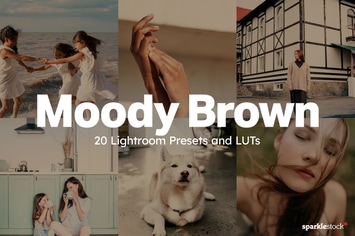
20 Moody Brown Lightroom Presets and LUTs
by sparklestock
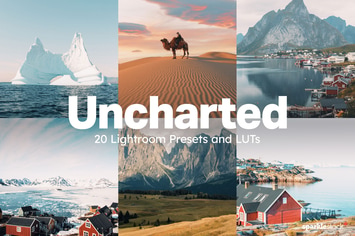
20 Uncharted Lightroom Presets and LUTs
by sparklestock
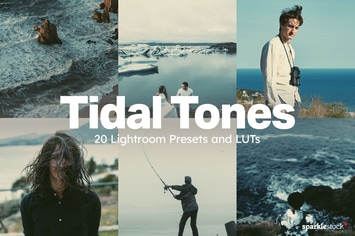
20 Tidal Tones Lightroom Presets and LUTs
by sparklestock
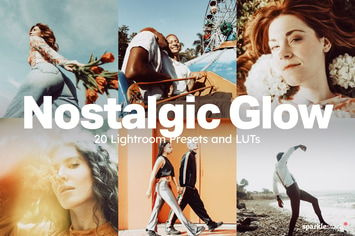
20 Nostalgic Glow Lightroom Presets and LUTs
by sparklestock

20 Kindred Lightroom Presets and LUTs
by sparklestock
You May Also Like
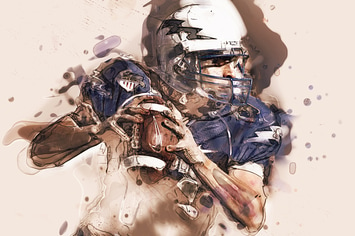
Canvas Photoshop Action
by sevenstyles
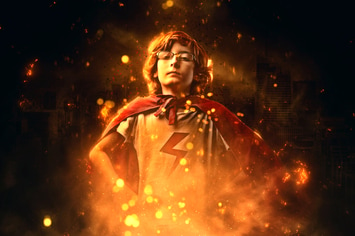
Rise Photoshop Action
by sevenstyles
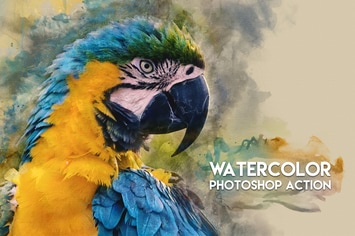
Watercolor Photoshop Action
by ClauGabriel
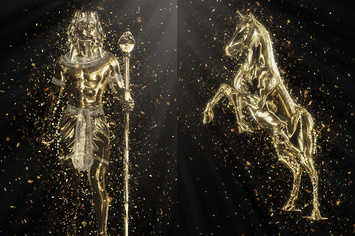
Gold Confetti Photoshop Action
by sevenstyles

Artistic vol. 1 Lightroom Presets
by Artmonk
Battlefield Photoshop Action
by iHemalaya
Ghost Signs for Adobe Illustrator
by guerillacraft

Graffiti Text Effects - 10 PSD - vol 3
by Sko4