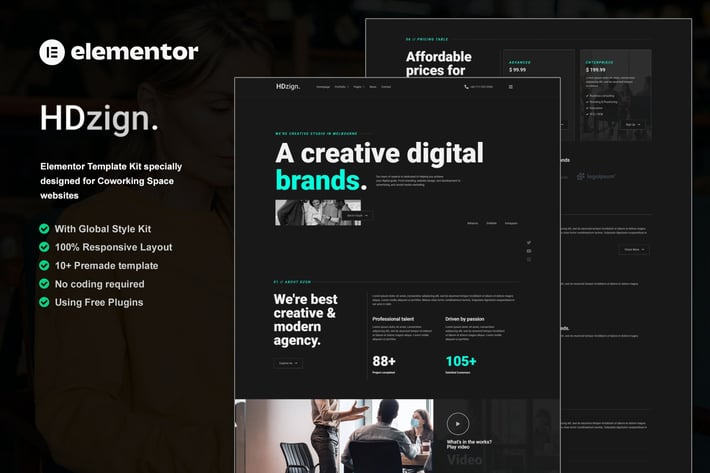
HDzign - Dark Digital Agency Elementor Template Kit
Author
Haidezign
Published
Jun 12, 2025
Item Code
b9d61d42-66ee-4396-9a66-8c0db0c04be1
How to Download
- 1 Copy the Item Code above
- 2 Go to fuckdcma.com
- 3 Paste the code in the text box and click "Generate Download Link"
About This Item
HDzign is an Elementor Template Kit designed for Digital Agency business websites!
This kit has a modern and unique design with a 100% fully responsive layout, easy installation, and sure very easy to customize because using Elementor so you don’t need a single line of coding!
This Template Kit contains page content for creating Elementor pages. This kit has been optimized for use with the free "Hello Elementor" theme.
Features :
Cross Browser Compatibility: Chrome, Firefox, Safari, Opera
Using Free Plugins (Elementor Pro is not required)
100% Fully Responsive & mobile-friendly
Modern and Unique design
15+ pre-built templates ready to use
Customize fonts and colors in one place (Global Kit Style)
Templates in Zip :
Homepage
About Us
Team
Pricing Plan
Services
Porfolio
Project Detail
News
404 Page
Contact Us
Header Off-Canvas - Block
Newsletter - Block
Contact Form - Block
Header
Footer
Required Plugins :
RomethemeKit
RomethemeForm
How to Use Template Kits:
This is not a WordPress Theme. Template kits contain the design data for Elementor only and are installed using the envato Elements plugin for WordPress or directly through Elementor.
1. Download your kit file from Envato and do not unzip it. If you use Safari browser you may need to ensure "Open safe files after downloading" is disabled in the browser preferences.
2. Go to Settings > Permalinks and ensure Post Name is selected
3. Go to Appearance > Themes > Add New and ensure Hello Elementor is installed and activated. This will prompt you to install Elementor if you haven't already.
4. Go to Plugins and ensure Elementor and Envato Elements are installed and at the latest version. If your kit requires Elementor Pro, it must be installed now and connected to your account.
5. Go to Elements > Installed Kits and click Upload Template Kit Zip (or click your kit to view it)
6. Check for the orange banner at the top and click Install Requirements to load any plugins the kit uses.
7. Click import on the Global Kit Styles first. This will setup the site settings.
8. Click Import on one template at a time in the order shown. These are stored in Elementor under Templates > Saved Templates and are re-used from here.
Creating pages
1. Go to Pages and create a new page and click Edit with Elementor
2. Click the gear icon at lower-left of the builder to view page settings and choose Elementor Full Width and hide page title
3. Click the gray folder icon to access My Templates tab and then Import the page you'd like to customize.
4. The home page is set under Settings > Reading by selecting Static Front Page.
If you have Elementor Pro, headers and footers are customized under Templates > Theme Builder.
Detailed Guide:
For further support, go to Elementor > Get Help in WordPress menu.
How to Setup Forms:
First, be sure you've Imported the form blocks from Template-Kit.
Click on "RomethemeForm" > Forms in the admin menu
Click "Add New"
Enter a "Form Name" and then Click "Save and Edit"
On the Elementor canvas, Click the gray folder icon to access "My Templates tab" and then choose the block of Forms you’d like to import with Click Insert.
* Next, you can customize the forms by setting the widget as you like or just leave by default.
Images
This Template Kit uses demo images from Envato Elements. You will need to license these images from Envato Elements to use them on your website, or you can substitute them with your own.
This kit has a modern and unique design with a 100% fully responsive layout, easy installation, and sure very easy to customize because using Elementor so you don’t need a single line of coding!
This Template Kit contains page content for creating Elementor pages. This kit has been optimized for use with the free "Hello Elementor" theme.
Features :
Cross Browser Compatibility: Chrome, Firefox, Safari, Opera
Using Free Plugins (Elementor Pro is not required)
100% Fully Responsive & mobile-friendly
Modern and Unique design
15+ pre-built templates ready to use
Customize fonts and colors in one place (Global Kit Style)
Templates in Zip :
Homepage
About Us
Team
Pricing Plan
Services
Porfolio
Project Detail
News
404 Page
Contact Us
Header Off-Canvas - Block
Newsletter - Block
Contact Form - Block
Header
Footer
Required Plugins :
RomethemeKit
RomethemeForm
How to Use Template Kits:
This is not a WordPress Theme. Template kits contain the design data for Elementor only and are installed using the envato Elements plugin for WordPress or directly through Elementor.
1. Download your kit file from Envato and do not unzip it. If you use Safari browser you may need to ensure "Open safe files after downloading" is disabled in the browser preferences.
2. Go to Settings > Permalinks and ensure Post Name is selected
3. Go to Appearance > Themes > Add New and ensure Hello Elementor is installed and activated. This will prompt you to install Elementor if you haven't already.
4. Go to Plugins and ensure Elementor and Envato Elements are installed and at the latest version. If your kit requires Elementor Pro, it must be installed now and connected to your account.
5. Go to Elements > Installed Kits and click Upload Template Kit Zip (or click your kit to view it)
6. Check for the orange banner at the top and click Install Requirements to load any plugins the kit uses.
7. Click import on the Global Kit Styles first. This will setup the site settings.
8. Click Import on one template at a time in the order shown. These are stored in Elementor under Templates > Saved Templates and are re-used from here.
Creating pages
1. Go to Pages and create a new page and click Edit with Elementor
2. Click the gear icon at lower-left of the builder to view page settings and choose Elementor Full Width and hide page title
3. Click the gray folder icon to access My Templates tab and then Import the page you'd like to customize.
4. The home page is set under Settings > Reading by selecting Static Front Page.
If you have Elementor Pro, headers and footers are customized under Templates > Theme Builder.
Detailed Guide:
For further support, go to Elementor > Get Help in WordPress menu.
How to Setup Forms:
First, be sure you've Imported the form blocks from Template-Kit.
Click on "RomethemeForm" > Forms in the admin menu
Click "Add New"
Enter a "Form Name" and then Click "Save and Edit"
On the Elementor canvas, Click the gray folder icon to access "My Templates tab" and then choose the block of Forms you’d like to import with Click Insert.
* Next, you can customize the forms by setting the widget as you like or just leave by default.
Images
This Template Kit uses demo images from Envato Elements. You will need to license these images from Envato Elements to use them on your website, or you can substitute them with your own.
More from Haidezign
View all →
Xennada - Life Coach Elementor Template Kit
by Haidezign
Xtravagant - Beauty Salon Elementor Template Kit
by Haidezign
Mastro - Handyman Services Elementor Template Kit
by Haidezign
Xegara - Dentist Dental Care Elementor Template Kit
by Haidezign
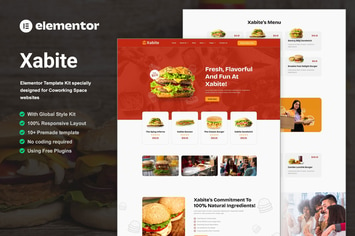
Xabite - Burger Fast Food Elementor Template Kit
by Haidezign

Xeraphi - Feminine Business Coaching Elementor Template Kit
by Haidezign
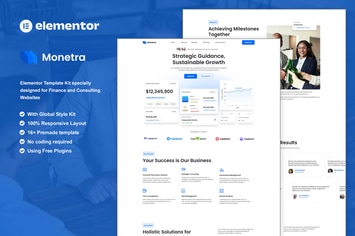
Monetra - Finance and Consulting Elementor Template Kit
by Haidezign

Xander - Tech Company Elementor Template Kit
by Haidezign
You May Also Like
Porfolio - Creative Agency & Personal Portfolio Wo
by modeltheme
MT Photography - Eye-catching, Unique Photography
by modeltheme

Zyra – Clean, Minimal WooCommerce Theme
by LA-Studio
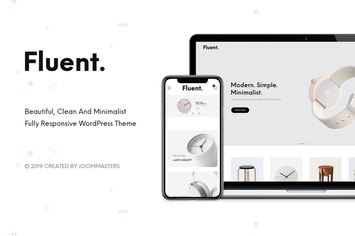
Fluent - Creative Multi-Purpose WooCommerce Theme
by joommasters
Animo – Creative & Clean Multi-Purpose WordPress T
by theme_bubble
NEW Retina Ready WordPress Vcard Theme
by mutationthemes
Arvo - A Clever & Flexible Multipurpose WordPress
by G5Theme
Materil - WordPress Material Design Admin Theme
by Flatfull