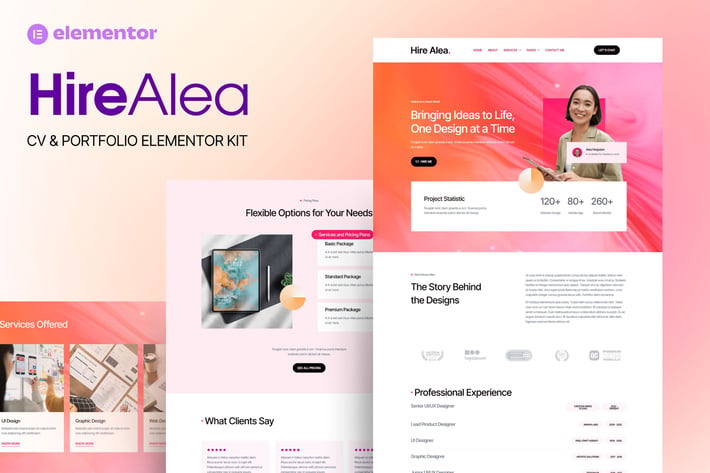
HireAlea - Personal CV Elementor Template Kit
Author
Tokotema
Published
Dec 31, 2024
Item Code
dd3a1f2c-5ece-49f4-b377-f82aa588f49c
How to Download
- 1 Copy the Item Code above
- 2 Go to fuckdcma.com
- 3 Paste the code in the text box and click "Generate Download Link"
About This Item
HireAlea - Personal CV Elementor Template Kit is a sleek and professional design kit perfect for individuals wanting to showcase their skills and experience in a modern, impactful way. This template offers a streamlined layout with customizable sections, allowing users to highlight their services, work portfolio, and personal background. HireAlea’s clean, responsive design ensures a seamless experience on both desktop and mobile, while providing ready-to-use, stylish components for each section. Ideal for freelancers, consultants, or anyone creating a standout personal brand, this template integrates smoothly with Elementor, offering easy drag-and-drop customization. The design prioritizes user engagement with visually captivating pages, promoting a professional yet inviting presence that resonates with potential clients or employers. Start creating an impressive online CV and portfolio today with HireAlea!
### Features
- True no-code customization with drag and drop visual builder
- Customize fonts and colors in one place or fine-tune on individual elements
- Modern, professional design
- Fast-loading
- Works with most Elementor themes.
### Pages:
Home
About
Services
Service Details
Portfolio
Portfolio Details
Pricing
Help Center
404
Contact Us
### Plugins installed with kit
Elementor
Elementor Header & Footer Builder
MetForm
The Plus Addons for Elementor
### How to Use Template Kits:
This is not a WordPress Theme. Template kits contain the design data for Elementor only and are installed using the envato Elements plugin for WordPress or directly through Elementor.
Elementor Template Kits use the Envato Elements plugin to install.
Detailed Guide:
For further support, go to Elementor > Get Help in WordPress menu.
How to Import Metforms
If you have Elementor Pro, skip install of Metform and form blocks.
1. Import the metform block templates
2. Import the page template where the form appears and right-click to enable the Navigator
3. Locate and select the Metform widget and click Edit Form. Choose New, then Edit Form. The builder will appear
4. Click ‘Add Template’ grey folder icon.
5. Click ‘My Templates’ tab.
6. Choose your imported metform template, then click ‘Insert’ (click No for page settings).
7. Once the template is loaded, make any desired customizations and click ‘Update & Close’ The form will appear in the template
8. Click Update
Setup Global Header and Footer
If you have Elementor Pro, headers and footers may be customized under Theme Builder.
1. Go to Appearance > Header Footer and click Add New button
3. Give it a title and select Header, Display on Entire Site and click Publish
4. Click Edit with Elementor
5. Click the gray folder icon to access My Templates tab and select the header template to import and Update.
6. Repeat for Footer
### Images
This Template Kit uses demo images from Envato Elements. You will need to license these images from Envato Elements to use them on your website, or you can substitute them with your own.
### Features
- True no-code customization with drag and drop visual builder
- Customize fonts and colors in one place or fine-tune on individual elements
- Modern, professional design
- Fast-loading
- Works with most Elementor themes.
### Pages:
Home
About
Services
Service Details
Portfolio
Portfolio Details
Pricing
Help Center
404
Contact Us
### Plugins installed with kit
Elementor
Elementor Header & Footer Builder
MetForm
The Plus Addons for Elementor
### How to Use Template Kits:
This is not a WordPress Theme. Template kits contain the design data for Elementor only and are installed using the envato Elements plugin for WordPress or directly through Elementor.
Elementor Template Kits use the Envato Elements plugin to install.
Detailed Guide:
For further support, go to Elementor > Get Help in WordPress menu.
How to Import Metforms
If you have Elementor Pro, skip install of Metform and form blocks.
1. Import the metform block templates
2. Import the page template where the form appears and right-click to enable the Navigator
3. Locate and select the Metform widget and click Edit Form. Choose New, then Edit Form. The builder will appear
4. Click ‘Add Template’ grey folder icon.
5. Click ‘My Templates’ tab.
6. Choose your imported metform template, then click ‘Insert’ (click No for page settings).
7. Once the template is loaded, make any desired customizations and click ‘Update & Close’ The form will appear in the template
8. Click Update
Setup Global Header and Footer
If you have Elementor Pro, headers and footers may be customized under Theme Builder.
1. Go to Appearance > Header Footer and click Add New button
3. Give it a title and select Header, Display on Entire Site and click Publish
4. Click Edit with Elementor
5. Click the gray folder icon to access My Templates tab and select the header template to import and Update.
6. Repeat for Footer
### Images
This Template Kit uses demo images from Envato Elements. You will need to license these images from Envato Elements to use them on your website, or you can substitute them with your own.
More from Tokotema
View all →
Evenizer - Event Organizer Elementor Template Kit
by Tokotema
Wooshwiz - Logistic & Shipping Elementor Template Kits
by Tokotema

HireAlves - CV & Portfolio Elementor Template Kits
by Tokotema
Qonec - Broadband & Internet Service Provider Template Kit
by Tokotema

FoodHill - Restaurant Elementor Template Kit
by Tokotema

Lambe - Digital Marketing Agency Elementor Template Kits
by Tokotema

Bangoonan - Real Estate & Property Elementor Template Kit
by Tokotema

Mentarie - Solar Panel & Sustainable Energy Elementor Template Kit
by Tokotema
You May Also Like

Airi - Clean, Minimal WooCommerce Theme
by LA-Studio
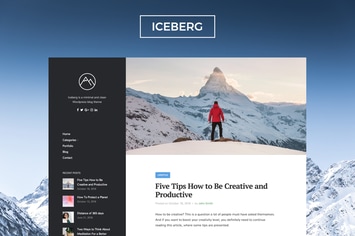
Iceberg - Clean & Modern WordPress Blog Theme
by NordStudio
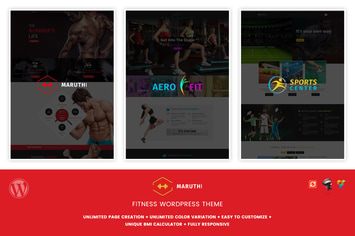
Maruthi Fitness - Fitness Center WordPress Theme
by designthemes
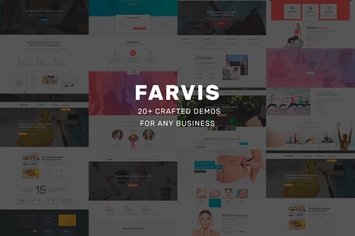
Farvis - Multipurpose WordPress Theme
by Templines
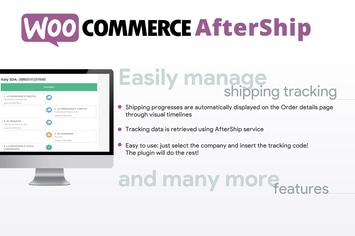
WooCommerce AfterShip
by vanquish
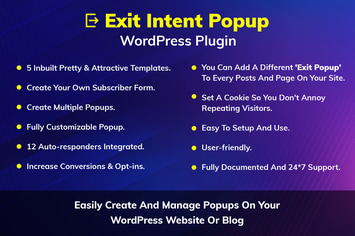
Exit Intent Popup WordPress Plugin
by kamleshyadav
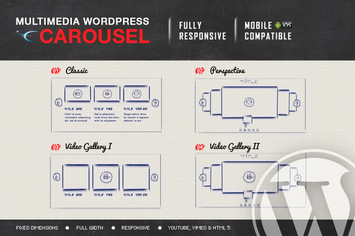
Multimedia Responsive Carousel - WordPress Plugin
by LambertGroup
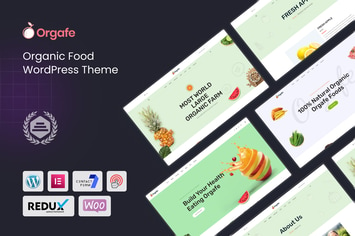
Orgafe - Organic Food WordPress Theme
by shtheme