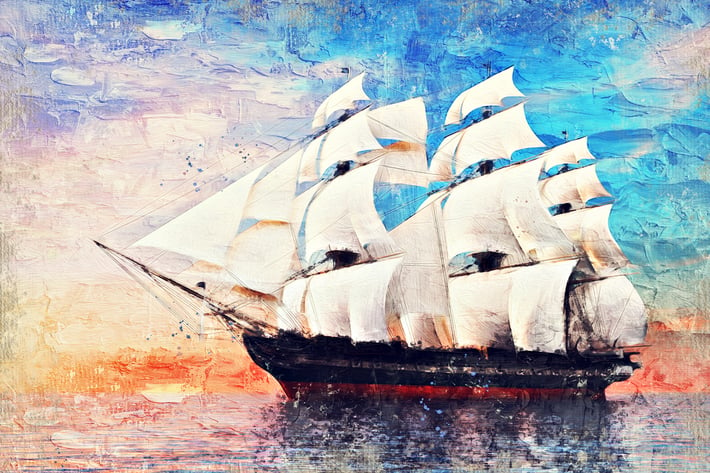
Impasto Oil Paint Photoshop Action
Author
IndWorks
Published
Jun 24, 2021
Item Code
f64697c1-d7ad-421a-ada2-d0620e9d8d84
How to Download
- 1 Copy the Item Code above
- 2 Go to fuckdcma.com
- 3 Paste the code in the text box and click "Generate Download Link"
About This Item
Impasto Oil Paint Photoshop Action transforms your photos into hand-drawn oil paint artworks in just a few clicks. The action recreates thick paint daubs and strong brush strokes of the impasto style oil painting. The action works best with portraits and landscapes and other photos. Final composition is fully layered and provides lots of effects and customization. The action also creates 20 color presets to apply with a single click. Its super easy to use and save yourself hours of work.
The video tutorial link is included in the ‘Help.pdf’ file in the download. The video tutorial covers important steps on how to set up the Photoshop files and in-depth effect customization techniques after the effect has been applied.
IMPORTANT! This action uses the Oil Paint Filter.
The compatible versions of Photoshop are CS 6, CC, CC 2015.1, CC 2015.5+, CC 2017, CC 2018+.\
The oil paint filter is missing in versions of CS 5 and below, CC 2014, CC 2015. Hence, this action will not work in these versions.
If Oil Paint is grayed out for you, try these steps:
+ Make sure Photoshop is up-to-date.
+ Make sure that your document is RGB. Oil Paint won’t work on color spaces other than RGB (e.g. CMYK, Lab, etc.).
+ If you’re on Windows, make sure you’re running a 64-bit OS with the 64-bit version of Photoshop. OpenCL requires 64-bit.
+ Make sure Use Graphics Processor is checked under Preferences > Performance.
+ Make sure that your video card driver is up to date with the latest from the vendor website.
Note: If your video card does not support OpenCL v1.1 or higher, you may need to purchase an upgraded video card that supports OpenCL v1.1 or higher to gain access to the Oil Paint filter.
Information about your graphics card can be found in Photoshop’s Help > System Info dialog.
On computers with AMD graphics processors running Mac OS X 10.11 and later, you can leverage Apple’s Metal graphics acceleration framework for use with the Oil Paint filter. Follow these steps:
1. Select Preferences > Performance.
2. Ensure that Use Graphics Processor is selected.
3. Open the Advanced Graphics Processor Settings dialog.
4. Select Use Native Operating System GPU Acceleration.
This action has been tested and working on Photoshop CS6, CC, CC 2015.1, CC 2015.5, CC 2017, CC 2018+.
The action will only work with the English version of the Photoshop. If you are not using the English version, follow the video link provided in the help file to change it to English and then back to your native language.
The action works best with images having size around 1500px – 3500px high/wide and 72/300 dpi resolution. Using lower resolution images will result in lower details and clarity of the final composition.
If you face any issues, feel free to contact at the email provided in the help file.
Images used in the preview are not included in the download package.
The video tutorial link is included in the ‘Help.pdf’ file in the download. The video tutorial covers important steps on how to set up the Photoshop files and in-depth effect customization techniques after the effect has been applied.
IMPORTANT! This action uses the Oil Paint Filter.
The compatible versions of Photoshop are CS 6, CC, CC 2015.1, CC 2015.5+, CC 2017, CC 2018+.\
The oil paint filter is missing in versions of CS 5 and below, CC 2014, CC 2015. Hence, this action will not work in these versions.
If Oil Paint is grayed out for you, try these steps:
+ Make sure Photoshop is up-to-date.
+ Make sure that your document is RGB. Oil Paint won’t work on color spaces other than RGB (e.g. CMYK, Lab, etc.).
+ If you’re on Windows, make sure you’re running a 64-bit OS with the 64-bit version of Photoshop. OpenCL requires 64-bit.
+ Make sure Use Graphics Processor is checked under Preferences > Performance.
+ Make sure that your video card driver is up to date with the latest from the vendor website.
Note: If your video card does not support OpenCL v1.1 or higher, you may need to purchase an upgraded video card that supports OpenCL v1.1 or higher to gain access to the Oil Paint filter.
Information about your graphics card can be found in Photoshop’s Help > System Info dialog.
On computers with AMD graphics processors running Mac OS X 10.11 and later, you can leverage Apple’s Metal graphics acceleration framework for use with the Oil Paint filter. Follow these steps:
1. Select Preferences > Performance.
2. Ensure that Use Graphics Processor is selected.
3. Open the Advanced Graphics Processor Settings dialog.
4. Select Use Native Operating System GPU Acceleration.
This action has been tested and working on Photoshop CS6, CC, CC 2015.1, CC 2015.5, CC 2017, CC 2018+.
The action will only work with the English version of the Photoshop. If you are not using the English version, follow the video link provided in the help file to change it to English and then back to your native language.
The action works best with images having size around 1500px – 3500px high/wide and 72/300 dpi resolution. Using lower resolution images will result in lower details and clarity of the final composition.
If you face any issues, feel free to contact at the email provided in the help file.
Images used in the preview are not included in the download package.
More from IndWorks
View all →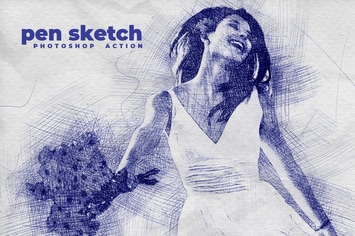
Pen Sketch Photoshop Action
by IndWorks
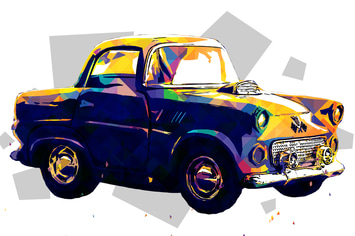
Pop Art Photoshop Action
by IndWorks
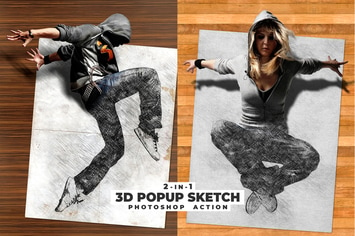
3D Popup Sketch Photoshop Action
by IndWorks

Geometric Art Photoshop Action
by IndWorks
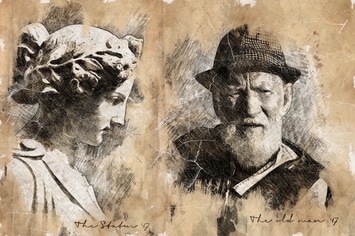
Vintage Sketch 2 Photoshop Action
by IndWorks
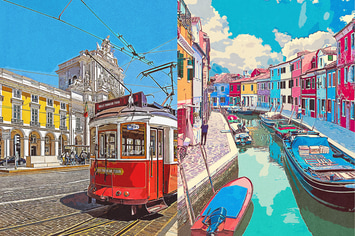
Vintage Travel Poster Photoshop Action
by IndWorks

80's Retro Text Effects vol.1
by IndWorks
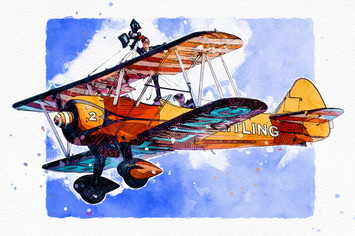
Illustration Sketch Painting Photoshop Action
by IndWorks
You May Also Like
Network Turbulence Photoshop Brushes
by themefire

60 Natural Portrait Lightroom Preset
by 2FX

Winterchrome Lightroom Presets
by Presetrain
Vibrant Landscape Photoshop Actions
by Contrastly

50 Premium Matte Lightroom Presets
by beart-presets

Fervent Photoshop Action
by iHemalaya
Gold Confetti Photoshop Action
by sevenstyles
Watercolor KIT for Illustrator
by ivanrosenberg