
Influence - Influencer Marketing Agency Elementor Template Kit
Author
onecontributor
Published
Aug 22, 2024
Item Code
bc370646-9fa9-4130-b1fb-6e0768467070
How to Download
- 1 Copy the Item Code above
- 2 Go to fuckdcma.com
- 3 Paste the code in the text box and click "Generate Download Link"
About This Item
Influence is a powerful and responsive element template kit for marketing. With the help of this elementor template kit you can create a website for agency influencers.
With Influence, you can create a beautiful yet modern and elegant marketing design venue in a few minutes. This Elementor template kit is useful for projects result. You can create a creative and fully responsive site according to your agency marketing needs.
This template has a Creative and Unique design with a 100% responsive layout, retina-ready, and easy to customize.
Features:
Modern & Clean Design
10+ Ready to use templates
Fully Responsive Layout
Retina Ready
Fully Customizable
Cross Browser Compatibility: Chrome, Firefox, Safari, Opera
Templates Include:
Home
About
Influencer
How it work
404
FAQ
Pricing
Testimonial
Our team
Blog
Blog Detail
Contact
Header
Footer
Global Theme Style
Required Plugins installed with kit:
ElementsKit Lite
Xl Tab
MetForm
How to Install:
1. Install and Activate the “Envato Elements” plugin from Plugins > Add New in WordPress
2. Do not unzip
3. Go to Elements > Installed Kits and click the Upload Template Kit button.
4. Before importing a template, ensure the Install Requirements button is clicked to activate required plugins
5. For best results, do not import more than one template at a time.
6. Go to Pages and create a new page and click Edit with Elementor
7. Click the gear icon at lowerleft of the builder to view page settings and choose Elementor Full Width and hide page title
8. Click the gray folder icon to access My Templates tab and then Import the page you’d like to customize
How to Import Metforms
1. Import the metform block templates
2. Import the page template where the form appears and right-click to enable the Navigator
3. Locate and select the Metform widget and click Edit Form. Choose New, then Edit Form. The builder will appear
4. Click ‘Add Template’ grey folder icon.
5. Click ‘My Templates’ tab.
6. Choose your imported metform template, then click ‘Insert’ (click No for page settings).
7. Once the template is loaded, make any desired customizations and click ‘Update & Close’ The form will appear in the template
8. Click Update
How to Setup Slides & Tabs
1.Import the slide/tab block.You may import more than once and find copies under Templates > Saved Templates to customize.
2.Import the template where the slides/tabs appear.
3.Right click the page to open the Navigator and locate the XL tab widget
4.Select the slide or tab template from the dropdowns on the general tab of the element options.
Images:
This Template Kit uses demo images from Envato Elements. You will need to license these images from Envato Elements to use them on your website, or you can substitute them with you
With Influence, you can create a beautiful yet modern and elegant marketing design venue in a few minutes. This Elementor template kit is useful for projects result. You can create a creative and fully responsive site according to your agency marketing needs.
This template has a Creative and Unique design with a 100% responsive layout, retina-ready, and easy to customize.
Features:
Modern & Clean Design
10+ Ready to use templates
Fully Responsive Layout
Retina Ready
Fully Customizable
Cross Browser Compatibility: Chrome, Firefox, Safari, Opera
Templates Include:
Home
About
Influencer
How it work
404
FAQ
Pricing
Testimonial
Our team
Blog
Blog Detail
Contact
Header
Footer
Global Theme Style
Required Plugins installed with kit:
ElementsKit Lite
Xl Tab
MetForm
How to Install:
1. Install and Activate the “Envato Elements” plugin from Plugins > Add New in WordPress
2. Do not unzip
3. Go to Elements > Installed Kits and click the Upload Template Kit button.
4. Before importing a template, ensure the Install Requirements button is clicked to activate required plugins
5. For best results, do not import more than one template at a time.
6. Go to Pages and create a new page and click Edit with Elementor
7. Click the gear icon at lowerleft of the builder to view page settings and choose Elementor Full Width and hide page title
8. Click the gray folder icon to access My Templates tab and then Import the page you’d like to customize
How to Import Metforms
1. Import the metform block templates
2. Import the page template where the form appears and right-click to enable the Navigator
3. Locate and select the Metform widget and click Edit Form. Choose New, then Edit Form. The builder will appear
4. Click ‘Add Template’ grey folder icon.
5. Click ‘My Templates’ tab.
6. Choose your imported metform template, then click ‘Insert’ (click No for page settings).
7. Once the template is loaded, make any desired customizations and click ‘Update & Close’ The form will appear in the template
8. Click Update
How to Setup Slides & Tabs
1.Import the slide/tab block.You may import more than once and find copies under Templates > Saved Templates to customize.
2.Import the template where the slides/tabs appear.
3.Right click the page to open the Navigator and locate the XL tab widget
4.Select the slide or tab template from the dropdowns on the general tab of the element options.
Images:
This Template Kit uses demo images from Envato Elements. You will need to license these images from Envato Elements to use them on your website, or you can substitute them with you
More from onecontributor
View all →
Ginsta - Cloud Hosting Company Elementor Template Kit
by onecontributor

Raymond - Freelancer Personal Portofolio Elementor Template Kit
by onecontributor

Golink - Broadband & Internet Service Provider Template Kit
by onecontributor

Charles - CV Resume Elementor Template Kit
by onecontributor

Autous - Aerial Photography & Videography Elementor Template Kit
by onecontributor

Keyrank - SEO & Digital Marketing Agency Template Kit
by onecontributor

Pet Cute - Pet Care & Veterinary Elementor Template Kit
by onecontributor

Medika - Alternative Medicine Website Elementor Template Kit
by onecontributor
You May Also Like
Rozario - Restaurant & Food WordPress Theme
by themeton
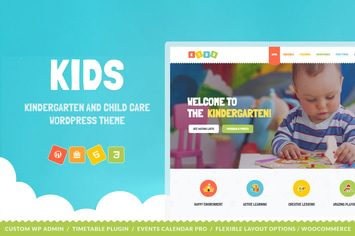
Kids - Day Care & Kindergarten WordPress Theme
by cmsmasters

WP Featured News Pro | Custom Posts Listing Plugin
by Fluent-Themes

Yoox - Creative One Page & Parallax WordPress Them
by themewar
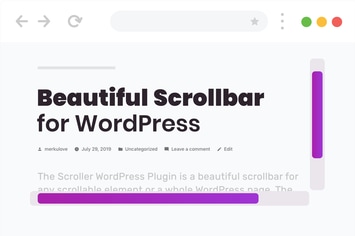
Beautiful Scrollbar for WordPress
by merkulove
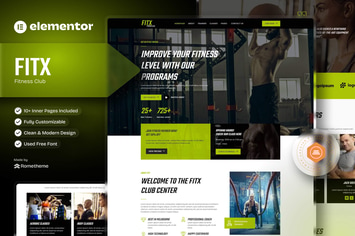
Fitx - Fitness & Gym Elementor Template Kit
by Rometheme

Minera | Skincare & Dermatology Elementor Template Kit
by tokomoo

SaasTek - SaaS & Technology Elementor Template Kit
by radiantthemes