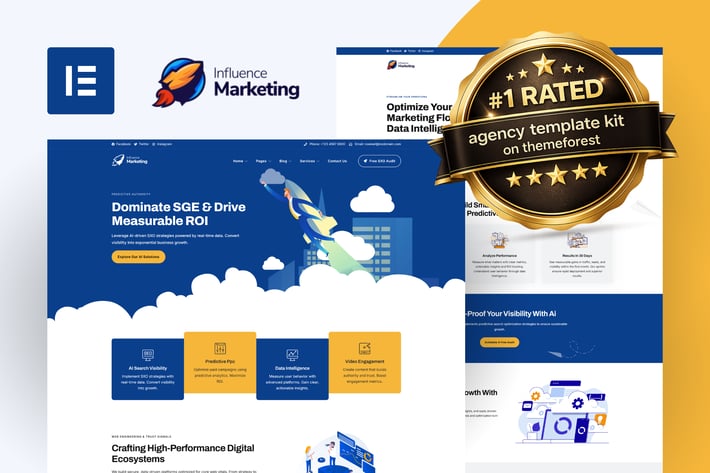
Influence Marketing - SEO & Digital Agency Elementor Pro Template Kit
Author
TemplateUp-Pro
Published
May 04, 2022
Item Code
c806aaa5-3e02-4ede-ae46-5ddd0fea8723
How to Download
- 1 Copy the Item Code above
- 2 Go to fuckdcma.com
- 3 Paste the code in the text box and click "Generate Download Link"
About This Item
Influence is a next-generation Elementor template kit specifically engineered for modern digital marketing and SGE-focused agencies. This kit delivers an elite selection of templates optimized for AI search, SXO (Search Experience Optimization), social engagement, and high-performance growth strategies. Built for ultimate flexibility, Influence is 100% code-free and now fully compatible with the free version of Elementor, ensuring a seamless, high-end customization experience without the need for additional Pro subscriptions.
Elementor Template Kits contain page content for Elementor page builder. This kit has been optimized for use with the free Hello Elementor theme but may be used with most themes that support Elementor.
Layout Features:
Modern, Data-Driven Design: Professional UI/UX optimized for 2026 market standards.
No Elementor Pro Required: Full functionality using free versions of essential addons.
100% Responsive & Mobile-First: Flawless display and performance on all devices.
20+ High-End Templates: An elite selection of pages engineered for conversion.
Code-Free Customization: Fully editable in Elementor—no coding knowledge needed.
Optimized with Hello Theme: Built using the ultra-lightweight, high-speed Elementor Hello Theme.
Plugins Installed With Kit:
MetForm
Nexter Extension
Xpro Elementor Addons
Templates Included:
404
About Us
Ai Driven CRM Flows
Archive Blog
Contact Us
Data Driven Social Engagement
Digital Authority Building
Faq's
Footer - Divider Mountains
Footer - Main
Growth Consultancy
Header - Main
Header - Social
Header - Transparent
Homepage 01
Homepage 02
Homepage 03
Metform - Contact Form
Metform - Get Insights
Metform - Request a Form
Our Cases Studies
Our Team
Predictive Analytics and Insights
Price Package 01
Price Package 02
Price Package 03
Project Details
SGE Visibility and ROI
Single Post
SXO and Performance Optimization
Web Engineering
How To Use Template Kits:
This is not a WordPress Theme. Template kits contain the design data for Elementor only and are installed using the envato Template Kit Import plugin for WordPress or directly through Elementor.
Detailed Guide:
For further support, go to Elementor > Get Help in WordPress menu.
How to Import MetForm Custom Forms
1. Install and Activate MetForm: Ensure the MetForm plugin is installed and activated via the WordPress "Plugins" menu.
2. Create a New Form: Navigate to MetForm > Forms and click Add New. Name your form (e.g., "Main Contact Form") and click Edit Form.
3. Import the Kit Template: Once the Elementor editor opens, click the Folder Icon, go to My Templates, find the specific form template (e.g., Metform - Contact Form), and click Insert.
4. Configure Notifications: Click the Form Settings button at the top of the widget. In the Notification tab, enter your email address to receive submissions. Click Save Changes.
5. Update and Save: Click the pink Update button at the bottom of the Elementor editor to save the form layout.
6. Link to Your Page: Open your "Contact" page with Elementor, find the MetForm widget, and select your newly created form from the Select Form dropdown menu.
Theme Builder setup with Nexter Extension Plugin
1. Import Templates: Ensure you have imported all "Header", "Footer", and "Single/Archive" templates from the kit via the Template Kit Import tool.
2. Access Nexter Builder: Navigate to Nexter Builder > Dashboard in your WordPress menu.
3. Configure Global Header: Click on the "Header" tab. Select your imported Header template from the list and set the display conditions to "Entire Site". Click Save.
4. Configure Global Footer: Click on the "Footer" tab. Select your imported Footer template and set the display conditions to "Entire Site". Click Save.
5. Setup Post/Archive Templates: For Single Posts or Blog Archives, go to the respective tabs in Nexter Builder, select the corresponding imported template, and assign them to the correct post types.
Pro Tip: If your Header or Footer does not appear, ensure that your theme (Hello Elementor) is active and that no other global templates are overriding Nexter settings.
Image License:
This Template Kit uses demo images from Envato Elements. You will need to license these images from Envato Elements to use them on your website, or you can substitute them with your own.
Changelog:
Elementor Template Kits contain page content for Elementor page builder. This kit has been optimized for use with the free Hello Elementor theme but may be used with most themes that support Elementor.
Layout Features:
Modern, Data-Driven Design: Professional UI/UX optimized for 2026 market standards.
No Elementor Pro Required: Full functionality using free versions of essential addons.
100% Responsive & Mobile-First: Flawless display and performance on all devices.
20+ High-End Templates: An elite selection of pages engineered for conversion.
Code-Free Customization: Fully editable in Elementor—no coding knowledge needed.
Optimized with Hello Theme: Built using the ultra-lightweight, high-speed Elementor Hello Theme.
Plugins Installed With Kit:
MetForm
Nexter Extension
Xpro Elementor Addons
Templates Included:
404
About Us
Ai Driven CRM Flows
Archive Blog
Contact Us
Data Driven Social Engagement
Digital Authority Building
Faq's
Footer - Divider Mountains
Footer - Main
Growth Consultancy
Header - Main
Header - Social
Header - Transparent
Homepage 01
Homepage 02
Homepage 03
Metform - Contact Form
Metform - Get Insights
Metform - Request a Form
Our Cases Studies
Our Team
Predictive Analytics and Insights
Price Package 01
Price Package 02
Price Package 03
Project Details
SGE Visibility and ROI
Single Post
SXO and Performance Optimization
Web Engineering
How To Use Template Kits:
This is not a WordPress Theme. Template kits contain the design data for Elementor only and are installed using the envato Template Kit Import plugin for WordPress or directly through Elementor.
Detailed Guide:
For further support, go to Elementor > Get Help in WordPress menu.
How to Import MetForm Custom Forms
1. Install and Activate MetForm: Ensure the MetForm plugin is installed and activated via the WordPress "Plugins" menu.
2. Create a New Form: Navigate to MetForm > Forms and click Add New. Name your form (e.g., "Main Contact Form") and click Edit Form.
3. Import the Kit Template: Once the Elementor editor opens, click the Folder Icon, go to My Templates, find the specific form template (e.g., Metform - Contact Form), and click Insert.
4. Configure Notifications: Click the Form Settings button at the top of the widget. In the Notification tab, enter your email address to receive submissions. Click Save Changes.
5. Update and Save: Click the pink Update button at the bottom of the Elementor editor to save the form layout.
6. Link to Your Page: Open your "Contact" page with Elementor, find the MetForm widget, and select your newly created form from the Select Form dropdown menu.
Theme Builder setup with Nexter Extension Plugin
1. Import Templates: Ensure you have imported all "Header", "Footer", and "Single/Archive" templates from the kit via the Template Kit Import tool.
2. Access Nexter Builder: Navigate to Nexter Builder > Dashboard in your WordPress menu.
3. Configure Global Header: Click on the "Header" tab. Select your imported Header template from the list and set the display conditions to "Entire Site". Click Save.
4. Configure Global Footer: Click on the "Footer" tab. Select your imported Footer template and set the display conditions to "Entire Site". Click Save.
5. Setup Post/Archive Templates: For Single Posts or Blog Archives, go to the respective tabs in Nexter Builder, select the corresponding imported template, and assign them to the correct post types.
Pro Tip: If your Header or Footer does not appear, ensure that your theme (Hello Elementor) is active and that no other global templates are overriding Nexter settings.
Image License:
This Template Kit uses demo images from Envato Elements. You will need to license these images from Envato Elements to use them on your website, or you can substitute them with your own.
Changelog:
More from TemplateUp-Pro
View all →
LoanGrid - Loans & Financing Elementor Pro Template Kit
by TemplateUp-Pro

Growthie - Business Coach Elementor Template Kit
by TemplateUp-Pro
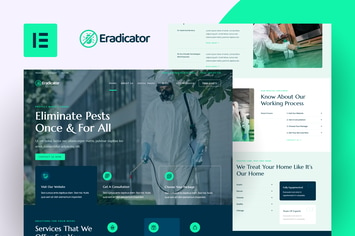
Eradicator - Pest Control Services Elementor Pro Template Kit
by TemplateUp-Pro

Opiniun - Opinion Surveys Elementor Pro Template Kit
by TemplateUp-Pro

Educalar - Homeschooling Elementor Pro Template Kit
by TemplateUp-Pro

StartupInc - Startup Business Elementor Pro Template Kit
by TemplateUp-Pro
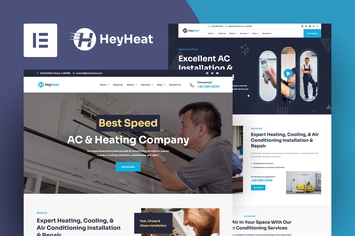
HeyHeat - Air Conditioning Services Elementor Pro Template Kit
by TemplateUp-Pro

Riserank - Digital Marketing Agency Elementor Pro Template Kit
by TemplateUp-Pro
You May Also Like
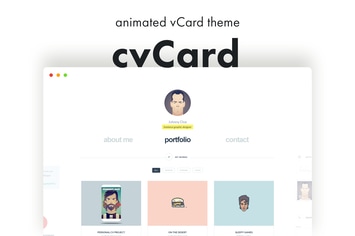
cvCard - Animated vCard & Resume WordPress Theme
by pixelwars
WooCommerce Orders & Customers Exporter
by vanquish

D&C
by ThemeREX

ProVision Image Editor for WordPress / WooCommerce
by AA-Team

Basil | Cooking Classes and Workshops WP Theme
by axiomthemes
Content Blocks Layout For WPBakery Page Builder
by beeteam368

Testimonials and Reviews for Elementor
by merkulove
CarCare - Auto Service & Repair Elementor Template Kit
by portocraft