
Jami - Creative Agency Elementor Template Kit
Author
C-Kav
Published
Sep 13, 2024
Item Code
8a38dd40-ae50-44b3-ab7e-4ab266ee2507
How to Download
- 1 Copy the Item Code above
- 2 Go to fuckdcma.com
- 3 Paste the code in the text box and click "Generate Download Link"
About This Item
Are you looking for a template-kit to create an amazing website for your creative agency? Look no further than Jami - Creative Agency Elementor Template Kit. This template-kit is designed specifically for agencies and comes with all the features you need to create a stunning website. With its easy-to-use page builder, Elementor, you can quickly customize the look and feel of your website without any coding skills. Plus, you get unique 3 home page designs and 8+ other pages that will make your website stand out from the crowd. Get started with Jami - Creative Agency Elementor Template Kit today and create an amazing website for your creative agency!
Main Features
12+ Templates with Global Theme Style
WordPress 5.0 Ready
Drag & Drop Builder
Easy to Customize
Minimal and Clean
Templates Include:
3 Home pages
2 About us
Services
Contact us
2 Portfolio pages
Portfolio single
Case study
Contact us
Blog
Global Theme Style
Required Plugins:
Elementor
Elementor Header & Footer Builder
Premium Addons for Elementor
Qi Addons For Elementor
MetForm
How to Install:
Install and Activate the "Envato Elements" plugin from Plugins > Add New in WordPress
Do not unzip
Go to Elements > Installed Kits and click the Upload Template Kit button.
Before importing a template, ensure the Install Requirements button is clicked to activate required plugins
For best results, do not import more than one template at a time.
Detailed Guide -
How to Import Metforms:
Import the metform block templates
Import the page template where the form appears and right-click to enable the Navigator
Locate and select the Metform widget and click Edit Form. Choose New, then Edit Form. The builder will appear
Click ‘Add Template’ grey folder icon.
Click ‘My Templates’ tab.
Choose your imported metform template, then click ‘Insert’ (click No for page settings).
Once the template is loaded, make any desired customizations and click ‘Update & Close’ The form will appear in the template
Click Update
Setup Global Header and Footer in Header Footer & Blocks plugin
Import the header and footer template
Go to Appearance > Header Footer and click Add New button
Give it a title and select Header, Display on Entire Site and click Publish
Click Edit with Elementor
Click the gray folder icon to access My Templates tab and select the header template to import and Update.
Repeat for Footer
NOTE: THIS IS ELEMENTOR TEMPLATE KIT NOT WORDPRESS THEME
This Template Kit uses demo images from Envato Elements. You will need to license these images from Envato Elements to use them on your website, or you can substitute them with your own. Blog & Product Content is not included - you will need to add a few posts to WordPress before post content will appear in templates.*
Main Features
12+ Templates with Global Theme Style
WordPress 5.0 Ready
Drag & Drop Builder
Easy to Customize
Minimal and Clean
Templates Include:
3 Home pages
2 About us
Services
Contact us
2 Portfolio pages
Portfolio single
Case study
Contact us
Blog
Global Theme Style
Required Plugins:
Elementor
Elementor Header & Footer Builder
Premium Addons for Elementor
Qi Addons For Elementor
MetForm
How to Install:
Install and Activate the "Envato Elements" plugin from Plugins > Add New in WordPress
Do not unzip
Go to Elements > Installed Kits and click the Upload Template Kit button.
Before importing a template, ensure the Install Requirements button is clicked to activate required plugins
For best results, do not import more than one template at a time.
Detailed Guide -
How to Import Metforms:
Import the metform block templates
Import the page template where the form appears and right-click to enable the Navigator
Locate and select the Metform widget and click Edit Form. Choose New, then Edit Form. The builder will appear
Click ‘Add Template’ grey folder icon.
Click ‘My Templates’ tab.
Choose your imported metform template, then click ‘Insert’ (click No for page settings).
Once the template is loaded, make any desired customizations and click ‘Update & Close’ The form will appear in the template
Click Update
Setup Global Header and Footer in Header Footer & Blocks plugin
Import the header and footer template
Go to Appearance > Header Footer and click Add New button
Give it a title and select Header, Display on Entire Site and click Publish
Click Edit with Elementor
Click the gray folder icon to access My Templates tab and select the header template to import and Update.
Repeat for Footer
NOTE: THIS IS ELEMENTOR TEMPLATE KIT NOT WORDPRESS THEME
This Template Kit uses demo images from Envato Elements. You will need to license these images from Envato Elements to use them on your website, or you can substitute them with your own. Blog & Product Content is not included - you will need to add a few posts to WordPress before post content will appear in templates.*
More from C-Kav
View all →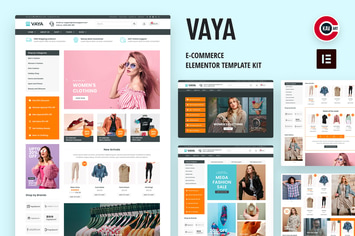
Vaya - E-commerce Elementor Template Kit
by C-Kav
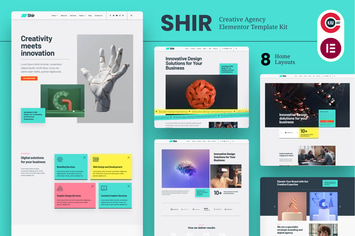
Shir - Creative Agency & Portfolio Elementor Template Kit
by C-Kav
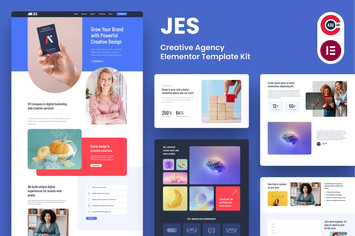
Jes - Creative Agency Elementor Pro Template Kit
by C-Kav
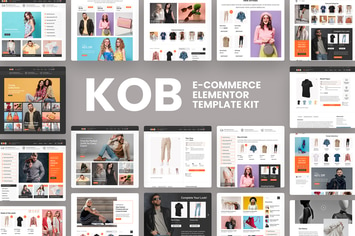
Kob - E-Commerce Elementor Pro Template Kit
by C-Kav

Brit - WooCommerce Elementor Pro Template Kit
by C-Kav
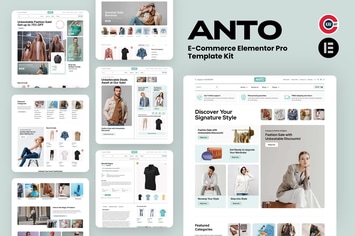
Anto - E-Commerce Elementor Pro Template Kit
by C-Kav
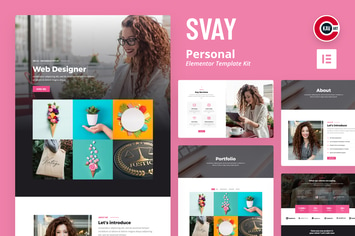
Svay - Personal Template Kit
by C-Kav

Furniture Sale Social Media Banner Template
by C-Kav
You May Also Like

Cizarua
by ridianur

Crework
by axiomthemes

Tiger Claw
by ThemeREX
NEX-Forms - Form Themes Add-on
by Basix

WP Creative Banners Builder
by loopus

Famita - Minimalist WooCommerce WordPress Theme
by ApusTheme

WooCommerce Buy For Me Plugin
by Burnhambox
Shoppo - Multipurpose WooCommerce Shop Theme
by cmsmasters