
Juristic – Lawyer Attorney & Law Firm Elementor Template Kit
Author
themexshaper
Published
Feb 17, 2025
Item Code
312e9c90-cd7c-4ecd-9033-f0fda148d9ca
How to Download
- 1 Copy the Item Code above
- 2 Go to fuckdcma.com
- 3 Paste the code in the text box and click "Generate Download Link"
About This Item
Juristic is Elementor Template Kit for Lawyer Attorney and Law Firm Website. Created With Elementor Page Builder, you can easily edit or customize it, no coding required, just drag and drop.
Template Features :
Full width website template kit
100% Responsive & mobile-friendly Modern design
Built with Elementor Flexbox Containers
Easy to customize
Fundraising Support
What’s Included:
Global Style
Home Style 1
Home Style 2
Home Style 3
About
Contact Us
Practice
Practice Single
Case Study
Case Studies Single
Attorney
Attorney Single
Pricing
FAQ
Blog
Single Blog
Header
Footer
404 Error
Plugins installed with kit
Elementor
Jeg Elementor Kit
MetForm Lite
How to Use Template Kits:
This is not a WordPress Theme. Template kits contain the design data for Elementor only and are installed using the envato Elements plugin for WordPress or directly through Elementor.
Elementor Template Kits use the Envato Elements plugin to install.
Detailed Guide:
For further support, go to Elementor > Get Help in WordPress menu.
How to Import Metforms If you have Elementor Pro, skip install of Metform and form blocks.
1. Import the metform block templates
2. Import the page template where the form appears and right-click to enable the Navigator
3. Locate and select the Metform widget and click Edit Form. Choose New, then Edit Form. The builder will appear
4. Click ‘Add Template’ grey folder icon.
5. Click ‘My Templates’ tab.
6. Choose your imported metform template, then click ‘Insert’ (click No for page settings).
7. Once the template is loaded, make any desired customizations and click ‘Update Close’ The form will appear in the template
8. Click Update
How to setup header in Elementor Header & Footer Builder plugin headers and footers may be customized under Appearance >> Header & Footer Builder.
1. Go to Elementor Header & Footer Builder from Jeg Elementor Kit menu item >> Header Template
2. Click Add New Header
3. Add condition All Site and click Create
4. Click gray folder icon to access My Templates tab
5. Insert the header template.
6. Customize and Save.
Images Used This Template Kit uses demo images from Envato Elements. You will need to license these images from Envato Elements to use them on your website, or you can substitute them with your own.
Template Features :
Full width website template kit
100% Responsive & mobile-friendly Modern design
Built with Elementor Flexbox Containers
Easy to customize
Fundraising Support
What’s Included:
Global Style
Home Style 1
Home Style 2
Home Style 3
About
Contact Us
Practice
Practice Single
Case Study
Case Studies Single
Attorney
Attorney Single
Pricing
FAQ
Blog
Single Blog
Header
Footer
404 Error
Plugins installed with kit
Elementor
Jeg Elementor Kit
MetForm Lite
How to Use Template Kits:
This is not a WordPress Theme. Template kits contain the design data for Elementor only and are installed using the envato Elements plugin for WordPress or directly through Elementor.
Elementor Template Kits use the Envato Elements plugin to install.
Detailed Guide:
For further support, go to Elementor > Get Help in WordPress menu.
How to Import Metforms If you have Elementor Pro, skip install of Metform and form blocks.
1. Import the metform block templates
2. Import the page template where the form appears and right-click to enable the Navigator
3. Locate and select the Metform widget and click Edit Form. Choose New, then Edit Form. The builder will appear
4. Click ‘Add Template’ grey folder icon.
5. Click ‘My Templates’ tab.
6. Choose your imported metform template, then click ‘Insert’ (click No for page settings).
7. Once the template is loaded, make any desired customizations and click ‘Update Close’ The form will appear in the template
8. Click Update
How to setup header in Elementor Header & Footer Builder plugin headers and footers may be customized under Appearance >> Header & Footer Builder.
1. Go to Elementor Header & Footer Builder from Jeg Elementor Kit menu item >> Header Template
2. Click Add New Header
3. Add condition All Site and click Create
4. Click gray folder icon to access My Templates tab
5. Insert the header template.
6. Customize and Save.
Images Used This Template Kit uses demo images from Envato Elements. You will need to license these images from Envato Elements to use them on your website, or you can substitute them with your own.
More from themexshaper
View all →
Juristic - Lawyer & Attorney WordPress Theme
by themexshaper

Proffer - Fundraising & Charity WordPress Theme
by themexshaper

Jhair - Business, Consulting HTML5 Template
by themexshaper

Juristic - Lawyers and Law Firm HTML Template
by themexshaper

Duster - Cleaning Services Responsive HTML Templat
by themexshaper
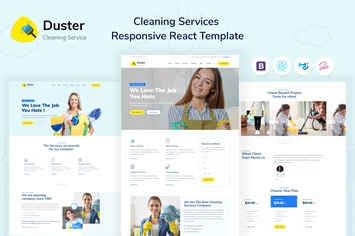
Duster - Cleaning Services React Template
by themexshaper
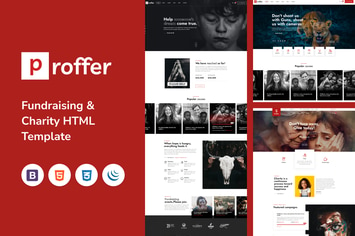
Proffer - Fundraising & Charity HTML Template
by themexshaper

Aequity – Law HTML5 Template
by themexshaper
You May Also Like
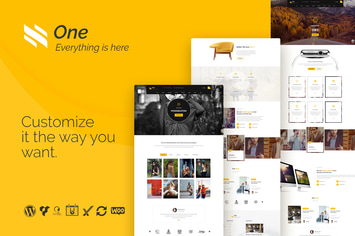
One - Business Agency Events WooCommerce Theme
by themeton

ARC - Interior Design, Decor, Architecture WordPre
by ThemeModern
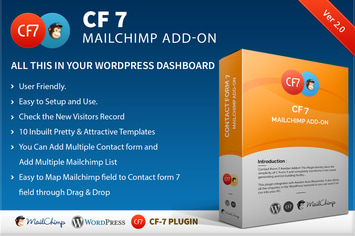
CF7 7 Mailchimp Add-on
by kamleshyadav

WordPress Age Verification Plugin
by Elfsight

WP Virtual Assistant
by loopus

GoodResto - Restaurant WordPress Theme + Woocommer
by enovathemes

Edukul | Online Courses WordPress Theme
by ninzio
TraveX - Travel & Tour Agency Elementor Template Kit
by CoombCo