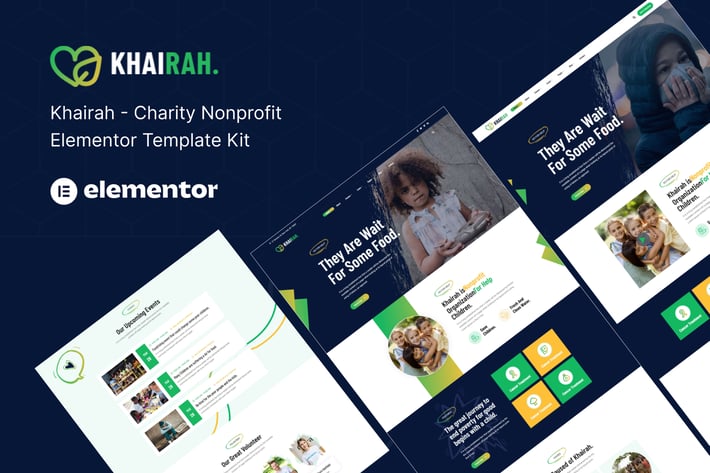
Khairah – NonProfit Charity Elementor Template Kit
Author
themepresss
Published
Jul 20, 2025
Item Code
e2526cb1-3b03-45ab-83a5-b332c02a59e6
How to Download
- 1 Copy the Item Code above
- 2 Go to fuckdcma.com
- 3 Paste the code in the text box and click "Generate Download Link"
About This Item
Khairah – Nonprofit Charity Elementor Template Kit
Khairah is an Elementor Template Kit designed for Nonprofit Charity Websites. Created with Elementor Page Builder, it allows easy customization without coding—just drag and drop.
This is not a WordPress theme. Template Kits contain page content for Elementor page builder. This kit has been optimized for use with the free Hello Elementor theme but may work with most themes supporting Elementor.
Template Features:
Full-width website template kit
100% responsive & mobile-friendly modern design
Built with Elementor Flexbox Containers
Easy to customize
Fundraising support
What’s Included:
Global Style
Home Style 1
Home Style 2
About
Contact Us
Event
Event Single
Cases
Cases Single
Team
Blog
Single Blog
Header
Footer
404 Error
Plugins Installed with Kit:
Elementor
Jeg Elementor Kit
MetForm Lite
GiveWP – Donation Plugin and Fundraising Platform
How to Use Template Kits:
This is not a WordPress Theme. Template kits contain design data for Elementor only and are installed via the Envato Elements plugin for WordPress or directly through Elementor.
1. Download your kit file from Envato (do not unzip it). Disable "Open safe files after downloading" in Safari if needed.
2. Go to Settings > Permalinks and select Post Name.
3. Go to Appearance > Themes > Add New, install and activate Hello Elementor. This prompts you to install Elementor if not already installed.
4. Install and update Elementor and Envato Elements plugins. If required, install Elementor Pro and connect it to your account.
5. Go to Elements > Installed Kits, upload the Template Kit Zip, and check for the orange banner to install requirements.
6. Import Global Kit Styles first, then import templates individually.
Creating Pages:
1. Go to Pages and create a new page, then click Edit with Elementor.
2. In page settings, choose Elementor Full Width and hide the page title.
3. Use the gray folder icon to access My Templates and import the desired page template.
4. Set the home page under Settings > Reading as a static front page.
If you have Elementor Pro, headers and footers can be customized under Templates > Theme Builder.
How to Import Metforms:
If you have Elementor Pro, skip installing Metform and form blocks.
1. Import the Metform block templates.
2. Import the page template with the form, then use Navigator to locate the Metform widget.
3. Click Edit Form, create a new form, and select Add Template from My Templates.
4. Insert the imported Metform template, customize, and click Update.
How to Setup Header in Elementor Header & Footer Builder Plugin:
1. Go to Elementor Header & Footer Builder from Jeg Elementor Kit > Header Template.
2. Click Add New Header, set condition to All Site, and click Create.
3. Access My Templates, insert the header template, customize, and save.
Images Used:
This Template Kit uses demo images from Envato Elements. License them or replace them with your own images.
For further details, visit:
[Envato Elements WordPress Plugin Guide](
For additional support, go to Elementor > Get Help in the WordPress menu.
Khairah is an Elementor Template Kit designed for Nonprofit Charity Websites. Created with Elementor Page Builder, it allows easy customization without coding—just drag and drop.
This is not a WordPress theme. Template Kits contain page content for Elementor page builder. This kit has been optimized for use with the free Hello Elementor theme but may work with most themes supporting Elementor.
Template Features:
Full-width website template kit
100% responsive & mobile-friendly modern design
Built with Elementor Flexbox Containers
Easy to customize
Fundraising support
What’s Included:
Global Style
Home Style 1
Home Style 2
About
Contact Us
Event
Event Single
Cases
Cases Single
Team
Blog
Single Blog
Header
Footer
404 Error
Plugins Installed with Kit:
Elementor
Jeg Elementor Kit
MetForm Lite
GiveWP – Donation Plugin and Fundraising Platform
How to Use Template Kits:
This is not a WordPress Theme. Template kits contain design data for Elementor only and are installed via the Envato Elements plugin for WordPress or directly through Elementor.
1. Download your kit file from Envato (do not unzip it). Disable "Open safe files after downloading" in Safari if needed.
2. Go to Settings > Permalinks and select Post Name.
3. Go to Appearance > Themes > Add New, install and activate Hello Elementor. This prompts you to install Elementor if not already installed.
4. Install and update Elementor and Envato Elements plugins. If required, install Elementor Pro and connect it to your account.
5. Go to Elements > Installed Kits, upload the Template Kit Zip, and check for the orange banner to install requirements.
6. Import Global Kit Styles first, then import templates individually.
Creating Pages:
1. Go to Pages and create a new page, then click Edit with Elementor.
2. In page settings, choose Elementor Full Width and hide the page title.
3. Use the gray folder icon to access My Templates and import the desired page template.
4. Set the home page under Settings > Reading as a static front page.
If you have Elementor Pro, headers and footers can be customized under Templates > Theme Builder.
How to Import Metforms:
If you have Elementor Pro, skip installing Metform and form blocks.
1. Import the Metform block templates.
2. Import the page template with the form, then use Navigator to locate the Metform widget.
3. Click Edit Form, create a new form, and select Add Template from My Templates.
4. Insert the imported Metform template, customize, and click Update.
How to Setup Header in Elementor Header & Footer Builder Plugin:
1. Go to Elementor Header & Footer Builder from Jeg Elementor Kit > Header Template.
2. Click Add New Header, set condition to All Site, and click Create.
3. Access My Templates, insert the header template, customize, and save.
Images Used:
This Template Kit uses demo images from Envato Elements. License them or replace them with your own images.
For further details, visit:
[Envato Elements WordPress Plugin Guide](
For additional support, go to Elementor > Get Help in the WordPress menu.
More from themepresss
View all →
Khairah - Charity Nonprofit React+HTML Template
by themepresss

Kazi – Lawyer Attorney and Law Firm React Template
by themepresss

Sadakat - Charity Nonprofit React+HTML Template
by themepresss
Annahl - Organic & Honey Shop HTML5 Template
by themepresss
Twain Love - Responsive React Wedding Template
by themepresss
Tohoney - eCommerce Bootstrap Template
by themepresss
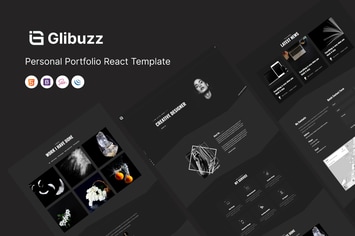
Glibuzz - Personal Portfolio React Template
by themepresss
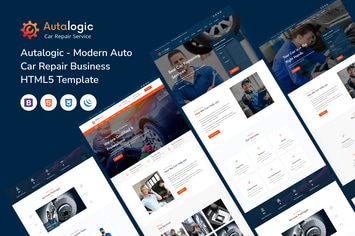
Autalogic - Auto Car Repair Business HTML Template
by themepresss
You May Also Like
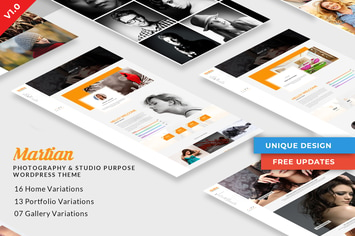
Martian | Photography & Studio Purpose WordPress
by DigitalHeaps
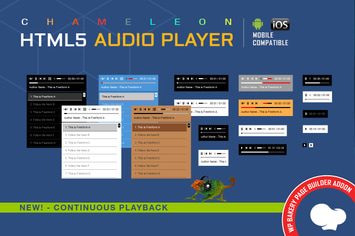
WPBakery Addon - Chameleon Audio Player
by LambertGroup
Finag - Creative & Finance Agency WordPress Theme
by themeton

Organic Beauty
by ThemeREX
INFINITO - Custom CSS for Chosen Pages and Posts
by LambertGroup

CountDown Pro WP Plugin - WebSites/Products/Offers
by LambertGroup

Advisom | Law Firm WordPress Theme
by designingmedia

Fixn – Handyman & Repair Service Elementor Template Kit
by jegtheme