
Kinderdot - Kindergarten & Pre-School Elementor Template Kit
Author
Evonicmedia
Published
Sep 14, 2024
Item Code
47b87edb-30a7-4d8a-9195-5c519adf532e
How to Download
- 1 Copy the Item Code above
- 2 Go to fuckdcma.com
- 3 Paste the code in the text box and click "Generate Download Link"
About This Item
Kinder Dot is an Elementor Template Kit for designing a dazzling solution for Kindergarten websites with WordPress! Elevate your online presence effortlessly with its creative design and seamless functionality. Customizable elements, eye-catching graphics, and intuitive layouts empower you to create a visually stunning website. Spark curiosity and showcase your commitment to early childhood education with Kinder Dot. It's not just a template; it's where creativity meets functionality in a captivating dance!
#### Features
Individual elements can be fine-tuned or fonts and colors can be changed all in one spot.
Drag-and-drop visual builder for true no-code customization.
Design that is both contemporary and professional.
Fast-loading.
Most Elementor themes are compatible with this plugin.
#### Templates Include:
Home
Classes
Programs
About
Moments
Contact Us
Team
Testimonials
FAQs
Coming Soon
404
#### Sections and Blocks:
Header
Footer
Contact US Form
Newsletter
#### Required Plugins Pre-Installed With the Kit
Elementor
Jeg Elementor Kit
MetForm
Ultimate Bootstrap Elements (UBE)
Element Pack Lite - Addons for Elementor
How to Install
Template Kits use the Envato Elements plugin to install to WordPress (no subscription required).
Follow Manual Install section here:
Detailed Guide:
How to Use Template Kits:
This is not a WordPress Theme. Template kits contain the design data for Elementor only and are installed using the envato Elements plugin for WordPress or directly through Elementor.
1. Download your kit file from Envato and do not unzip it. If you use Safari browser you may need to ensure "Open safe files after downloading" is disabled in the browser preferences.
2. Go to Settings > Permalinks and ensure Post Name is selected
3. Go to Appearance > Themes > Add New and ensure Hello Elementor is installed and activated. This will prompt you to install Elementor if you haven't already.
4. Go to Plugins and ensure Elementor and Envato Elements are installed and at the latest version. If your kit requires Elementor Pro, it must be installed now and connected to your account.
5. Elementor > Settings > Features Tab > Flexbox Container > Activate then press Save Changes button
6. Go to Elements > Installed Kits and click Upload Template Kit Zip (or click your kit to view it)
7. Check for the orange banner at the top and click Install Requirements to load any plugins the kit uses.
8. Click import on the Global Kit Styles first. This will setup the site settings.
9. Click Import on one template at a time in the order shown. These are stored in Elementor under Templates > Saved Templates and are re-used from here.
Creating pages
1. Go to Pages and create a new page and click Edit with Elementor
2. Click the gear icon at lower-left of the builder to view page settings and choose Elementor Full Width and hide page title
3. Click the gray folder icon to access My Templates tab and then Import the page you'd like to customize.
4. The home page is set under Settings > Reading by selecting Static Front Page.
If you have Elementor Pro, headers and footers are customized under Templates > Theme Builder.
Detailed Guide:
For further support, go to Elementor > Get Help in WordPress menu.
How to Import Metforms
If you have Elementor Pro, skip install of Metform and form blocks.
1. Import the metform block templates
2. Import the page template where the form appears and right-click to enable the Navigator
3. Locate and select the Metform widget and click Edit Form. Choose New, then Edit Form. The builder will appear
4. Click ‘Add Template’ grey folder icon.
5. Click ‘My Templates’ tab.
6. Choose your imported metform template, then click ‘Insert’ (click No for page settings).
7. Once the template is loaded, make any desired customizations and click ‘Update & Close’ The form will appear in the template
8. Click Update
How to setup header in Jeg Elementor Kit plugin
If you have Elementor Pro, headers and footers may be customized under Theme Builder.
1. Go to Jeg Elementor Kit menu item > Header Template
2. Click Add New Header
3. Add condition > All Site and click Create
4. Click gray folder icon to access My Templates tab
5. Insert the header template.
6. Customize and Save.
Image License
Elements demo pictures are used in this Template Kit. To use these photos on your website, you'll need to purchase a license from Envato Elements, or you can use your own.
#### Features
Individual elements can be fine-tuned or fonts and colors can be changed all in one spot.
Drag-and-drop visual builder for true no-code customization.
Design that is both contemporary and professional.
Fast-loading.
Most Elementor themes are compatible with this plugin.
#### Templates Include:
Home
Classes
Programs
About
Moments
Contact Us
Team
Testimonials
FAQs
Coming Soon
404
#### Sections and Blocks:
Header
Footer
Contact US Form
Newsletter
#### Required Plugins Pre-Installed With the Kit
Elementor
Jeg Elementor Kit
MetForm
Ultimate Bootstrap Elements (UBE)
Element Pack Lite - Addons for Elementor
How to Install
Template Kits use the Envato Elements plugin to install to WordPress (no subscription required).
Follow Manual Install section here:
Detailed Guide:
How to Use Template Kits:
This is not a WordPress Theme. Template kits contain the design data for Elementor only and are installed using the envato Elements plugin for WordPress or directly through Elementor.
1. Download your kit file from Envato and do not unzip it. If you use Safari browser you may need to ensure "Open safe files after downloading" is disabled in the browser preferences.
2. Go to Settings > Permalinks and ensure Post Name is selected
3. Go to Appearance > Themes > Add New and ensure Hello Elementor is installed and activated. This will prompt you to install Elementor if you haven't already.
4. Go to Plugins and ensure Elementor and Envato Elements are installed and at the latest version. If your kit requires Elementor Pro, it must be installed now and connected to your account.
5. Elementor > Settings > Features Tab > Flexbox Container > Activate then press Save Changes button
6. Go to Elements > Installed Kits and click Upload Template Kit Zip (or click your kit to view it)
7. Check for the orange banner at the top and click Install Requirements to load any plugins the kit uses.
8. Click import on the Global Kit Styles first. This will setup the site settings.
9. Click Import on one template at a time in the order shown. These are stored in Elementor under Templates > Saved Templates and are re-used from here.
Creating pages
1. Go to Pages and create a new page and click Edit with Elementor
2. Click the gear icon at lower-left of the builder to view page settings and choose Elementor Full Width and hide page title
3. Click the gray folder icon to access My Templates tab and then Import the page you'd like to customize.
4. The home page is set under Settings > Reading by selecting Static Front Page.
If you have Elementor Pro, headers and footers are customized under Templates > Theme Builder.
Detailed Guide:
For further support, go to Elementor > Get Help in WordPress menu.
How to Import Metforms
If you have Elementor Pro, skip install of Metform and form blocks.
1. Import the metform block templates
2. Import the page template where the form appears and right-click to enable the Navigator
3. Locate and select the Metform widget and click Edit Form. Choose New, then Edit Form. The builder will appear
4. Click ‘Add Template’ grey folder icon.
5. Click ‘My Templates’ tab.
6. Choose your imported metform template, then click ‘Insert’ (click No for page settings).
7. Once the template is loaded, make any desired customizations and click ‘Update & Close’ The form will appear in the template
8. Click Update
How to setup header in Jeg Elementor Kit plugin
If you have Elementor Pro, headers and footers may be customized under Theme Builder.
1. Go to Jeg Elementor Kit menu item > Header Template
2. Click Add New Header
3. Add condition > All Site and click Create
4. Click gray folder icon to access My Templates tab
5. Insert the header template.
6. Customize and Save.
Image License
Elements demo pictures are used in this Template Kit. To use these photos on your website, you'll need to purchase a license from Envato Elements, or you can use your own.
More from Evonicmedia
View all →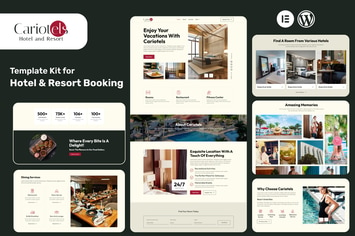
Cariotels – Luxury Hotel & Resort Elementor Template Kit
by Evonicmedia
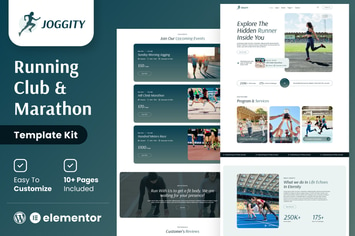
Joggity - Marathon Race & Running Elementor Template Kit
by Evonicmedia
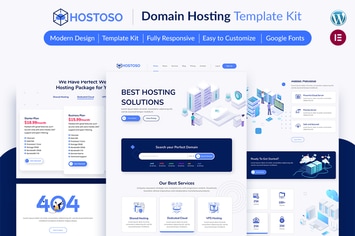
HOSTOSO - Hosting & Webhosting Service Template Kit
by Evonicmedia

UbikVR - Virtual Reality Services Elementor Template Kit
by Evonicmedia
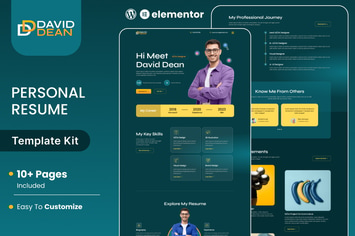
DavidDean – Personal Portfolio & Resume Elementor Template Kit
by Evonicmedia
AVATION - Robotics & Artificial Intelligence Elementor Template Kit
by Evonicmedia

InventionAIs - AI Startups & Technology Elementor Template Kit
by Evonicmedia

Tripitika – Tourism & Travel Agency Elementor Template Kit
by Evonicmedia
You May Also Like
The Business - Powerful One Page Biz WP Theme
by themeton

Aqualots
by ThemeREX
Super Interactive Maps
by highwarden

DOIT - Creative Agency MultiPurpose Theme
by themeton
NEX-Forms - GetResponse Add-on
by Basix
Logos Showcase
by cmoreira

Legal Stone
by ThemeREX

Weedles | Virtual Reality Landing Page & Store WP
by AncoraThemes