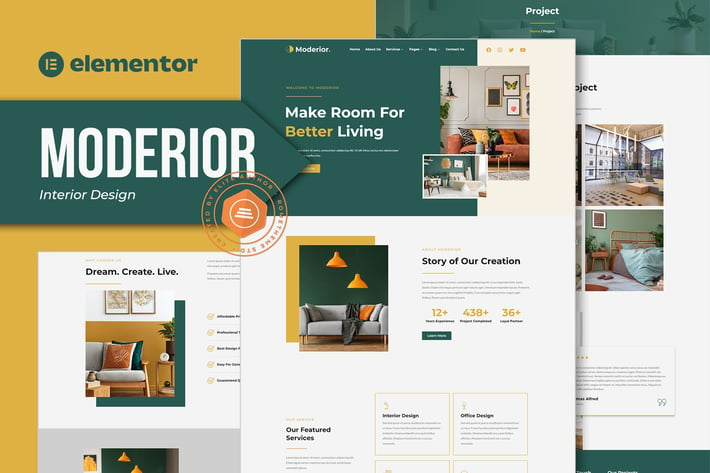
Moderior - Interior Design Elementor Template Kit
Author
Rometheme
Published
Nov 24, 2024
Item Code
388ec00b-7ee8-4d41-98b4-20b7488c40e2
How to Download
- 1 Copy the Item Code above
- 2 Go to fuckdcma.com
- 3 Paste the code in the text box and click "Generate Download Link"
About This Item
Welcome to Moderior – Interior Design Elementor Kit. Moderior is a fully responsive, clean and customizable theme. Moderior can be used for Commercial, Interior, Exterior, Residential, Modern, Real Estate as well as layouts for Protfolio to show their cool, beautiful and amazing project.
This is not a WordPress theme. Elementor Kit contains page content for Elementor page builder. This kit has been optimized for use with the free Hello Elementor theme but may be used with most themes that support Elementor.
Features:
True no-code customization with drag and drop visual builder
Customize fonts and colors in one place or fine-tune on individual elements
Modern, professional design
Works with most Elementor themes.
Templates :
Home
About Us
Services
Project
Project Detail
Our Team
Pricing Plan
FAQs
404 Error
Blog
Single Blog
Contact Us
Features Templates:
Header & Footer Builder
Required Plugins :
Elementor
ElementsKit Lite
MetForm
How to Use Template Kits:
1. Install and Activate the "Envato Elements" plugin from Plugins > Add New in WordPress
2. Download your kit file and Do not unzip
3. Go to Elements > Installed Kits and click the Upload Template Kit button. You may also import automatically by clicking Connect Account to link your Elements subscription, then import under Elements > Template Kits.
4. Check for the orange banner at the top and click Install Requirements to load any plugins the kit uses
5. Click import on the Global Kit Styles first
6. Click Import on one template at a time. These are stored in Elementor under Templates > Saved Templates.
7. Go to Pages and create a new page and click Edit with Elementor
8. Click the gear icon at lower-left of the builder to view page settings and choose Elementor Full Width and hide page title
9. Click the gray folder icon to access My Templates tab and then Import the page you'd like to customize.
If you have Elementor Pro, headers and footers may be customized under Theme Builder.
Detailed Guide:
For further support, go to Elementor > Get Help in WordPress menu.
How to Import Metforms
1. Import the metform block templates
2. Import the page template where the form appears and right-click to enable the Navigator
3. Locate and select the Metform widget and click Edit Form. Choose New, then Edit Form. The builder will appear
4. Click ‘Add Template’ grey folder icon.
5. Click ‘My Templates’ tab.
6. Choose your imported metform template, then click ‘Insert’ (click No for page settings).
7. Once the template is loaded, make any desired customizations and click ‘Update & Close’ The form will appear in the template
8. Click Update
This Template Kit uses demo images from Envato Elements. You will need to license these images from Envato Elements to use them on your website, or you can substitute them with your own.
I hope you enjoy
Thanks!
Rometheme
This is not a WordPress theme. Elementor Kit contains page content for Elementor page builder. This kit has been optimized for use with the free Hello Elementor theme but may be used with most themes that support Elementor.
Features:
True no-code customization with drag and drop visual builder
Customize fonts and colors in one place or fine-tune on individual elements
Modern, professional design
Works with most Elementor themes.
Templates :
Home
About Us
Services
Project
Project Detail
Our Team
Pricing Plan
FAQs
404 Error
Blog
Single Blog
Contact Us
Features Templates:
Header & Footer Builder
Required Plugins :
Elementor
ElementsKit Lite
MetForm
How to Use Template Kits:
1. Install and Activate the "Envato Elements" plugin from Plugins > Add New in WordPress
2. Download your kit file and Do not unzip
3. Go to Elements > Installed Kits and click the Upload Template Kit button. You may also import automatically by clicking Connect Account to link your Elements subscription, then import under Elements > Template Kits.
4. Check for the orange banner at the top and click Install Requirements to load any plugins the kit uses
5. Click import on the Global Kit Styles first
6. Click Import on one template at a time. These are stored in Elementor under Templates > Saved Templates.
7. Go to Pages and create a new page and click Edit with Elementor
8. Click the gear icon at lower-left of the builder to view page settings and choose Elementor Full Width and hide page title
9. Click the gray folder icon to access My Templates tab and then Import the page you'd like to customize.
If you have Elementor Pro, headers and footers may be customized under Theme Builder.
Detailed Guide:
For further support, go to Elementor > Get Help in WordPress menu.
How to Import Metforms
1. Import the metform block templates
2. Import the page template where the form appears and right-click to enable the Navigator
3. Locate and select the Metform widget and click Edit Form. Choose New, then Edit Form. The builder will appear
4. Click ‘Add Template’ grey folder icon.
5. Click ‘My Templates’ tab.
6. Choose your imported metform template, then click ‘Insert’ (click No for page settings).
7. Once the template is loaded, make any desired customizations and click ‘Update & Close’ The form will appear in the template
8. Click Update
This Template Kit uses demo images from Envato Elements. You will need to license these images from Envato Elements to use them on your website, or you can substitute them with your own.
I hope you enjoy
Thanks!
Rometheme
More from Rometheme
View all →
Point - Creative Digital Agency HTML Template
by Rometheme
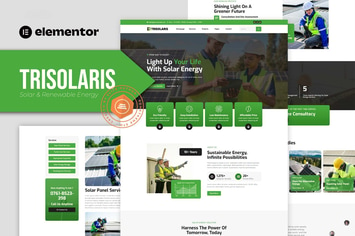
Trisolaris - Solar & Renewable Energy Elementor Template Kit
by Rometheme

Prudent - Notary Public & Legal Services Elementor Template Kit
by Rometheme
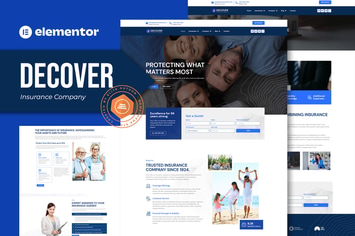
Decover - Insurance Company Elementor Pro Template Kit
by Rometheme
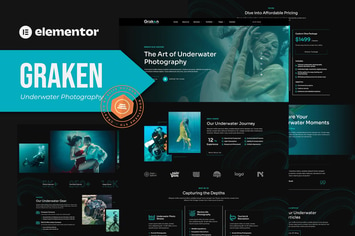
Graken - Underwater Photography Elementor Template Kit
by Rometheme

Pillar - Lawyer & Attorney HTML Template
by Rometheme
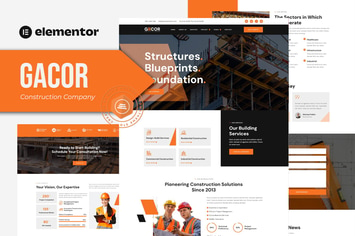
Gacor - Construction Company Elementor Template Kit
by Rometheme

Goodlend - Venture Capital & Investment Elementor Template Kit
by Rometheme
You May Also Like
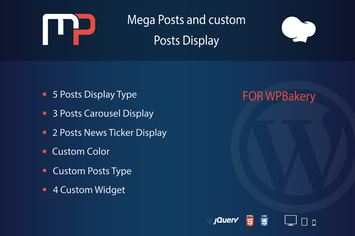
Mega Posts Display for WPBakery
by ad-theme

Hero ShoutCast/IceCast Radio Player WPBakery Addon
by LambertGroup

Hello Followers - Social Counter Plugin
by appscreo

Baby Kids - School WordPress Theme
by nicdark
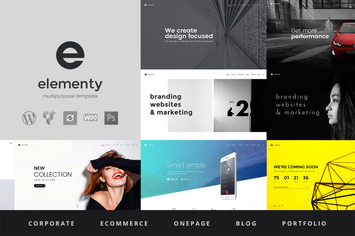
Elementy - Multipurpose WordPress Theme
by 11Soft

Youtenberg - Gutenberg YouTube Player with Playlis
by AA-Team
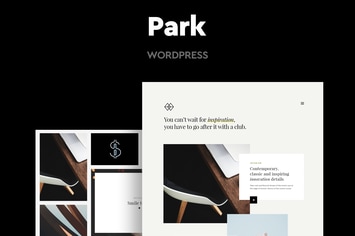
Park - Creative Portfolio WordPress Theme
by CocoBasic
Interni 3D Interior Design Studio WordPress Theme
by themeton