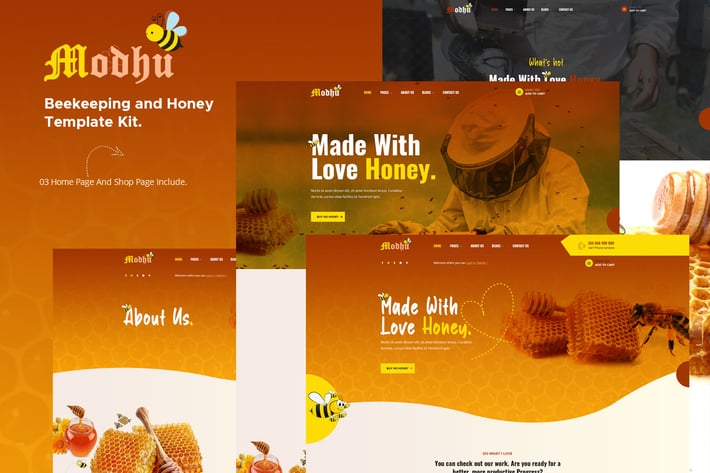
Modhu - Beekeeping & Honey Elementor Template Kit
Author
themesflat
Published
Jun 24, 2021
Item Code
f49a208a-a159-458c-81c6-38a66e8e98af
How to Download
- 1 Copy the Item Code above
- 2 Go to fuckdcma.com
- 3 Paste the code in the text box and click "Generate Download Link"
About This Item
Elementor Builder ( Free ) Save $49\
Completely free with Elementor ( FREE ) You have full Template Kits like Demo
Modhu - Beekeeping & Honey Elementor Template Kit
Modhu is an Elementor Template Kits build for the website of honey production, Beekeeping techniques and organic food. It’s special design for Website introduction of honey products, the store sells honey products. After importing the demo, you just need to change some information on the template to have a complete website. It is optimized for seo very well. You are looking for a WordPress honey website, or a Honey shop, this is the best choice
Required Plugins :
- Elementor (Free)
- Themesflat Addons For Elementor
- MetForm
- Woo Products Widgets For Elementor
- WooCommerce
- WooLentor - WooCommerce Elementor Addons
Kit Key Features:
- One Click Demo Import
- 3 Homepage Versions.
Shop Pages Include.
- Unique and Modern Style.
- Super Clear and Clean Layout
- Awesome and Creative Design.
- Free PSD File After Purchased
- Lifetime Free Updates
- Cross browser compatible
- Built-in Header Footer
- Post Widget
- Carousel Slide Box ( Create sliders with anything )
- Ultra Responsive and Retina Ready
- Compatible with any WordPress theme
- Optimized for search engines
How to Install:
Install and Activate the Envato Elements plugin from Plugins > Add New in WordPress, then activate your subscription. Premium kits may be loaded directly from the Premium Kits library.
Manual import: Do not unzip the download. Upload the Kit zip under Elements> Installed Kits by clicking the Import Kit button. Before importing a template, ensure the Install Requirements button is clicked to activate required plugins. For best results, do not import more than one template at a time.
How to import Metform custom form
- Import metform template
- Import the template where the form appears, then edit in Elementor.
-Click the Metform widget in the column where the form should be and click Edit Form.
- Select New, leave blank selected then click Edit Form button
- Click ‘Add Template’ grey folder button.
- Click ‘My Templates’ tab.
- Choose your imported metform template, then click ‘Insert’.
- Once the template is loaded, click ‘Update’.
This Template Kit uses demo images from Envato Elements. You will need to license these images from Envato Elements to use them on your website, or you can substitute them with your own.
Completely free with Elementor ( FREE ) You have full Template Kits like Demo
Modhu - Beekeeping & Honey Elementor Template Kit
Modhu is an Elementor Template Kits build for the website of honey production, Beekeeping techniques and organic food. It’s special design for Website introduction of honey products, the store sells honey products. After importing the demo, you just need to change some information on the template to have a complete website. It is optimized for seo very well. You are looking for a WordPress honey website, or a Honey shop, this is the best choice
Required Plugins :
- Elementor (Free)
- Themesflat Addons For Elementor
- MetForm
- Woo Products Widgets For Elementor
- WooCommerce
- WooLentor - WooCommerce Elementor Addons
Kit Key Features:
- One Click Demo Import
- 3 Homepage Versions.
Shop Pages Include.
- Unique and Modern Style.
- Super Clear and Clean Layout
- Awesome and Creative Design.
- Free PSD File After Purchased
- Lifetime Free Updates
- Cross browser compatible
- Built-in Header Footer
- Post Widget
- Carousel Slide Box ( Create sliders with anything )
- Ultra Responsive and Retina Ready
- Compatible with any WordPress theme
- Optimized for search engines
How to Install:
Install and Activate the Envato Elements plugin from Plugins > Add New in WordPress, then activate your subscription. Premium kits may be loaded directly from the Premium Kits library.
Manual import: Do not unzip the download. Upload the Kit zip under Elements> Installed Kits by clicking the Import Kit button. Before importing a template, ensure the Install Requirements button is clicked to activate required plugins. For best results, do not import more than one template at a time.
How to import Metform custom form
- Import metform template
- Import the template where the form appears, then edit in Elementor.
-Click the Metform widget in the column where the form should be and click Edit Form.
- Select New, leave blank selected then click Edit Form button
- Click ‘Add Template’ grey folder button.
- Click ‘My Templates’ tab.
- Choose your imported metform template, then click ‘Insert’.
- Once the template is loaded, click ‘Update’.
This Template Kit uses demo images from Envato Elements. You will need to license these images from Envato Elements to use them on your website, or you can substitute them with your own.
More from themesflat
View all →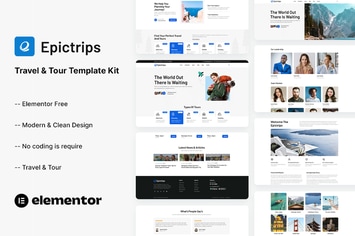
EpicTrips - Travel & Tour Elementor Template Kit
by themesflat
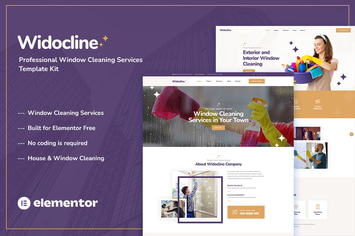
Widocline - Professional Window Cleaning Services Template Kit
by themesflat

Indro - Business Consulting Elementor Template Kit
by themesflat

Onatrix - Finance Consulting & Business Elementor Template Kit
by themesflat

Xstar - Creative Agency & Portfolio WordPress Them
by themesflat
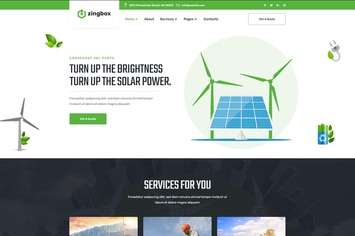
Zingbox – Wind & Solar Energy HTML Template
by themesflat

Rockie - Crypto Exchange HTML Template
by themesflat

ICOLand | NFT landing page & Crypto HTML Template
by themesflat
You May Also Like

Eject
by ThemeREX

Hospital & Doctor Directory
by e-plugins

Pick
by SoftHopper

Skin Beauty - Beauty | Spa | Salon WordPress Theme
by GoodLayers

The Lifestyle - WordPress Blog & Portfolio Theme
by NordStudio

My Religion - Dedicated Church WordPress Theme
by cmsmasters

Draven – Multipurpose Creative Theme
by LA-Studio
Countdown for Elementor WordPress Plugin
by ad-theme