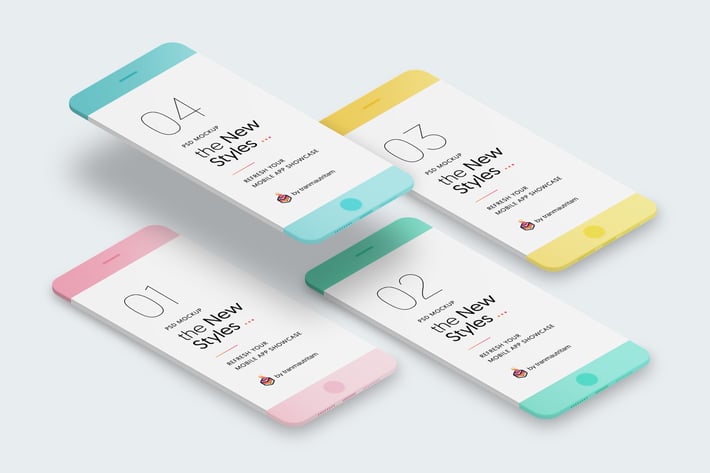
New Minimalistic Phone Mockups
Author
tranmautritam
Published
Jan 11, 2021
Item Code
01919c15-72a2-434e-9234-9e4d6b0b1aa8
How to Download
- 1 Copy the Item Code above
- 2 Go to fuckdcma.com
- 3 Paste the code in the text box and click "Generate Download Link"
About This Item
INTRODUCTION
The New Minimalistic Phone Mockups is the perfectly PSD Mockups that you can use in Photoshop to present your mobile web & app designs in the new modern styles. You can easily add your own designs with the smart layers.
Are you ready to explore more?
MOCKUP FEATURES
01. Changeable Phone Color
You will be able to change the Phone color. I think It's pretty cool feature to let you make your presentation more flexible. Imagine, your design is following the blue colors, so let's pick the blue color for your phone. Take a look at the below example. Excellent right?
02. Changeable Background Color
You will be able to change the background color. I have made some options for Gradient background, Solid background, Dark background... Or simpler, you can custom the background as what you want to do, and nothing is limited in this mockups.
03. Changeable Shadow Color
You will be able to change the phone shadow color. imagine you are working on the red phone and gradient Red+Pink background, you won't love the phone shadow is blue for sure; It would be hilarious, so I let you choose the shadow color for your phone mock-ups. Let's make your presentation more sense.
04. High Resolution
You can make any size as you want, these mockups are created by shapes layered. So you just need to resize the mock-ups how big you like and place your screen. Note: The screen is based on 750x1334px @2x exported for iPhone 7. And if you make the phone bigger; don't forget to export your screen bigger to keep the best quality.
05. Drag & Drop to Create Own Composition
I've made you some pre-made scenes, but It's yours since you download the mock-ups. Make more scenes as you want.
06. Quickly to place your mobile screens to the mock-ups
I used a lot of PSD Mockups what is shared by other authors. They were nice except one thing I don't like that is finding where is the smart objects to place my screens, time is gold, so I decided to create A Guide for each Mockup File with the screens where you just need to double click and put your screens. I hope you will like it.
07. PSD Included (ver 1.1.0 Jul 17, 2017 - 10 PSD Files)
+ Phone-01.psd
+ Phone-01-DarkStyle.psd
+ Phone-02.psd
+ Phone-02-DarkStyle.psd
+ Phone-03-withCase-Style.psd
+ Phone-03-withCase-Dark-Style.psd
+ Phone-04.psd
+ Screens.psd
+ Scene1.psd
+ Scene2.psd
The New Minimalistic Phone Mockups is the perfectly PSD Mockups that you can use in Photoshop to present your mobile web & app designs in the new modern styles. You can easily add your own designs with the smart layers.
Are you ready to explore more?
MOCKUP FEATURES
01. Changeable Phone Color
You will be able to change the Phone color. I think It's pretty cool feature to let you make your presentation more flexible. Imagine, your design is following the blue colors, so let's pick the blue color for your phone. Take a look at the below example. Excellent right?
02. Changeable Background Color
You will be able to change the background color. I have made some options for Gradient background, Solid background, Dark background... Or simpler, you can custom the background as what you want to do, and nothing is limited in this mockups.
03. Changeable Shadow Color
You will be able to change the phone shadow color. imagine you are working on the red phone and gradient Red+Pink background, you won't love the phone shadow is blue for sure; It would be hilarious, so I let you choose the shadow color for your phone mock-ups. Let's make your presentation more sense.
04. High Resolution
You can make any size as you want, these mockups are created by shapes layered. So you just need to resize the mock-ups how big you like and place your screen. Note: The screen is based on 750x1334px @2x exported for iPhone 7. And if you make the phone bigger; don't forget to export your screen bigger to keep the best quality.
05. Drag & Drop to Create Own Composition
I've made you some pre-made scenes, but It's yours since you download the mock-ups. Make more scenes as you want.
06. Quickly to place your mobile screens to the mock-ups
I used a lot of PSD Mockups what is shared by other authors. They were nice except one thing I don't like that is finding where is the smart objects to place my screens, time is gold, so I decided to create A Guide for each Mockup File with the screens where you just need to double click and put your screens. I hope you will like it.
07. PSD Included (ver 1.1.0 Jul 17, 2017 - 10 PSD Files)
+ Phone-01.psd
+ Phone-01-DarkStyle.psd
+ Phone-02.psd
+ Phone-02-DarkStyle.psd
+ Phone-03-withCase-Style.psd
+ Phone-03-withCase-Dark-Style.psd
+ Phone-04.psd
+ Screens.psd
+ Scene1.psd
+ Scene2.psd
More from tranmautritam
View all →
Skateboarding Little Girl - Illustration
by tranmautritam
Girl & Fox Flat Illustration & Hero Banner
by tranmautritam
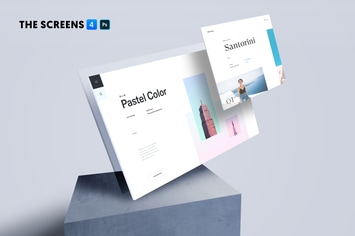
The Screens 4 - Perspective PSD Mockup Template
by tranmautritam
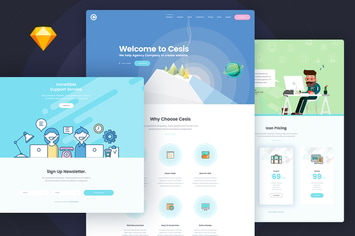
Cesis Flat Style One Page Sketch App Template
by tranmautritam
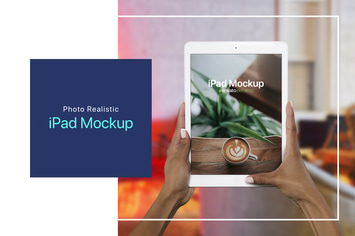
iPad on Hand Photoshop Mockup - v.2
by tranmautritam
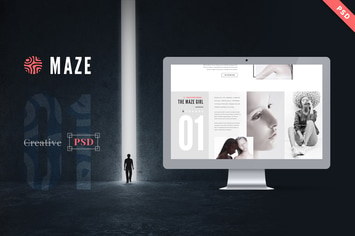
Maze | Creative Agency PSD Template
by tranmautritam
The New MacBook Pro Mockup | Photoshop + Sketch
by tranmautritam
MiniFox | One Page Multi-Purpose PSD Template
by tranmautritam