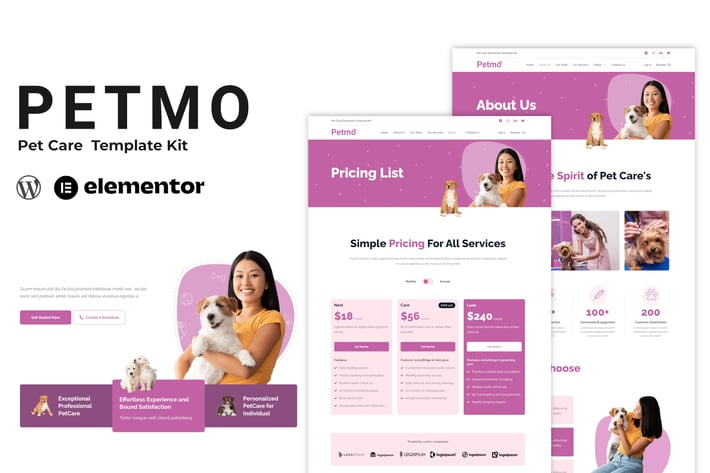
Petmo - Pet Care Elementor Template Kit
Author
TemeGUM
Published
Jan 27, 2026
Item Code
43f09949-449b-4484-a659-0c474630eb86
How to Download
- 1 Copy the Item Code above
- 2 Go to fuckdcma.com
- 3 Paste the code in the text box and click "Generate Download Link"
About This Item
Petmo - Pet Care Elementor Template Kit is collection of template for your pet care company go live and flexible way. It has 100% responsive design and tested on all major handheld devices.
Kits contains design that are compatible with your Elementor page builder. You can design responsive web pages within WordPress without the need of any other app. And, you don’t need to code to use Template Kit.
Templates:
Homepage
About Us Page
Our Team Page
Our Services Page
Contact Us Page
Pricing Page
FAQ Page
Our Gallery Page
Blog Page
Single Post Page
Header and Footer
Metform Contact Form
Global Style
Required Features:
This kit require Flexbox Container Feature
Make sure the feature activated, from WordPress Admin > Elementor > Settings > Features Tab > Flexbox Container > Activate then press Save Changes button
Required Plugins:
Elementor
Elementor Header & Footer Builder
MetForm
ElementsKit Lite
Gum Addon for Elementor
How to Install:
1. Install and Activate the "Template Kit Import" plugin from Plugins > Add New in WordPress
2. Do not unzip
3. Go to Elements > Installed Kits and click the Upload Template Kit button.
4. Before importing a template, ensure the Install Requirements button is clicked to activate required plugins
5. For best results, do not import more than one template at a time.
Detailed Guide:
How to Import Metforms
1. Import the metform block templates
2. Import the page template where the form appears and right-click to enable the Navigator
3. Locate and select the Metform widget and click Edit Form. Choose New, then Edit Form. The builder will appear
4. Click ‘Add Template’ grey folder icon.
5. Click ‘My Templates’ tab.
6. Choose your imported metform template, then click ‘Insert’ (click No for page settings).
7. Once the template is loaded, make any desired customizations and click ‘Update & Close’ The form will appear in the template
8. Click Update
I really enjoyed creating these layouts using Elementor and for Elementor, and I hope you find them easy to use.
This Template Kit uses demo images from Envato Elements. You will need to license these images from Envato Elements to use them on your website, or you can substitute them with your own.
How to import Template Kit?
Install and Activate the following “Template Kit – Import” plugin. And upload the downloaded package from themeforest. That’s All!
Kits contains design that are compatible with your Elementor page builder. You can design responsive web pages within WordPress without the need of any other app. And, you don’t need to code to use Template Kit.
Templates:
Homepage
About Us Page
Our Team Page
Our Services Page
Contact Us Page
Pricing Page
FAQ Page
Our Gallery Page
Blog Page
Single Post Page
Header and Footer
Metform Contact Form
Global Style
Required Features:
This kit require Flexbox Container Feature
Make sure the feature activated, from WordPress Admin > Elementor > Settings > Features Tab > Flexbox Container > Activate then press Save Changes button
Required Plugins:
Elementor
Elementor Header & Footer Builder
MetForm
ElementsKit Lite
Gum Addon for Elementor
How to Install:
1. Install and Activate the "Template Kit Import" plugin from Plugins > Add New in WordPress
2. Do not unzip
3. Go to Elements > Installed Kits and click the Upload Template Kit button.
4. Before importing a template, ensure the Install Requirements button is clicked to activate required plugins
5. For best results, do not import more than one template at a time.
Detailed Guide:
How to Import Metforms
1. Import the metform block templates
2. Import the page template where the form appears and right-click to enable the Navigator
3. Locate and select the Metform widget and click Edit Form. Choose New, then Edit Form. The builder will appear
4. Click ‘Add Template’ grey folder icon.
5. Click ‘My Templates’ tab.
6. Choose your imported metform template, then click ‘Insert’ (click No for page settings).
7. Once the template is loaded, make any desired customizations and click ‘Update & Close’ The form will appear in the template
8. Click Update
I really enjoyed creating these layouts using Elementor and for Elementor, and I hope you find them easy to use.
This Template Kit uses demo images from Envato Elements. You will need to license these images from Envato Elements to use them on your website, or you can substitute them with your own.
How to import Template Kit?
Install and Activate the following “Template Kit – Import” plugin. And upload the downloaded package from themeforest. That’s All!
More from TemeGUM
View all →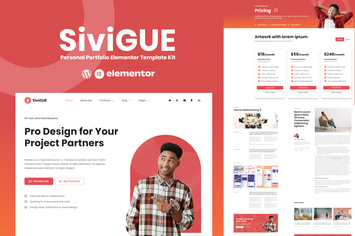
SiviGUE - Personal Portfolio Elementor Template Kit
by TemeGUM
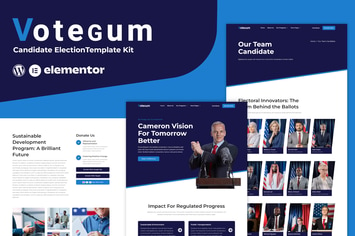
Votegum - Candidate Election Elementor Template Kit
by TemeGUM

Restokit - Food & Restaurant Elementor Template Kit
by TemeGUM
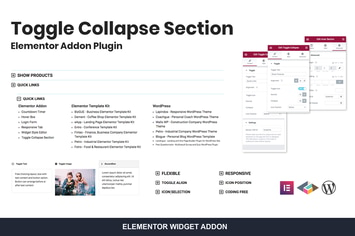
Toggle Collapse Section Elementor Addon
by TemeGUM
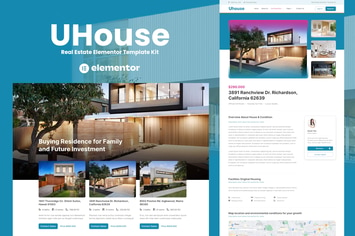
UHouse - Real Estate Elementor Template Kit
by TemeGUM

Tarkamo - Football & Sport Tournament Elementor Template Kit
by TemeGUM

Digiser - Digital Agency Elementor Template Kit
by TemeGUM
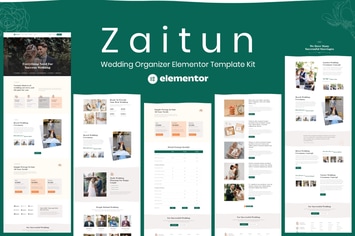
Zaitun - Wedding Organizer Elementor Template Kit
by TemeGUM
You May Also Like

Musart - Music Label and Artists WordPress Theme
by _nK
Grammar Test
by DAEXT

Aqualots
by ThemeREX

WotaHub
by axiomthemes

Hospital & Doctor Directory
by e-plugins
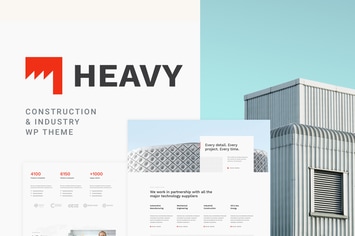
Heavy - Industrial WordPress Theme
by cmsmasters

Rosalinda
by axiomthemes

GlobeCo - Transportation & Logistics WordPress The
by CreativeWS