
Pixart – Arts & Crafts Exhibition Elementor Template Kit
Author
jegtheme
Published
Jun 25, 2021
Item Code
74d818ca-a911-47d8-b7b2-4227b37154bd
How to Download
- 1 Copy the Item Code above
- 2 Go to fuckdcma.com
- 3 Paste the code in the text box and click "Generate Download Link"
About This Item
Meet Pixart, a refined arts & crafts exhibition Elementor template kit to create a professional & modern WordPress-based website for art gallery, museum, and exhibition. This template carefully designed with a beautiful gallery, events, ticketing, venues, and more!
This template kit includes stunning carefully crafted 17+ stunning templates, you can build your professional website with a low budget just in a click away and without a single line of coding!
Features:
Using Free Plugins (Elementor Pro is not required)
Modern & Clean Design
17+ Ready to use templates
Fully Responsive Layout
Retina Ready
Fully Customizable
Cross Browser Compatibility: Chrome, Firefox, Safari, Opera
Templates Include:
Home
About
Ticket
Exhibitions
Venues
Team
FAQ
404 Page
Blog
Single Post
Contact
Metform Team
Metform Contact
Offcanvas
Header
Footer
Global Theme Style
Required Plugin:
ElementsKit Lite
Elementor - Header, Footer & Blocks
Essential Addons for Elementor
Image Hover Effects - Elementor Addon
MetForm
Jeg Elementor Kit
How to Install:
Install and Activate the Envato Elements plugin from Plugins > Add New in WordPress, then activate your subscription. Premium kits may be loaded directly from the Premium Kits library.
Manual import: Do not unzip the download. Upload the Kit zip under Elements> Installed Kits by clicking the Import Kit button. Before importing a template, ensure the Install Requirements button is clicked to activate required plugins. For best results, do not import more than one template at a time.
How to import Metforms
1. Import the metform block templates
2. Import the template where the form appears, then click View Template to load in the builder
3. Right click the page to open the Navigator and locate the Metform widget
4. Click New, leave blank selected then click Edit Form button
5. Click ‘Add Template’ grey folder icon.
6. Click ‘My Templates’ tab.
7. Choose your imported metform template, then click ‘Insert’.
8. Once the template is loaded, click ‘Update’.
### Notes:
This Template Kit uses demo images from Envato Elements. You will need to license these images from Envato Elements to use them on your website, or you can substitute them with your own.
This template kit includes stunning carefully crafted 17+ stunning templates, you can build your professional website with a low budget just in a click away and without a single line of coding!
Features:
Using Free Plugins (Elementor Pro is not required)
Modern & Clean Design
17+ Ready to use templates
Fully Responsive Layout
Retina Ready
Fully Customizable
Cross Browser Compatibility: Chrome, Firefox, Safari, Opera
Templates Include:
Home
About
Ticket
Exhibitions
Venues
Team
FAQ
404 Page
Blog
Single Post
Contact
Metform Team
Metform Contact
Offcanvas
Header
Footer
Global Theme Style
Required Plugin:
ElementsKit Lite
Elementor - Header, Footer & Blocks
Essential Addons for Elementor
Image Hover Effects - Elementor Addon
MetForm
Jeg Elementor Kit
How to Install:
Install and Activate the Envato Elements plugin from Plugins > Add New in WordPress, then activate your subscription. Premium kits may be loaded directly from the Premium Kits library.
Manual import: Do not unzip the download. Upload the Kit zip under Elements> Installed Kits by clicking the Import Kit button. Before importing a template, ensure the Install Requirements button is clicked to activate required plugins. For best results, do not import more than one template at a time.
How to import Metforms
1. Import the metform block templates
2. Import the template where the form appears, then click View Template to load in the builder
3. Right click the page to open the Navigator and locate the Metform widget
4. Click New, leave blank selected then click Edit Form button
5. Click ‘Add Template’ grey folder icon.
6. Click ‘My Templates’ tab.
7. Choose your imported metform template, then click ‘Insert’.
8. Once the template is loaded, click ‘Update’.
### Notes:
This Template Kit uses demo images from Envato Elements. You will need to license these images from Envato Elements to use them on your website, or you can substitute them with your own.
More from jegtheme
View all →
Purina – Spa & Wellness FSE WordPress Theme
by jegtheme

Maquille – Makeup Artist & Hair Stylist Elementor Template Kit
by jegtheme
Carent – Car Rental Business & Auto Dealer Elementor Template Kit
by jegtheme
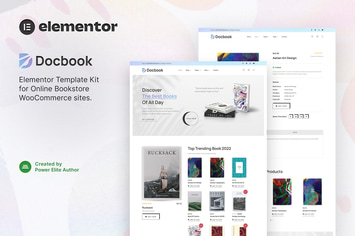
Docbook – Online Bookstore WooCommerce Elementor Template Kit
by jegtheme

Shokusei – Japanese Restaurant & Sushi Bar Elementor Template Kit
by jegtheme

Elgone – Cycling & Mountain Bike Club Elementor Template Kit
by jegtheme

Topchess – Chess Club Courses & Training Elementor Template Kit
by jegtheme

Residenz - Real Estate Agent & Property Listing Elementor Template Kit
by jegtheme
You May Also Like

Wealth – Multi-Purpose Landing Page WordPress Them
by OceanThemes
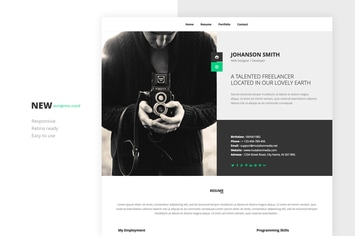
NEW Retina Ready WordPress Vcard Theme
by mutationthemes
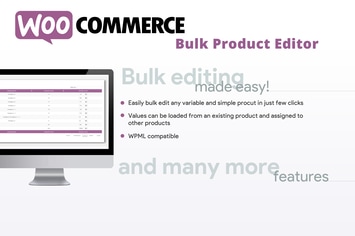
WooCommerce Bulk Product Editor
by vanquish

Smart Casa - Home Automation & Technologies Theme
by axiomthemes

Total Recipe Generator for WPBakery Page Builder
by SaurabhSharma

WP Comment Images and Videos
by highwarden

Charlostin - Hotel & Resort Booking WordPress
by shtheme

Piqes
by AncoraThemes