
Plumbee – Plumber & Repair Services Elementor Template Kit
Author
wpoceans
Published
Sep 15, 2025
Item Code
8a5bca20-e606-4868-8e81-fce82fa89f1d
How to Download
- 1 Copy the Item Code above
- 2 Go to fuckdcma.com
- 3 Paste the code in the text box and click "Generate Download Link"
About This Item
Plumbee is Elementor Template Kit for Plumber & Repair Services Website. Created With Elementor Page Builder, you can easily edit or customize it, no coding required, just drag and drop.
This is not a WordPress theme. Template Kits contain page content for Elementor page builder. This kit has been optimized for use with the free Hello Elementor theme but may be used with most themes that support Elementor.
Template Features :
Full width website template kit
100% Responsive & mobile-friendly Modern design
Built with Elementor Flexbox Containers
Easy to customize
Fundraising Support
What’s Included:
Global Style
Home Style 1
Home Style 2
Home Style 3
About
Contact Us
Service
Service Single
Project
Project Single
Team
Blog
Single Blog
Header
Footer
404 Error
Plugins installed with kit
Elementor
Jeg Elementor Kit
MetForm Lite
How to Use Template Kits:
This is not a WordPress Theme. Template kits contain the design data for Elementor only and are installed using the envato Elements plugin for WordPress or directly through Elementor.
Elementor Template Kits use the Envato Elements plugin to install.
Detailed Guide:
For further support, go to Elementor > Get Help in WordPress menu.
How to Import Metforms If you have Elementor Pro, skip install of Metform and form blocks.
1. Import the metform block templates
2. Import the page template where the form appears and right-click to enable the Navigator
3. Locate and select the Metform widget and click Edit Form. Choose New, then Edit Form. The builder will appear
4. Click ‘Add Template’ grey folder icon.
5. Click ‘My Templates’ tab.
6. Choose your imported metform template, then click ‘Insert’ (click No for page settings).
7. Once the template is loaded, make any desired customizations and click ‘Update Close’ The form will appear in the template
8. Click Update
How to setup header in Elementor Header & Footer Builder plugin headers and footers may be customized under Appearance >> Header & Footer Builder.
1. Go to Elementor Header & Footer Builder from Jeg Elementor Kit menu item >> Header Template
2. Click Add New Header
3. Add condition All Site and click Create
4. Click gray folder icon to access My Templates tab
5. Insert the header template.
6. Customize and Save.
Images Used This Template Kit uses demo images from Envato Elements. You will need to license these images from Envato Elements to use them on your website, or you can substitute them with your own.
This is not a WordPress theme. Template Kits contain page content for Elementor page builder. This kit has been optimized for use with the free Hello Elementor theme but may be used with most themes that support Elementor.
Template Features :
Full width website template kit
100% Responsive & mobile-friendly Modern design
Built with Elementor Flexbox Containers
Easy to customize
Fundraising Support
What’s Included:
Global Style
Home Style 1
Home Style 2
Home Style 3
About
Contact Us
Service
Service Single
Project
Project Single
Team
Blog
Single Blog
Header
Footer
404 Error
Plugins installed with kit
Elementor
Jeg Elementor Kit
MetForm Lite
How to Use Template Kits:
This is not a WordPress Theme. Template kits contain the design data for Elementor only and are installed using the envato Elements plugin for WordPress or directly through Elementor.
Elementor Template Kits use the Envato Elements plugin to install.
Detailed Guide:
For further support, go to Elementor > Get Help in WordPress menu.
How to Import Metforms If you have Elementor Pro, skip install of Metform and form blocks.
1. Import the metform block templates
2. Import the page template where the form appears and right-click to enable the Navigator
3. Locate and select the Metform widget and click Edit Form. Choose New, then Edit Form. The builder will appear
4. Click ‘Add Template’ grey folder icon.
5. Click ‘My Templates’ tab.
6. Choose your imported metform template, then click ‘Insert’ (click No for page settings).
7. Once the template is loaded, make any desired customizations and click ‘Update Close’ The form will appear in the template
8. Click Update
How to setup header in Elementor Header & Footer Builder plugin headers and footers may be customized under Appearance >> Header & Footer Builder.
1. Go to Elementor Header & Footer Builder from Jeg Elementor Kit menu item >> Header Template
2. Click Add New Header
3. Add condition All Site and click Create
4. Click gray folder icon to access My Templates tab
5. Insert the header template.
6. Customize and Save.
Images Used This Template Kit uses demo images from Envato Elements. You will need to license these images from Envato Elements to use them on your website, or you can substitute them with your own.
More from wpoceans
View all →
Amee HTML5 Portfolio Template
by wpoceans

Elito – Creative Portfolio Elementor Template Kit
by wpoceans

Awwa - Personal Portfolio React Template
by wpoceans
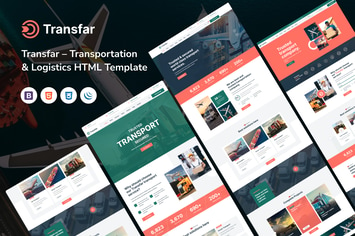
Transfar – Transportation & Logistic HTML Template
by wpoceans

Dotus – Health & Medical React Template
by wpoceans

Canun - Lawyer & Attorney WordPress Theme
by wpoceans

Plumco - Plumber Service Next Js Template
by wpoceans

ConsultAid - Consulting Business HTML5 Template
by wpoceans
You May Also Like

Benten
by ridianur
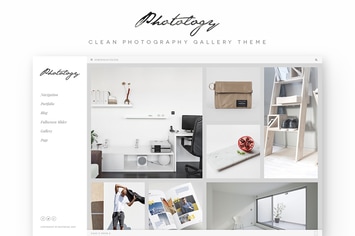
Photology - Clean Photography Gallery WP Theme
by jegtheme

Cosy - Multipurpose WooCommerce WordPress Theme
by LA-Studio

Darna – Building & Construction WordPress Theme
by G5Theme

Youtenberg - Gutenberg YouTube Player with Playlis
by AA-Team

Miraculous - Online Music Store WordPress Theme
by kamleshyadav

WooCommerce Referral Scheme WordPress Plugin
by kamleshyadav
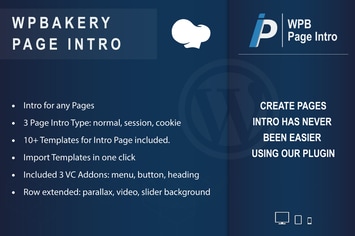
WPBakery Page Intro - Addon for WPBakery
by ad-theme