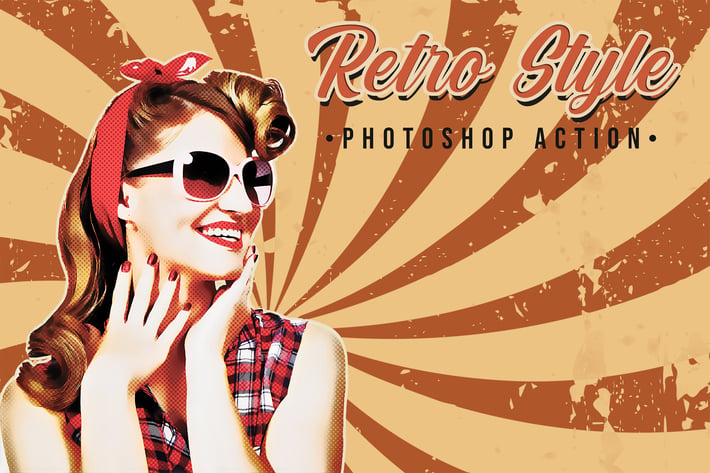
Retro Photoshop Action
Author
Oxygen_Art
Published
Aug 27, 2021
Item Code
f8d6eff2-c7a4-40cf-90f4-58f1cec53692
How to Download
- 1 Copy the Item Code above
- 2 Go to fuckdcma.com
- 3 Paste the code in the text box and click "Generate Download Link"
About This Item
Retro’s a very professional PS Action that converts your photo to a modern retro vintage effect in a few clicks with a powerful result and more possibilities with its additional elements.
Retro Contains:
+ Professional Retro Effect.
+ 03 Editable Retro Background.
+ 03 Sizes of Object Stroke.
+ 03 Sizes of Frame.
+ 03 Halftone Textures.
+ 03 Retro Texts Styles.
+ +15 Editable Colors FX.
Before use Retro:
+ Make Sure Your Minimum Photoshop Version’s CC2015.5.
+ Make Sure Your Photoshop Has Oil Paint Plugin.
+ Make Sure Your Color Mode’s RGB.
+ Make Sure Your Channel Bit’s 8 bits/channel.
+ Make Sure Your Photoshop Language’s English.
How To use Retro:
+ Open Your Image Inside Your Photoshop.
+ Create a New Empty Layer & Name it “brush”.
+ Select Your Soft Brush Tool & Brush on Your Object With Any Color.
+ Open The Action Folder, Choose The Action Add Retro Style and Play it to add Retro effect.
+ Open The Action Folder, Choose The Action Add Colors FX and Play it to add +15 Colors FX.
+ Open The Action Folder, Choose The Action Add Texts Styles and Play it to add 03 Retro Texts Styles.
For Best Result Use a Photo With High Dimension (Minimum Width Size’s 2500px). For Best Result Use a Portrait Photo or a Photo With a close-up object.
Retro Contains:
+ Professional Retro Effect.
+ 03 Editable Retro Background.
+ 03 Sizes of Object Stroke.
+ 03 Sizes of Frame.
+ 03 Halftone Textures.
+ 03 Retro Texts Styles.
+ +15 Editable Colors FX.
Before use Retro:
+ Make Sure Your Minimum Photoshop Version’s CC2015.5.
+ Make Sure Your Photoshop Has Oil Paint Plugin.
+ Make Sure Your Color Mode’s RGB.
+ Make Sure Your Channel Bit’s 8 bits/channel.
+ Make Sure Your Photoshop Language’s English.
How To use Retro:
+ Open Your Image Inside Your Photoshop.
+ Create a New Empty Layer & Name it “brush”.
+ Select Your Soft Brush Tool & Brush on Your Object With Any Color.
+ Open The Action Folder, Choose The Action Add Retro Style and Play it to add Retro effect.
+ Open The Action Folder, Choose The Action Add Colors FX and Play it to add +15 Colors FX.
+ Open The Action Folder, Choose The Action Add Texts Styles and Play it to add 03 Retro Texts Styles.
For Best Result Use a Photo With High Dimension (Minimum Width Size’s 2500px). For Best Result Use a Portrait Photo or a Photo With a close-up object.
More from Oxygen_Art
View all →
Watercolor Art Photoshop Action
by Oxygen_Art
Isometrical - 3D View Generator - Photoshop Plugin
by Oxygen_Art
Diffusion - Artistic Photoshop Action
by Oxygen_Art
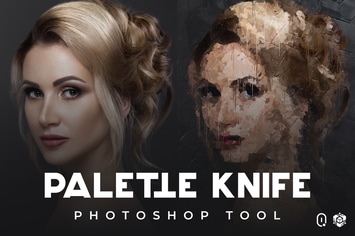
Palette Knife Photoshop Tool
by Oxygen_Art
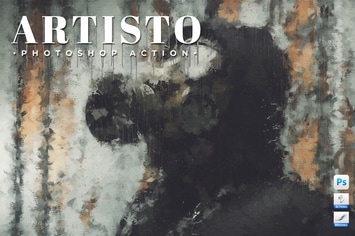
Artisto - Realistic Painting Photoshop Action
by Oxygen_Art
Enso Art Photoshop Tool
by Oxygen_Art
Fabulous - Photoshop Action
by Oxygen_Art
The Storm Photoshop Action
by Oxygen_Art
You May Also Like
Pencil n Watercolor Photoshop Action
by IndWorks
Plexiglass – 15 Abstract Effects
by sparklestock
30 Laser Photoshop Stamp Brushes
by M-e-f
Haunted Photoshop Actions
by micromove
Rime Photoshop Action
by iHemalaya
Charcoals Brushes Set for Adobe Illustator
by jiwstudio
Paints Photoshop Action
by Eugene-design
SoPainted Photoshop Action
by sodasong