
Risebot - Metaverse IGO Launchpad Elementor Template Kit
Author
themesflat
Published
Sep 10, 2024
Item Code
dded18d1-af01-4ad8-9c3b-5ac4b04203be
How to Download
- 1 Copy the Item Code above
- 2 Go to fuckdcma.com
- 3 Paste the code in the text box and click "Generate Download Link"
About This Item
Risebot Metaverse IGO Launchpad Template Kit for IGO/IEO/IDO Project, Staking, IGO game Landing, Firming Pools, Tier System, Tokenomics, IGO, crypto Digital marketplace. Risebot Template Kit is used the Elementor Free page builder plugin, This template easily customizable, fully responsive and support all modern browser and device. Metaverse Template is a new method of payment on the Internet using electronic currency. NFT is a “non-fungible token”
### Plugins installed with kit :
Themesflat Addons For Elementor
ElementsKit Lite
Metform
### Kit Key Features:
3 UniqueHome pages
Customize with drag and drop
One Click Demo Import
Unique and Modern Style.
Clear and Clean Layout
Detailed Design.
Cross browser compatible
Post Widget
Carousel Slide Box ( Create sliders with anything )
Responsive and Retina Ready
Compatible with most WordPress themes
Optimized for search engines
System Requirements to Install Elementor Kit
Memory Limit Hosting Server Should Be 512 Mb
MySQL version 5.6 or greater OR MariaDB version 10.0 or greater
PHP 7 or Greater with PHPZip Extension enabled
Wordpres 6 or Greater
Modern browser such as Chrome or Firefox
* For More Info Kindly Visit this Guide:
How to Use Template Kits:
1. Install and Activate the "Envato Elements" plugin from Plugins > Add New in WordPress
2. Download your kit file and Do not unzip
3. Go to Elements > Installed Kits and click the Upload Template Kit button. You may also import automatically by clicking Connect Account to link your Elements subscription, then import under Elements > Template Kits.
4. Check for the orange banner at the top and click Install Requirements to load any plugins the kit uses
5. Click import on the Global Kit Styles first
6. Click Import on one template at a time. These are stored in Elementor under Templates > Saved Templates.
7. Go to Pages and create a new page and click Edit with Elementor
8. Click the gear icon at lower-left of the builder to view page settings and choose Elementor Full Width and hide page title
9. Click the gray folder icon to access My Templates tab and then Import the page you'd like to customize.
If you have Elementor Pro, headers and footers may be customized under Theme Builder.
Detailed Guide:
For further support, go to Elementor > Get Help in WordPress menu.
How to Import Metforms
1. Import the metform block templates
2. Import the page template where the form appears and right-click to enable the Navigator
3. Locate and select the Metform widget and click Edit Form. Choose New, then Edit Form. The builder will appear
4. Click ‘Add Template’ grey folder icon.
5. Click ‘My Templates’ tab.
6. Choose your imported metform template, then click ‘Insert’ (click No for page settings).
7. Once the template is loaded, make any desired customizations and click ‘Update & Close’ The form will appear in the template
8. Click Update
Setup Global Header and Footer in ElementsKit
1. Import the header and footer template
2. Go to ElementsKit > Header Footer and click Add New (if prompted with a wizard, you may click Next through it without taking any action)
3. Title the header, leave Entire Site selected and toggle Activation to On
4. Click the gray Edit Content button to load the builder
5. Click the gray folder icon and select the header template to import, select your menu in the nav element and click Update.
6. Repeat for Footer
How to Setup Slides & Tabs
1.Import the slide/tab blocks. Duplicate and customize these under Templates > Saved Templates for each of your featured projects.
2.Import the template where the slides/tabs appear, then import it to a page via the gray folder icon > My Templates tab in the builder.
3.Right click the page to open the Navigator and locate the Carousel or Tabs widget
4.Select the slide or tab template from the dropdowns on the general tab of the element options
Images
Images and art are licensed from Freepik, Shutterstock and Depositphotos and are provided for demo purposes only,
### Plugins installed with kit :
Themesflat Addons For Elementor
ElementsKit Lite
Metform
### Kit Key Features:
3 UniqueHome pages
Customize with drag and drop
One Click Demo Import
Unique and Modern Style.
Clear and Clean Layout
Detailed Design.
Cross browser compatible
Post Widget
Carousel Slide Box ( Create sliders with anything )
Responsive and Retina Ready
Compatible with most WordPress themes
Optimized for search engines
System Requirements to Install Elementor Kit
Memory Limit Hosting Server Should Be 512 Mb
MySQL version 5.6 or greater OR MariaDB version 10.0 or greater
PHP 7 or Greater with PHPZip Extension enabled
Wordpres 6 or Greater
Modern browser such as Chrome or Firefox
* For More Info Kindly Visit this Guide:
How to Use Template Kits:
1. Install and Activate the "Envato Elements" plugin from Plugins > Add New in WordPress
2. Download your kit file and Do not unzip
3. Go to Elements > Installed Kits and click the Upload Template Kit button. You may also import automatically by clicking Connect Account to link your Elements subscription, then import under Elements > Template Kits.
4. Check for the orange banner at the top and click Install Requirements to load any plugins the kit uses
5. Click import on the Global Kit Styles first
6. Click Import on one template at a time. These are stored in Elementor under Templates > Saved Templates.
7. Go to Pages and create a new page and click Edit with Elementor
8. Click the gear icon at lower-left of the builder to view page settings and choose Elementor Full Width and hide page title
9. Click the gray folder icon to access My Templates tab and then Import the page you'd like to customize.
If you have Elementor Pro, headers and footers may be customized under Theme Builder.
Detailed Guide:
For further support, go to Elementor > Get Help in WordPress menu.
How to Import Metforms
1. Import the metform block templates
2. Import the page template where the form appears and right-click to enable the Navigator
3. Locate and select the Metform widget and click Edit Form. Choose New, then Edit Form. The builder will appear
4. Click ‘Add Template’ grey folder icon.
5. Click ‘My Templates’ tab.
6. Choose your imported metform template, then click ‘Insert’ (click No for page settings).
7. Once the template is loaded, make any desired customizations and click ‘Update & Close’ The form will appear in the template
8. Click Update
Setup Global Header and Footer in ElementsKit
1. Import the header and footer template
2. Go to ElementsKit > Header Footer and click Add New (if prompted with a wizard, you may click Next through it without taking any action)
3. Title the header, leave Entire Site selected and toggle Activation to On
4. Click the gray Edit Content button to load the builder
5. Click the gray folder icon and select the header template to import, select your menu in the nav element and click Update.
6. Repeat for Footer
How to Setup Slides & Tabs
1.Import the slide/tab blocks. Duplicate and customize these under Templates > Saved Templates for each of your featured projects.
2.Import the template where the slides/tabs appear, then import it to a page via the gray folder icon > My Templates tab in the builder.
3.Right click the page to open the Navigator and locate the Carousel or Tabs widget
4.Select the slide or tab template from the dropdowns on the general tab of the element options
Images
Images and art are licensed from Freepik, Shutterstock and Depositphotos and are provided for demo purposes only,
More from themesflat
View all →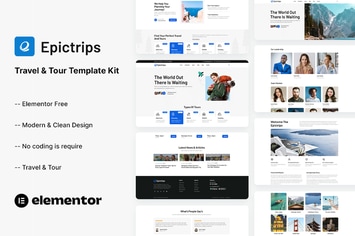
EpicTrips - Travel & Tour Elementor Template Kit
by themesflat
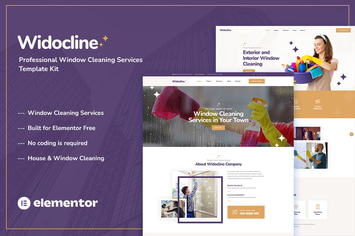
Widocline - Professional Window Cleaning Services Template Kit
by themesflat

Indro - Business Consulting Elementor Template Kit
by themesflat

Onatrix - Finance Consulting & Business Elementor Template Kit
by themesflat

Xstar - Creative Agency & Portfolio WordPress Them
by themesflat
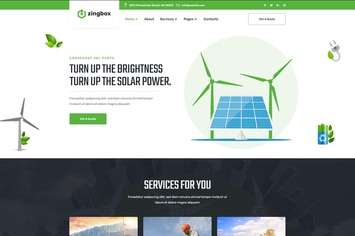
Zingbox – Wind & Solar Energy HTML Template
by themesflat

Rockie - Crypto Exchange HTML Template
by themesflat

ICOLand | NFT landing page & Crypto HTML Template
by themesflat
You May Also Like
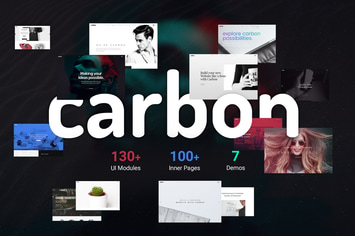
Carbon
by Upper

Eunice - Photography Portfolio WordPress Theme
by VictorThemes

WPBakery Addon - HTML5 Video Player
by LambertGroup
Axel - Single Property Real Estate Theme
by cmsmasters
Shoppo - Multipurpose WooCommerce Shop Theme
by cmsmasters
Seese - Responsive eCommerce Theme
by VictorThemes

Ozisti | Augmented Reality WooCommerce Theme
by ThemeREX
Brabus | Contemporary Portfolio Theme for Agencies
by themezinho