
Seoprism - SEO & Digital Agency Elementor Template Kit
Author
codeinsolutions
Published
Aug 17, 2024
Item Code
e4e48478-069f-43f5-adb1-31de8b14c3df
How to Download
- 1 Copy the Item Code above
- 2 Go to fuckdcma.com
- 3 Paste the code in the text box and click "Generate Download Link"
About This Item
Seoprism is a modern and versatile Elementor Template Kit designed specifically for SEO agencies, digital marketers, social media strategists, and advertising firms. With its sleek and contemporary design, Seoprism helps you build a strong online presence that reflects professionalism and innovation.
Featuring 16+ beautifully crafted templates, Seoprism makes it effortless to create a fully responsive, high-performing website—no coding required. Easily customize each section to highlight your services, showcase your success stories, and attract clients who are ready to grow their digital footprint.
Important: This is an Elementor Template Kit. Do not use WordPress “Tools > Import”. Install the Template Kit Import plugin (Plugins > Add New), then go to Tools > Template Kit to import.
Features:
Fully With Elementor Free Version (Elementor Pro is not required)
Simple, Modern and Clean Design
No Coding Knowledge Required
16+ Ready To Use Templates
Responsive & Retina Ready
Easy & Fully Customizable
Templates Include:
1. Global Kit Styles
2. Home
3. About
4. Services
5. Project
6. Project Detail
7. Pricing
8. Team
9. News
10. Single Post
11. FAQ
12. Contact
13. Form Contact
14. Footer
15. Header
16. 404 Page
Required Plugin:
Elementor (Free)
Jeg Elementor Kit
MetForm
How to Use Template Kits:
This is not a WordPress Theme. Template kits contain the design data for Elementor only and are installed using the Template Kit Import plugin for WordPress.
Install and import kits via Tools > Template Kit after installing the "Template Kit Import" plugin (Plugins > Add New > search "Template Kit Import" by Envato).
1. Plugins > Add New → search “Template Kit Import” (by Envato) → Install & Activate
2. Go to Tools > Template Kit
3. Upload your Template Kit ZIP
4. Click “Install Requirements”
5. Import “Global Kit Styles” first, then the pages/parts you need
Help & Support
Need more help? Choose an option below:
- Full Guide:
- Contact Us:
For further support, go to Elementor > Get Help in WordPress menu.
How To Import Metform Costum Form
1. Import metform template
2. Import the template where the form appears, then edit in Elementor
3. Click the Metform widget in the column where the form should be and click Edit Form
4. Select New, leave blank selected then click Edit Form button
5. Click ‘Add Template’ grey folder button
6. Click ‘My Templates’ tab
7. Choose your imported metform template, then click ‘Insert’
8. Once the template is loaded, click ‘Update’
This Template Kit uses demo images from Envato Elements. You will need to license these images from Envato Elements to use them on your website, or you can substitute them with your own.
FAQ
- Can I import via WordPress “Tools > Import”? No. That importer handles WXR posts/pages. This is an Elementor Template Kit and must be imported with the Template Kit Import plugin via Tools > Template Kit.
- Do I need Elementor Pro? No, this kit is built for Elementor Free unless otherwise noted.
- My pages don’t look like the demo. Go to Tools > Template Kit and click “Install Requirements”, then import “Global Kit Styles” first before importing pages/parts.
Featuring 16+ beautifully crafted templates, Seoprism makes it effortless to create a fully responsive, high-performing website—no coding required. Easily customize each section to highlight your services, showcase your success stories, and attract clients who are ready to grow their digital footprint.
Important: This is an Elementor Template Kit. Do not use WordPress “Tools > Import”. Install the Template Kit Import plugin (Plugins > Add New), then go to Tools > Template Kit to import.
Features:
Fully With Elementor Free Version (Elementor Pro is not required)
Simple, Modern and Clean Design
No Coding Knowledge Required
16+ Ready To Use Templates
Responsive & Retina Ready
Easy & Fully Customizable
Templates Include:
1. Global Kit Styles
2. Home
3. About
4. Services
5. Project
6. Project Detail
7. Pricing
8. Team
9. News
10. Single Post
11. FAQ
12. Contact
13. Form Contact
14. Footer
15. Header
16. 404 Page
Required Plugin:
Elementor (Free)
Jeg Elementor Kit
MetForm
How to Use Template Kits:
This is not a WordPress Theme. Template kits contain the design data for Elementor only and are installed using the Template Kit Import plugin for WordPress.
Install and import kits via Tools > Template Kit after installing the "Template Kit Import" plugin (Plugins > Add New > search "Template Kit Import" by Envato).
1. Plugins > Add New → search “Template Kit Import” (by Envato) → Install & Activate
2. Go to Tools > Template Kit
3. Upload your Template Kit ZIP
4. Click “Install Requirements”
5. Import “Global Kit Styles” first, then the pages/parts you need
Help & Support
Need more help? Choose an option below:
- Full Guide:
- Contact Us:
For further support, go to Elementor > Get Help in WordPress menu.
How To Import Metform Costum Form
1. Import metform template
2. Import the template where the form appears, then edit in Elementor
3. Click the Metform widget in the column where the form should be and click Edit Form
4. Select New, leave blank selected then click Edit Form button
5. Click ‘Add Template’ grey folder button
6. Click ‘My Templates’ tab
7. Choose your imported metform template, then click ‘Insert’
8. Once the template is loaded, click ‘Update’
This Template Kit uses demo images from Envato Elements. You will need to license these images from Envato Elements to use them on your website, or you can substitute them with your own.
FAQ
- Can I import via WordPress “Tools > Import”? No. That importer handles WXR posts/pages. This is an Elementor Template Kit and must be imported with the Template Kit Import plugin via Tools > Template Kit.
- Do I need Elementor Pro? No, this kit is built for Elementor Free unless otherwise noted.
- My pages don’t look like the demo. Go to Tools > Template Kit and click “Install Requirements”, then import “Global Kit Styles” first before importing pages/parts.
More from codeinsolutions
View all →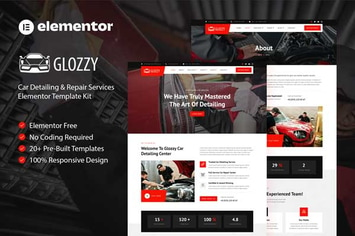
Glozzy - Car Detailing & Repair Service Elementor Template Kit
by codeinsolutions
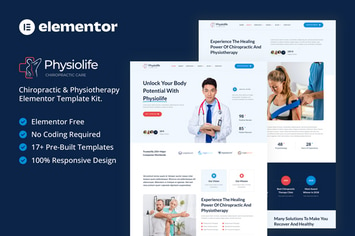
Physiolife - Chiropractic & Physiotherapy Elementor Template Kit
by codeinsolutions
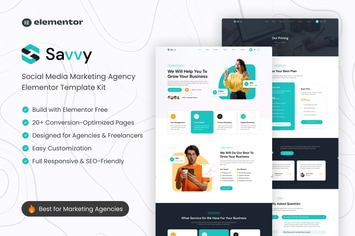
Savvy – Social Media Marketing Agency Elementor Template Kit
by codeinsolutions
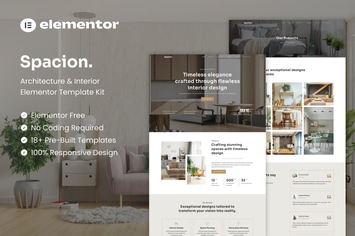
Spacion - Architecture & Interior Elementor Template Kit
by codeinsolutions
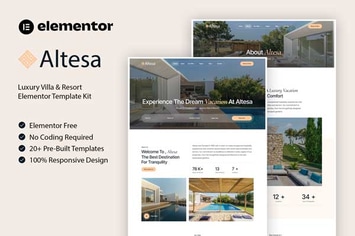
Altesa - Villa & Resort Elementor Template Kit
by codeinsolutions
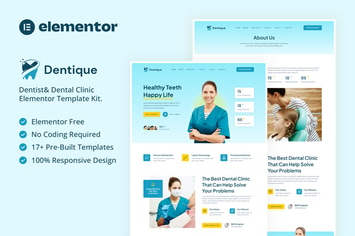
Dentique - Dentist & Dental Clinic Elementor Template Kit
by codeinsolutions
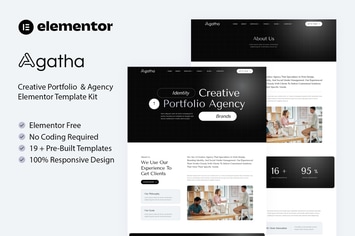
Agatha - Creative Portfolio & Agency Elementor Template Kit
by codeinsolutions

Dricademy - Driving Course & Traffic School Elementor Template Kit
by codeinsolutions
You May Also Like
NEX-Forms - PayPal PRO Add-on
by Basix
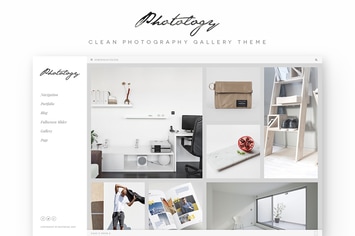
Photology - Clean Photography Gallery WP Theme
by jegtheme

WPBakery Addon - HTML5 Video Player
by LambertGroup
Dotted - Corporate Multipurpose WordPress Theme
by OceanThemes
Mediclick - Medical Landing Page WordPress Theme
by ThemeModern
Revolution Video Player With Bottom Playlist
by LambertGroup
Smart One Page - Addon For WPBakery Page Builder
by beeteam368

Jarvis - Night Club, Concert, Festival WordPress
by AncoraThemes