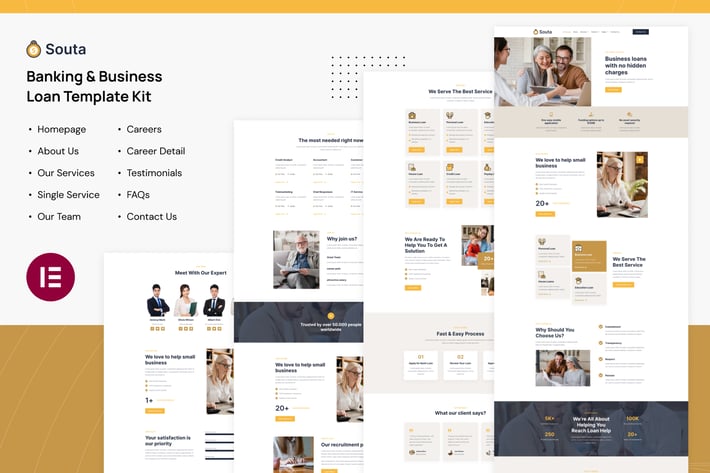
Souta - Banking & Business Loan Elementor Template Kit
Author
tokomoo
Published
Sep 30, 2025
Item Code
22e3a02d-788d-4428-9610-fe00fe9f8aeb
How to Download
- 1 Copy the Item Code above
- 2 Go to fuckdcma.com
- 3 Paste the code in the text box and click "Generate Download Link"
About This Item
Souta is a modern and clean Elementor Template Kit that is designed to create a website particularly for Loan and Banking companies, as well as it fits perfectly for any finance company and consulting services.
This template kit includes carefully crafted 10 templates that are fully responsive & retina-ready. You can build your professional-looking website with a low budget just a click away!
Page templates included
Homepage
About Us Page
Services Page
Services Detail Page
Careers Page
Career detail Page
Our Team Page
Testimonials Page
FAQs Page
Contact Us Page
Elementor Pro upgrade is required for some templates and features (not included)
Features
True no-code customization with drag and drop visual builder
Customize fonts and colors in one place or fine-tune on individual elements
Modern, professional design
Fast-loading
Works with most Elementor themes.
How to Use Template Kits:
1. Install and Activate the "Envato Elements" plugin from Plugins > Add New in WordPress
2. Download your kit file and Do not unzip
3. Go to Elements > Installed Kits and click the Upload Template Kit button. You may also import automatically by clicking Connect Account to link your Elements subscription, then import under Elements > Template Kits.
4. Check for the orange banner at the top and click Install Requirements to load any plugins the kit uses
5. Click import on the Global Kit Styles first
6. Click Import on one template at a time. These are stored in Elementor under Templates > Saved Templates.
7. Go to Pages and create a new page and click Edit with Elementor
8. Click the gear icon at lower-left of the builder to view page settings and choose Elementor Full Width and hide page title
9. Click the gray folder icon to access My Templates tab and then Import the page you'd like to customize.
If you have Elementor Pro, headers and footers may be customized under Theme Builder.
Detailed Guide:
For further support, go to Elementor > Get Help in WordPress menu.
This Template Kit uses demo images from Envato Elements. You will need to license these images from Envato Elements to use them on your website, or you can substitute them with your own.
This template kit includes carefully crafted 10 templates that are fully responsive & retina-ready. You can build your professional-looking website with a low budget just a click away!
Page templates included
Homepage
About Us Page
Services Page
Services Detail Page
Careers Page
Career detail Page
Our Team Page
Testimonials Page
FAQs Page
Contact Us Page
Elementor Pro upgrade is required for some templates and features (not included)
Features
True no-code customization with drag and drop visual builder
Customize fonts and colors in one place or fine-tune on individual elements
Modern, professional design
Fast-loading
Works with most Elementor themes.
How to Use Template Kits:
1. Install and Activate the "Envato Elements" plugin from Plugins > Add New in WordPress
2. Download your kit file and Do not unzip
3. Go to Elements > Installed Kits and click the Upload Template Kit button. You may also import automatically by clicking Connect Account to link your Elements subscription, then import under Elements > Template Kits.
4. Check for the orange banner at the top and click Install Requirements to load any plugins the kit uses
5. Click import on the Global Kit Styles first
6. Click Import on one template at a time. These are stored in Elementor under Templates > Saved Templates.
7. Go to Pages and create a new page and click Edit with Elementor
8. Click the gear icon at lower-left of the builder to view page settings and choose Elementor Full Width and hide page title
9. Click the gray folder icon to access My Templates tab and then Import the page you'd like to customize.
If you have Elementor Pro, headers and footers may be customized under Theme Builder.
Detailed Guide:
For further support, go to Elementor > Get Help in WordPress menu.
This Template Kit uses demo images from Envato Elements. You will need to license these images from Envato Elements to use them on your website, or you can substitute them with your own.
More from tokomoo
View all →






You May Also Like
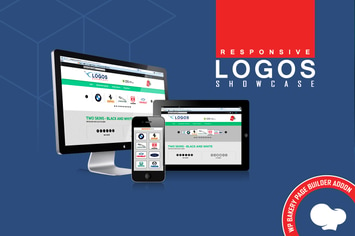
WPBakery Addon - Logos Showcase Pro
by LambertGroup
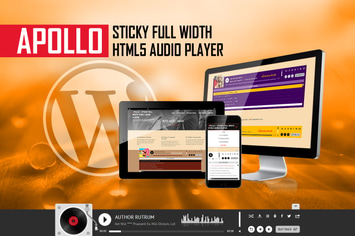
Apollo - Sticky Full Width HTML5 Audio Player
by LambertGroup
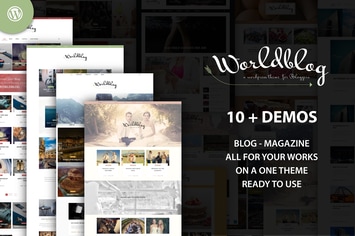
Worldblog - WordPress Blog and Magazine Theme
by ad-theme
Hreflang Flags
by DAEXT
NEX-Forms - Add-on Bundle
by Basix
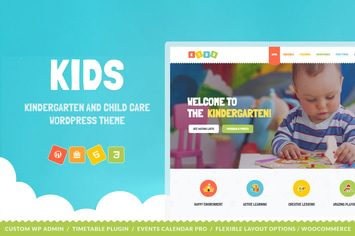
Kids - Day Care & Kindergarten WordPress Theme
by cmsmasters
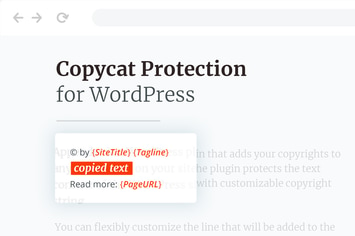
Copycat Protector for WordPress
by merkulove

Hagge - Creative Portfolio Elementor Template Kit
by fdr_studio