
Topika - Insurance Agency Elementor Template Kit
Author
TonaTheme
Published
Mar 13, 2025
Item Code
c67e310b-a23b-4246-a11f-6827662db04b
How to Download
- 1 Copy the Item Code above
- 2 Go to fuckdcma.com
- 3 Paste the code in the text box and click "Generate Download Link"
About This Item
Topika is designed for Insurance, Finance, Marketing, Consulting & Multipurpose Business. This template has beautifull and unique design that will be best suited for your online web presence. It has 100% responsive design and tested on all major handheld devices.
Templates
Global Theme Styles
Home
About
Team
Testimonials
FAQ's
Services
Services Details
Case Study
Case Study Details
Contact
404 Page
Header
Footer
Required Plugin:
Elementor
ElementsKit Lite
Elementor – Header, Footer & Blocks
Metform
1. How to Install:
2. Install and Activate the “Template Kit Import” plugin from Plugins > Add New in WordPress
3. 500Download your file and Do not unzip
4. Go to Tools > Import Kit and click the Upload Template Kit button.
5. Before importing a template, ensure the Install Requirements button is clicked to activate required plugins
6. For best results, do not import more than one template at a time.
7. Go to Pages and create a new page and click Edit with Elementor
8. Click the gear icon at lower-left of the builder to view page settings and choose Elementor Full Width and hide page title
9. Click the gray folder icon to access My Templates tab and then Import the page you’d like to customize
1. How to import Metform custom form*
2. Import metform template
3. Import the template where the form appears, then edit in Elementor.
4. Click the Metform widget in the column where the form should be and click Edit Form.
5. Select New, leave blank selected then click Edit Form button
6. Click ‘Add Template’ grey folder button.
7. Click ‘My Templates’ tab.
8. Choose your imported metform template, then click ‘Insert’.
9. Once the template is loaded, click ‘Update’.
[Detailed Guide](
This Template Kit uses demo images from Envato Elements. You will need to license these images from Envato Elements to use them on your website, or you can substitute them with your own.
Templates
Global Theme Styles
Home
About
Team
Testimonials
FAQ's
Services
Services Details
Case Study
Case Study Details
Contact
404 Page
Header
Footer
Required Plugin:
Elementor
ElementsKit Lite
Elementor – Header, Footer & Blocks
Metform
1. How to Install:
2. Install and Activate the “Template Kit Import” plugin from Plugins > Add New in WordPress
3. 500Download your file and Do not unzip
4. Go to Tools > Import Kit and click the Upload Template Kit button.
5. Before importing a template, ensure the Install Requirements button is clicked to activate required plugins
6. For best results, do not import more than one template at a time.
7. Go to Pages and create a new page and click Edit with Elementor
8. Click the gear icon at lower-left of the builder to view page settings and choose Elementor Full Width and hide page title
9. Click the gray folder icon to access My Templates tab and then Import the page you’d like to customize
1. How to import Metform custom form*
2. Import metform template
3. Import the template where the form appears, then edit in Elementor.
4. Click the Metform widget in the column where the form should be and click Edit Form.
5. Select New, leave blank selected then click Edit Form button
6. Click ‘Add Template’ grey folder button.
7. Click ‘My Templates’ tab.
8. Choose your imported metform template, then click ‘Insert’.
9. Once the template is loaded, click ‘Update’.
[Detailed Guide](
This Template Kit uses demo images from Envato Elements. You will need to license these images from Envato Elements to use them on your website, or you can substitute them with your own.
More from TonaTheme
View all →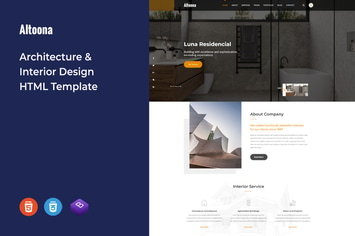
Altoona - Architecture & Interior HTML Template
by TonaTheme

Cleaner - Cleaning Services HTML Template
by TonaTheme

Zagreb - Limousine / Transport / Car Hire Template
by TonaTheme

Right Scale - Construction Business HTML Template
by TonaTheme

Factory Founder -Industrial Business HTML Template
by TonaTheme
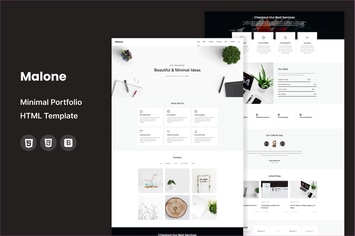
Malone - Minimal Portfolio HTML Template
by TonaTheme
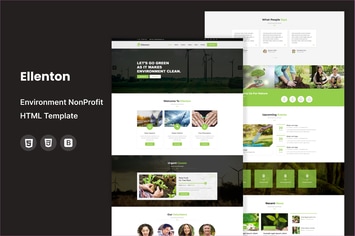
Ellenton - Environment / Non-Profit HTML Template
by TonaTheme
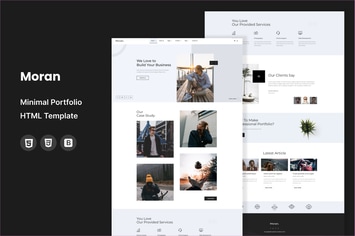
Moran - Minimal Portfolio HTML Template
by TonaTheme
You May Also Like
Spare - Ultimate MultiPurpose LESS Theme
by themeton

Consuloan | Multipurpose Consulting WordPress Them
by themesflat

Prider
by AncoraThemes
TraveX - Travel & Tour Agency Elementor Template Kit
by CoombCo

Tailora – Clothing Alteration & Tailoring Service Elementor Template Kit
by jegtheme
Dyelex – Painting & Wallpapering Service Elementor Template Kit
by jegtheme
Lumina - Creatives & Business Elementor Template Kit
by styleWish
ARI - Agency Template Kit
by C-Kav