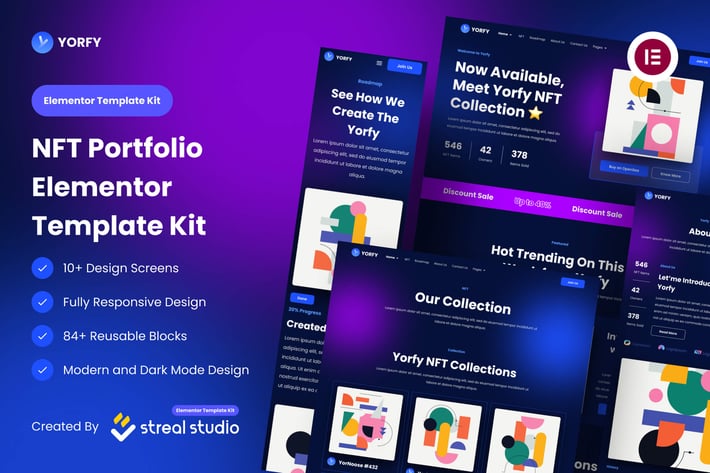
Yorfy - NFT Project Elementor Template Kit
Author
mockulab
Published
Sep 08, 2024
Item Code
7b77187b-5070-4424-b490-05cb93839b95
How to Download
- 1 Copy the Item Code above
- 2 Go to fuckdcma.com
- 3 Paste the code in the text box and click "Generate Download Link"
About This Item
Yorfy NFT Website is an all in one solution template for your personal NFT portfolio. Everything in the template has been customized according to NFT needs. But it can also be used for other needs such as crypto, blockchain, and technology websites. It's have modern look design and dark theme.
The Template Kit is pixel-perfect Designed, making sure your final creation is flexible and easily extendable.
This kit has been optimized for use with the free Hello Elementor theme but may be used with most themes that support Elementor, Includes stunning carefully crafted 10+ stunning templates, you can build your professional website just a click away.
Features
Elementor Free Version (Elementor Pro not required)
10+ Design Screen
Fully Responsive Design
Modern and Dark Mode Design
Page Templates
Home V1
Home V2
NFT
About Us
Roadmap
Contact Us
Community
FAQ
Blog
Single Post
404
Coming Soon
Block Templates
Header
Footer
Contact Form (MetForm)
Plugin Dependencies (installed from kit)
Elementor Page Builder
ElementsKit Lite
Elementor – Header & Footer Builder
Sticky Header Effects for Elementor
MetForm
How to Install:
1. Install and Activate the “Envato Elements” plugin from Plugins Add New in WordPress
2. Do not unzip
3. Go toElements Installed Kits and click the Upload Template Kit button.
4. Before importing a template, ensure the Install Requirements button is clicked to activate required plugins
For best results, do not import more than one template at a time.
Detailed Guide
For further support, go to Elementor Get Help in WordPress menu.
How to import Metforms and content blocks
1. Import the metform block templates
2. Import the page template where the form appears and right-click to enable the Navigator
3. Locate and select the Metform widget and click Edit Form. Choose New, then Edit Form. The builder will appear
4. Click ‘Add Template’ grey folder icon.
5. Click ‘My Templates’ tab.
6. Choose your imported metform template, then click ‘Insert’ (click No for page settings).
7. Once the template is loaded, make any desired customizations and click ‘Update Close’ The form will appear in the template
8. Click Update
Setup Global Header and Footer in Header Footer Blocks plugin
1. Import the header and footer template
2. Go to Appearance Elements Kit and click Add New button
3. Give it a title and select Header, Display on Entire Site, Activation On and click Edit Content
4. Click the gray folder icon to access My Templates tab and select the header template to import and Update.
5. Repeat for Footer
Online Help Guide
This Template Kit uses demo images from Envato Elements. You will need to license these images from Envato Elements to use them on your website, or you can substitute them with your own.
Collections in Elements:
The Template Kit is pixel-perfect Designed, making sure your final creation is flexible and easily extendable.
This kit has been optimized for use with the free Hello Elementor theme but may be used with most themes that support Elementor, Includes stunning carefully crafted 10+ stunning templates, you can build your professional website just a click away.
Features
Elementor Free Version (Elementor Pro not required)
10+ Design Screen
Fully Responsive Design
Modern and Dark Mode Design
Page Templates
Home V1
Home V2
NFT
About Us
Roadmap
Contact Us
Community
FAQ
Blog
Single Post
404
Coming Soon
Block Templates
Header
Footer
Contact Form (MetForm)
Plugin Dependencies (installed from kit)
Elementor Page Builder
ElementsKit Lite
Elementor – Header & Footer Builder
Sticky Header Effects for Elementor
MetForm
How to Install:
1. Install and Activate the “Envato Elements” plugin from Plugins Add New in WordPress
2. Do not unzip
3. Go toElements Installed Kits and click the Upload Template Kit button.
4. Before importing a template, ensure the Install Requirements button is clicked to activate required plugins
For best results, do not import more than one template at a time.
Detailed Guide
For further support, go to Elementor Get Help in WordPress menu.
How to import Metforms and content blocks
1. Import the metform block templates
2. Import the page template where the form appears and right-click to enable the Navigator
3. Locate and select the Metform widget and click Edit Form. Choose New, then Edit Form. The builder will appear
4. Click ‘Add Template’ grey folder icon.
5. Click ‘My Templates’ tab.
6. Choose your imported metform template, then click ‘Insert’ (click No for page settings).
7. Once the template is loaded, make any desired customizations and click ‘Update Close’ The form will appear in the template
8. Click Update
Setup Global Header and Footer in Header Footer Blocks plugin
1. Import the header and footer template
2. Go to Appearance Elements Kit and click Add New button
3. Give it a title and select Header, Display on Entire Site, Activation On and click Edit Content
4. Click the gray folder icon to access My Templates tab and select the header template to import and Update.
5. Repeat for Footer
Online Help Guide
This Template Kit uses demo images from Envato Elements. You will need to license these images from Envato Elements to use them on your website, or you can substitute them with your own.
Collections in Elements:
More from mockulab
View all →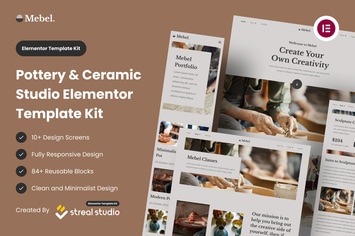
Mebel - Pottery & Ceramic Studio Elementor Template Kit
by mockulab
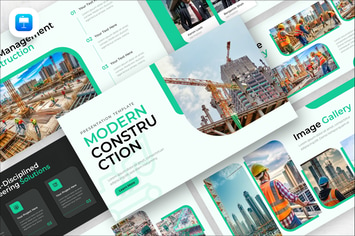
Modern Construction Keynote Presentation Template
by mockulab

Techniques Marketing Keynote Presentation Template
by mockulab

Virtual Marketing Keynote Presentation Template
by mockulab

Traffic Comparison Keynote Presentation Template
by mockulab
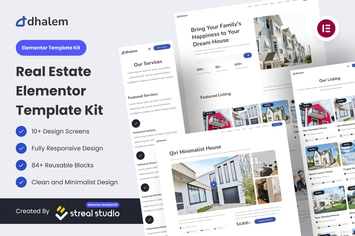
Dhalem Real Estate Elementor Template Kit
by mockulab

GonQ Creative Portfolio Agency Elementor Template Kit
by mockulab

Warnet - Broadband Internet Services Elementor Template Kit
by mockulab
You May Also Like

Tantra - A Yoga Studio and Fitness Club WP Theme
by axiomthemes
League Table
by DAEXT
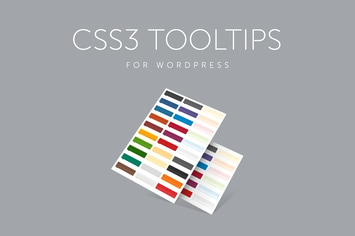
CSS3 Tooltips for WordPress
by QuanticaLabs

Metz - Editorial Magazine Blog Theme
by Burnhambox
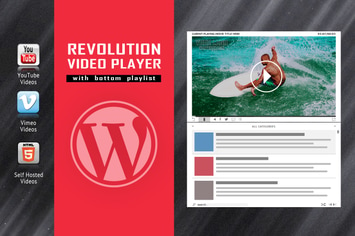
Revolution Video Player With Bottom Playlist
by LambertGroup
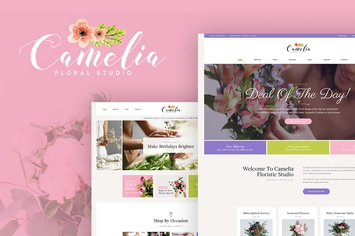
Camelia - A Floral Studio WordPress Theme
by axiomthemes
Acerola - Ultra Minimalist Agency WordPress Theme
by themeton

Anondho - Night Club & Event WooCommerce WordPress
by shtheme