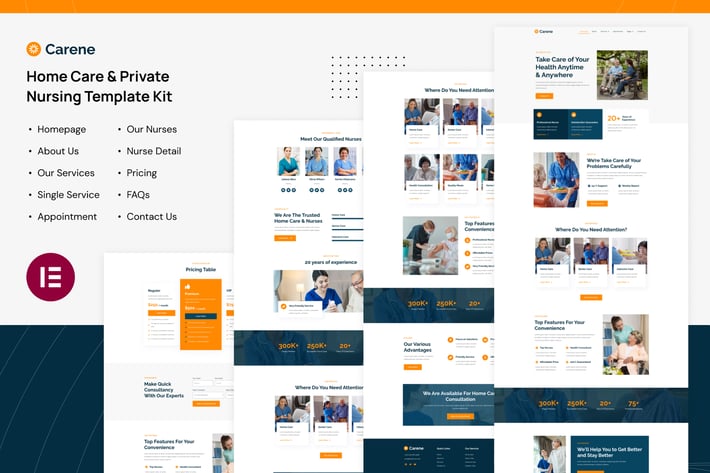
Carene - Home Care & Private Nursing Services Elementor Pro Template Kit
Author
tokomoo
Published
May 06, 2025
Item Code
b6dbfff6-38e0-47de-896f-13022d384d73
How to Download
- 1 Copy the Item Code above
- 2 Go to fuckdcma.com
- 3 Paste the code in the text box and click "Generate Download Link"
About This Item
Carene is a modern and clean Elementor Template Kit that is perfect for those who want to create a stunning WordPress-based website for Home Care & Private Nursing Services, Senior Care Services, Elderly Home Care, Retirement Home, or any other medical or health-related business. This template has a professional design with a 100% responsive layout, is retina-ready, and is very easy to customize because using Elementor so you don’t need a single line of coding!
This template kit includes carefully crafted 10 templates that are fully responsive & retina-ready. You can build your professional-looking website with a low budget just a click away!
Page templates included
Homepage
About Us Page
Services Page
Services Detail Page
Appointment Page
Pricing Page
Our Nurses Page
Nurse Detail Page
FAQs Page
Contact Us Page
Features
True no-code customization with drag and drop visual builder
Customize fonts and colors in one place or fine-tune on individual elements
Modern, professional design
Fast-loading
Works with most Elementor themes.
Elementor Pro upgrade is required for some templates and features (not included)
How to Use Template Kits:
1. Install and Activate the "Envato Elements" plugin from Plugins > Add New in WordPress
2. Download your kit file and Do not unzip
3. Go to Elements > Installed Kits and click the Upload Template Kit button. You may also import automatically by clicking Connect Account to link your Elements subscription, then import under Elements > Template Kits.
4. Check for the orange banner at the top and click Install Requirements to load any plugins the kit uses
5. Click import on the Global Kit Styles first
6. Click Import on one template at a time. These are stored in Elementor under Templates > Saved Templates.
7. Go to Pages and create a new page and click Edit with Elementor
8. Click the gear icon at lower-left of the builder to view page settings and choose Elementor Full Width and hide page title
9. Click the gray folder icon to access My Templates tab and then Import the page you'd like to customize.
If you have Elementor Pro, headers and footers may be customized under Theme Builder.
Detailed Guide:
For further support, go to Elementor > Get Help in WordPress menu.
This Template Kit uses demo images from Envato Elements. You will need to license these images from Envato Elements to use them on your website, or you can substitute them with your own.
This template kit includes carefully crafted 10 templates that are fully responsive & retina-ready. You can build your professional-looking website with a low budget just a click away!
Page templates included
Homepage
About Us Page
Services Page
Services Detail Page
Appointment Page
Pricing Page
Our Nurses Page
Nurse Detail Page
FAQs Page
Contact Us Page
Features
True no-code customization with drag and drop visual builder
Customize fonts and colors in one place or fine-tune on individual elements
Modern, professional design
Fast-loading
Works with most Elementor themes.
Elementor Pro upgrade is required for some templates and features (not included)
How to Use Template Kits:
1. Install and Activate the "Envato Elements" plugin from Plugins > Add New in WordPress
2. Download your kit file and Do not unzip
3. Go to Elements > Installed Kits and click the Upload Template Kit button. You may also import automatically by clicking Connect Account to link your Elements subscription, then import under Elements > Template Kits.
4. Check for the orange banner at the top and click Install Requirements to load any plugins the kit uses
5. Click import on the Global Kit Styles first
6. Click Import on one template at a time. These are stored in Elementor under Templates > Saved Templates.
7. Go to Pages and create a new page and click Edit with Elementor
8. Click the gear icon at lower-left of the builder to view page settings and choose Elementor Full Width and hide page title
9. Click the gray folder icon to access My Templates tab and then Import the page you'd like to customize.
If you have Elementor Pro, headers and footers may be customized under Theme Builder.
Detailed Guide:
For further support, go to Elementor > Get Help in WordPress menu.
This Template Kit uses demo images from Envato Elements. You will need to license these images from Envato Elements to use them on your website, or you can substitute them with your own.
More from tokomoo
View all →







You May Also Like
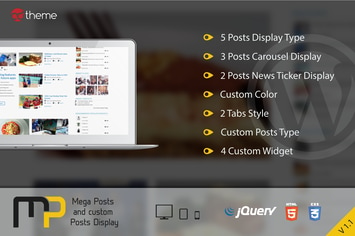
Mega Posts and Custom Posts Display WP Plugin
by ad-theme

Edge Decor
by ThemeREX
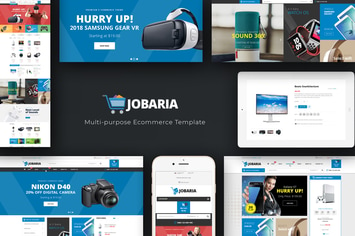
Jobaria - Technology WordPress Theme
by Plaza-Themes
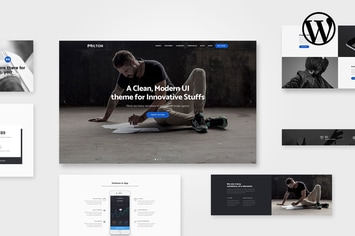
Milton | Multipurpose Creative WordPress Theme
by AgniHD
Simple Weather WordPress Shortcode & Widget
by CurlyThemes

Uplands - Golf Course WordPress Theme
by Themovation

HT Slider Pro For Elementor
by codecarnival

Search Bar Ads - WooCommerce Plugin
by Burnhambox