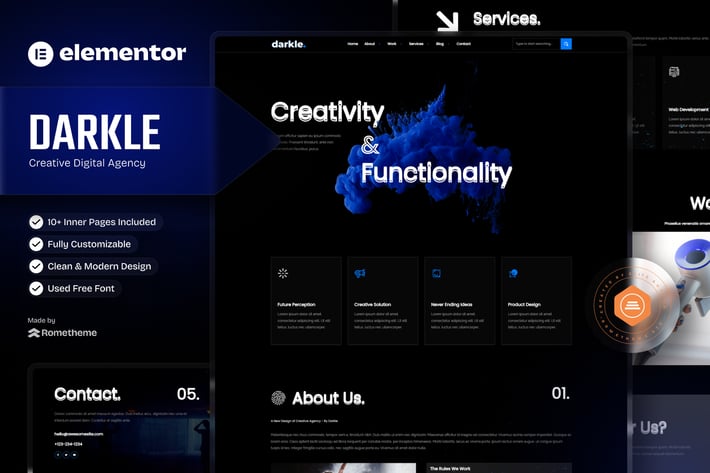
Darkle - Creative & Digital Agency Elementor Template Kit
Author
Rometheme
Published
Oct 01, 2024
Item Code
e00b16b6-878b-4557-80a0-e71121a6bde2
How to Download
- 1 Copy the Item Code above
- 2 Go to fuckdcma.com
- 3 Paste the code in the text box and click "Generate Download Link"
About This Item
Welcome to Darkle - Creative & Digital Agency Elementor Template Kit. DARK is created especially for Digital Agency, Creative Agency, Online Portfolio, Designer and Freelancer website for companies or individuals. DARK has a beautiful and unique design with a 100% responsive layout, very easy to customize, retina-ready, and because it uses Elementor and no coding.
This is not a WordPress theme. Elementor Kit contains page content for Elementor page builder. This kit has been optimized for use with the free Hello Elementor theme but may be used with most themes that support Elementor.
Features:
True no-code customization with drag and drop visual builder
Customize fonts and colors in one place or fine-tune on individual elements
Modern, professional design
Works with most Elementor themes.
Templates :
Home
About Us
Our Team
Masonry Style
Slider Style
Services
Service Detail
Archives
Single Post
404
Contact
Contact MetForm
Header
Footer
Features Templates:
Header & Footer Builder
Required Plugins :
Elementor
RTMKit
RTMForm
How to Use Template Kits:
This is not a WordPress Theme. Template kits contain the design data for Elementor only and are installed using the envato Template Kit Import plugin for WordPress or directly through Elementor.
Detailed Guide:
For further support, go to Elementor > Get Help in WordPress menu.
Setup Global Header and Footer in RTMKit
Import the Header & Footer blocks.
Go to RTMKit > Theme Builder > Header in the WordPress admin, then click Add New.
Enter a title, select "Header" as the type, then go to the Conditions tab, set it to "Entire Site", and click Save.
Click Edit with Elementor to open the builder.
In the editor, click the gray folder icon, go to the My Templates tab, select your Header Template, and click Insert.
Make any adjustments, then click Update to save.
Repeat the same steps for the Footer under RTMKit > Theme Builder > Footer.
How to Setup Forms with RTMForm
Import the form blocks.
Go to RTMKit Plugin > Theme Builder > Forms in the WordPress admin.
Click "Add New", enter a form name, then click "Save and Edit".
In the builder, click the gray folder icon, go to the My Templates tab, and click Insert on your form block.
Click Publish (or Update).
When customizing pages with forms, use the RForm widget and select the form you created.
Detailed Guide:
This Template Kit uses demo images from Envato Elements. You will need to license these images from Envato Elements to use them on your website, or you can substitute them with your own.
This is not a WordPress theme. Elementor Kit contains page content for Elementor page builder. This kit has been optimized for use with the free Hello Elementor theme but may be used with most themes that support Elementor.
Features:
True no-code customization with drag and drop visual builder
Customize fonts and colors in one place or fine-tune on individual elements
Modern, professional design
Works with most Elementor themes.
Templates :
Home
About Us
Our Team
Masonry Style
Slider Style
Services
Service Detail
Archives
Single Post
404
Contact
Contact MetForm
Header
Footer
Features Templates:
Header & Footer Builder
Required Plugins :
Elementor
RTMKit
RTMForm
How to Use Template Kits:
This is not a WordPress Theme. Template kits contain the design data for Elementor only and are installed using the envato Template Kit Import plugin for WordPress or directly through Elementor.
Detailed Guide:
For further support, go to Elementor > Get Help in WordPress menu.
Setup Global Header and Footer in RTMKit
Import the Header & Footer blocks.
Go to RTMKit > Theme Builder > Header in the WordPress admin, then click Add New.
Enter a title, select "Header" as the type, then go to the Conditions tab, set it to "Entire Site", and click Save.
Click Edit with Elementor to open the builder.
In the editor, click the gray folder icon, go to the My Templates tab, select your Header Template, and click Insert.
Make any adjustments, then click Update to save.
Repeat the same steps for the Footer under RTMKit > Theme Builder > Footer.
How to Setup Forms with RTMForm
Import the form blocks.
Go to RTMKit Plugin > Theme Builder > Forms in the WordPress admin.
Click "Add New", enter a form name, then click "Save and Edit".
In the builder, click the gray folder icon, go to the My Templates tab, and click Insert on your form block.
Click Publish (or Update).
When customizing pages with forms, use the RForm widget and select the form you created.
Detailed Guide:
This Template Kit uses demo images from Envato Elements. You will need to license these images from Envato Elements to use them on your website, or you can substitute them with your own.
More from Rometheme
View all →
Point - Creative Digital Agency HTML Template
by Rometheme
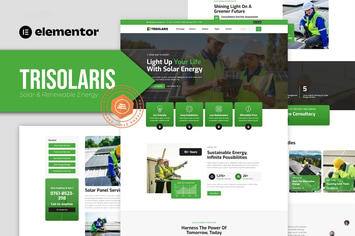
Trisolaris - Solar & Renewable Energy Elementor Template Kit
by Rometheme

Prudent - Notary Public & Legal Services Elementor Template Kit
by Rometheme
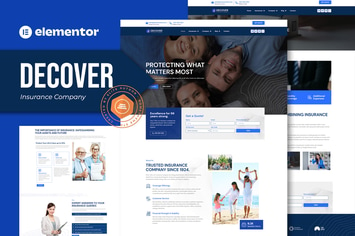
Decover - Insurance Company Elementor Pro Template Kit
by Rometheme
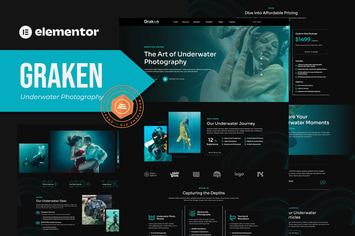
Graken - Underwater Photography Elementor Template Kit
by Rometheme

Pillar - Lawyer & Attorney HTML Template
by Rometheme
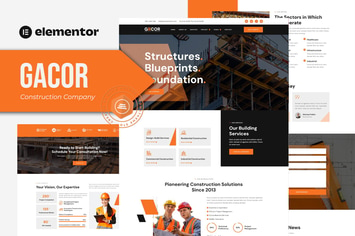
Gacor - Construction Company Elementor Template Kit
by Rometheme

Goodlend - Venture Capital & Investment Elementor Template Kit
by Rometheme
You May Also Like
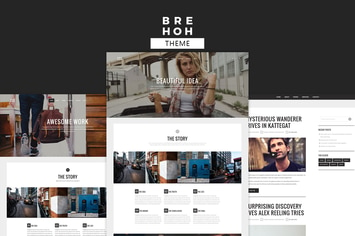
Brehoh
by ridianur

Pithree – Construction & Building WordPress Theme
by G5Theme
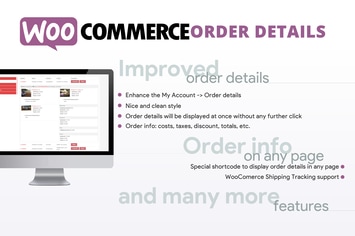
WooCommerce Order Details
by vanquish
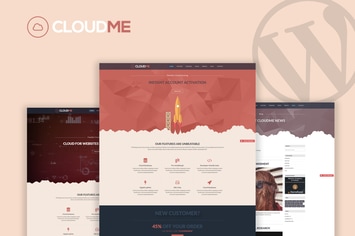
Cloudme Host - WordPress Hosting Theme
by OceanThemes

Asia Garden
by ThemeREX

WordPress Social Share Buttons
by Elfsight
Sebian - Multi-purpose WordPress WooCommerce Theme
by Be_Achemit

WP Featured News Pro | Custom Posts Listing Plugin
by Fluent-Themes