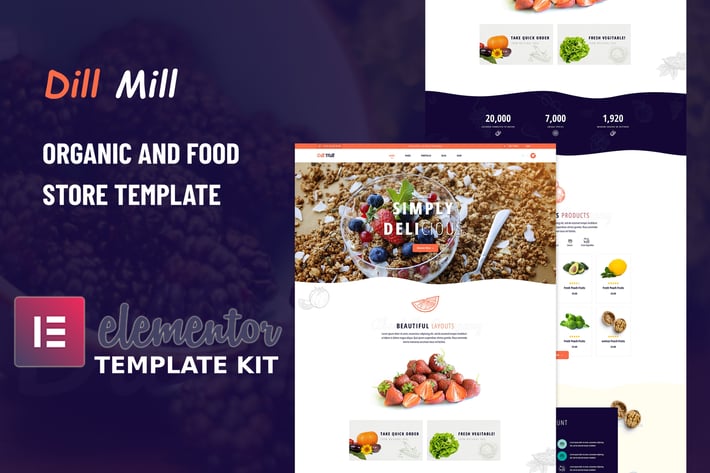
Dillmill - Organic Food Store Elementor Template Kit
Author
envalab
Published
Sep 04, 2021
Item Code
5419057a-7ca5-4feb-a689-0c08cc4613b4
How to Download
- 1 Copy the Item Code above
- 2 Go to fuckdcma.com
- 3 Paste the code in the text box and click "Generate Download Link"
About This Item
Introduction
Dillmill - Organic and Food Store Elementor Template Kit that perfectly designed for all kinds of the organic farming business and Organic Store, including organic food, organic fruits, and vegetables, organic farm, agricultural company or basically everything related to an eco-friendly lifestyle.
Dillmill comes with a home page, about page, contact page, gallery page, blog page, blog details, products page with a single page, and more than 14 sections ready to use with Elementor.
Dillmill – Templates
Pages
Home Page
AboutUs Page
Products Page
Team Page
Blog Page
Blog Single Page
ContactUs Page
Coming Soon Page
404 Error Page
Sections
Header Section
HeaderTop Section
Footer Section
About Section
Fun Fact Section
Products Section
Discount Section
Video Section
Hero Section
Gallery Section
Team Section
Blog Section
Banner Section
ContactUs Section
404 Error Section
Dillmill – Features
No Elementor Pro needed
9 Incredible Template Pages
15 different sections
24 Awesome Elements Templates
Clean, Professional, and Unique Design
Google Fonts - easily expand to 600 Google Fonts
and much more!
Plugins installed with kit
Elementor
ElementsKit Lite
Elementor - Header & Footer Blocks
JetWidgets For Elementor
PowerPack Lite for Elementor
MetForm
How to Install:
1. Install and Activate the "Template Kit Import" plugin from Plugins > Add New in WordPress
2. Do not unzip
3. Go to Elements > Installed Kits and click the Upload Template Kit button.
4. Before importing a template, ensure the Install Requirements button is clicked to activate required plugins
5. For best results, do not import more than one template at a time.
Detailed Guide:
Setup Global Header and Footer in ElementsKit
1. Import the header and footer template
2. Go to ElementsKit > Header Footer select Header and click Add New
3. Give it a title, leave Entire Site selected and toggle Activation to On
4. Click the template title and Edit Content
5. Click the gray folder icon and select the header template to import and Update.
6. Repeat for Footer
How to Import Metforms
1. Open the page in Elementor
3. Locate and select the Metform widget and click Edit Form. Choose a form to start with and click Edit form
4. Once the template is loaded, make any desired customizations and click ‘Update & Close’ The form will appear in the template
This Template Kit uses demo images from Envato Elements. You will need to license these images from Envato Elements to use them on your website, or you can substitute them with your own.
Dillmill - Organic and Food Store Elementor Template Kit that perfectly designed for all kinds of the organic farming business and Organic Store, including organic food, organic fruits, and vegetables, organic farm, agricultural company or basically everything related to an eco-friendly lifestyle.
Dillmill comes with a home page, about page, contact page, gallery page, blog page, blog details, products page with a single page, and more than 14 sections ready to use with Elementor.
Dillmill – Templates
Pages
Home Page
AboutUs Page
Products Page
Team Page
Blog Page
Blog Single Page
ContactUs Page
Coming Soon Page
404 Error Page
Sections
Header Section
HeaderTop Section
Footer Section
About Section
Fun Fact Section
Products Section
Discount Section
Video Section
Hero Section
Gallery Section
Team Section
Blog Section
Banner Section
ContactUs Section
404 Error Section
Dillmill – Features
No Elementor Pro needed
9 Incredible Template Pages
15 different sections
24 Awesome Elements Templates
Clean, Professional, and Unique Design
Google Fonts - easily expand to 600 Google Fonts
and much more!
Plugins installed with kit
Elementor
ElementsKit Lite
Elementor - Header & Footer Blocks
JetWidgets For Elementor
PowerPack Lite for Elementor
MetForm
How to Install:
1. Install and Activate the "Template Kit Import" plugin from Plugins > Add New in WordPress
2. Do not unzip
3. Go to Elements > Installed Kits and click the Upload Template Kit button.
4. Before importing a template, ensure the Install Requirements button is clicked to activate required plugins
5. For best results, do not import more than one template at a time.
Detailed Guide:
Setup Global Header and Footer in ElementsKit
1. Import the header and footer template
2. Go to ElementsKit > Header Footer select Header and click Add New
3. Give it a title, leave Entire Site selected and toggle Activation to On
4. Click the template title and Edit Content
5. Click the gray folder icon and select the header template to import and Update.
6. Repeat for Footer
How to Import Metforms
1. Open the page in Elementor
3. Locate and select the Metform widget and click Edit Form. Choose a form to start with and click Edit form
4. Once the template is loaded, make any desired customizations and click ‘Update & Close’ The form will appear in the template
This Template Kit uses demo images from Envato Elements. You will need to license these images from Envato Elements to use them on your website, or you can substitute them with your own.
More from envalab
View all →
Writepillar - Content Writing Services Elementor Template Kit
by envalab

TravelX - Travels Tourism Agency Elementor Template Kit
by envalab

Consl - Consulting Business HTML5 Template
by envalab
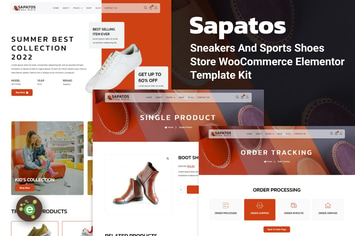
Sapatos - Sneakers & Sports Shoes Store WooCommerce Elementor Template Kit
by envalab

Essien - Eye Care Clinic Elementor Template Kit
by envalab

Unded - Creative Agency & Portfolio React Template
by envalab
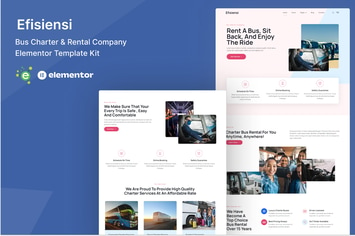
Efisiensi - Bus Charter & Rental Company Elementor Template Kit
by envalab

EnvArch – Single Property React Template
by envalab
You May Also Like
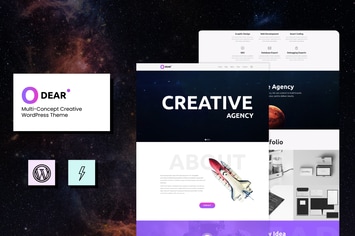
Odear - Multi-Concept Creative WordPress Theme
by modeltheme

WotaHub
by axiomthemes
Glimmer
by SoftHopper

Lighthouse | School for Handicapped Kids WP Theme
by AncoraThemes
Interni 3D Interior Design Studio WordPress Theme
by themeton
Ovez - Modern Multi-Concept WooCommerce Theme
by nanoagency
HT Business Hour Widget for Elementor
by codecarnival

Levi - Digital Marketing Elementor Template Kit
by YumnaStudio