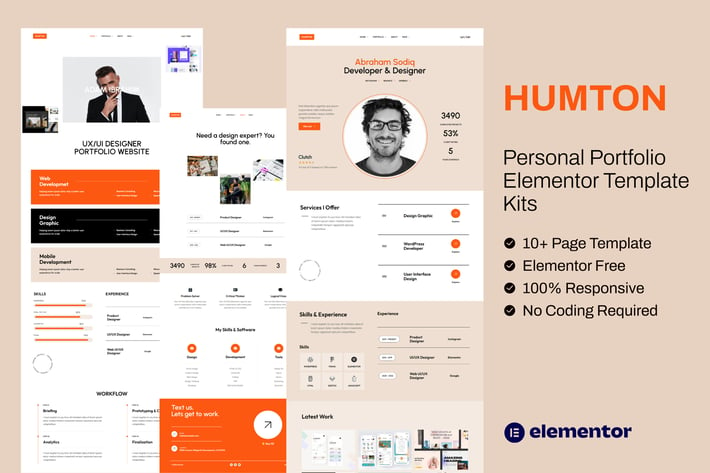
Humton - Personal Portfolio Elementor Template Kits
Author
imoodev
Published
Jul 26, 2025
Item Code
c6e5b339-2d22-4063-a4ed-b409d1af6eb6
How to Download
- 1 Copy the Item Code above
- 2 Go to fuckdcma.com
- 3 Paste the code in the text box and click "Generate Download Link"
About This Item
Humton – Personal Portfolio Elementor Template Kits is for many purpose. It’s creative, minimal and clean design. It has all of the features of the business website. It’s suitable for any startup business, cv, resume, companies, agencies, and freelancers which need a professional way to showcase their projects and services.
This is not a WordPress theme. Template Kits contain page content for Elementor page builder. This kit has been optimized for use with the free Hello Elementor theme but may be used with most themes that support Elementor.
Main Features:
Click Installation
Global Theme Styles included
12+ Elementor Templates
100% Fluid Responsive
Easy to Use and Customize
All major browsers supported Chrome, Firefox, Safari, Edge, Opera
Kit Includes:
1. Home 1
2. Home 2
3. Portfolio
4. Single Portfolio 1
5. Single Portfolio 2
6. Service Detail
7. 404 Error
8. About
9. FAQ
10. Pricing
11. Header Footer
Required Plugins (installed with kit):
Jeg Elementor Kit
Premium Addons for Elementor
How to Use Template Kits:
1. Install and Activate the "Envato Elements" plugin from Plugins > Add New in WordPress
2. Download your kit file and Do not unzip
3. Go to Elements > Installed Kits and click the Upload Template Kit button. You may also import automatically by clicking Connect Account to link your Elements subscription, then import under Elements > Template Kits.
4. Check for the orange banner at the top and click Install Requirements to load any plugins the kit uses
5. Click import on the Global Kit Styles first
6. Click Import on one template at a time. These are stored in Elementor under Templates > Saved Templates.
7. Go to Pages and create a new page and click Edit with Elementor
8. Click the gear icon at lower-left of the builder to view page settings and choose Elementor Full Width and hide page title
9. Click the gray folder icon to access My Templates tab and then Import the page you'd like to customize.
If you have Elementor Pro, headers and footers may be customized under Theme Builder.
Detailed Guide:
For further support, go to Elementor > Get Help in WordPress menu.
This Template Kit uses demo images from Envato Elements. You will need to license these images from Envato Elements to use them on your website, or you can substitute them with your own.
This is not a WordPress theme. Template Kits contain page content for Elementor page builder. This kit has been optimized for use with the free Hello Elementor theme but may be used with most themes that support Elementor.
Main Features:
Click Installation
Global Theme Styles included
12+ Elementor Templates
100% Fluid Responsive
Easy to Use and Customize
All major browsers supported Chrome, Firefox, Safari, Edge, Opera
Kit Includes:
1. Home 1
2. Home 2
3. Portfolio
4. Single Portfolio 1
5. Single Portfolio 2
6. Service Detail
7. 404 Error
8. About
9. FAQ
10. Pricing
11. Header Footer
Required Plugins (installed with kit):
Jeg Elementor Kit
Premium Addons for Elementor
How to Use Template Kits:
1. Install and Activate the "Envato Elements" plugin from Plugins > Add New in WordPress
2. Download your kit file and Do not unzip
3. Go to Elements > Installed Kits and click the Upload Template Kit button. You may also import automatically by clicking Connect Account to link your Elements subscription, then import under Elements > Template Kits.
4. Check for the orange banner at the top and click Install Requirements to load any plugins the kit uses
5. Click import on the Global Kit Styles first
6. Click Import on one template at a time. These are stored in Elementor under Templates > Saved Templates.
7. Go to Pages and create a new page and click Edit with Elementor
8. Click the gear icon at lower-left of the builder to view page settings and choose Elementor Full Width and hide page title
9. Click the gray folder icon to access My Templates tab and then Import the page you'd like to customize.
If you have Elementor Pro, headers and footers may be customized under Theme Builder.
Detailed Guide:
For further support, go to Elementor > Get Help in WordPress menu.
This Template Kit uses demo images from Envato Elements. You will need to license these images from Envato Elements to use them on your website, or you can substitute them with your own.
More from imoodev
View all →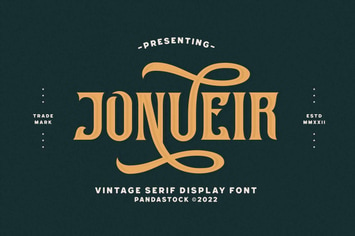
Jonueir - Modern Vintage Fonts
by imoodev

Gween Emory - Retro Groovy Font
by imoodev

Hello Malike - Round Serif Font
by imoodev
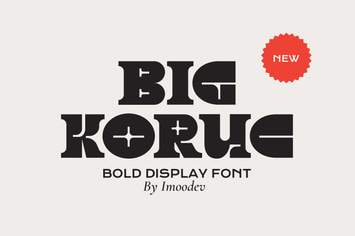
Big Koruc - Modern Display Fonts
by imoodev
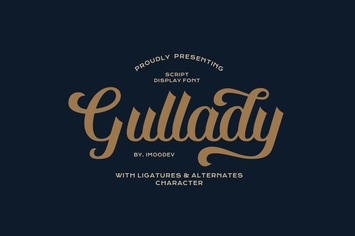
Gullady - Handwritten Cursive
by imoodev

Kasyiro
by imoodev

Sallafi - Arabic Font Style
by imoodev
Nebula Rolek - Futuristic Space Font
by imoodev
You May Also Like
Site Content Navigator for WordPress
by QuanticaLabs
Sabvga - Modern & Creative Portfolio Theme
by ridianur
Camping WordPress Theme
by nicdark

Atrium - Finance Consulting WordPress Theme
by QuanticaLabs
Caden - Mega Store Responsive WordPress Theme
by Plaza-Themes
Meelo - Corporate One Page WordPress Theme
by CocoBasic

Goto - Tour & Travel WordPress Theme
by BoostifyThemes
Negan - Clean, Minimal WooCommerce Theme
by LA-Studio