
ImmersiveAI - Robotics Elementor Template Kit
Author
designingmedia
Published
Dec 05, 2024
Item Code
e6b1fc3c-21dd-455f-851e-c8c5335a27d9
How to Download
- 1 Copy the Item Code above
- 2 Go to fuckdcma.com
- 3 Paste the code in the text box and click "Generate Download Link"
About This Item
Immersive AI is an Elementor Template Kit specially designed for Artificial Intelligence & Robotics websites that will take your business to the next level. With its future-forward design, powerful features and intuitive user experience, this template is the perfect choice for anyone looking to create a stunning website that showcases the power of artificial intelligence.
The template includes a wide range of features and elements that are specifically designed for AI-related businesses, such as machine learning, robotics and automation. In addition to pre-designed pages, our template kit also includes a variety of customizable design elements such as buttons, and typography. Customization is easy to use and allow you to create a unique and professional-looking website.
Note: This is not a WordPress theme. Template Kits contain page content for Elementor page builder. This kit has been optimized for use with the free Hello Elementor theme but may be used with most themes that support Elementor.
Features
- True no-code customization with drag and drop visual builder
- Customize fonts and colors in one place or fine-tune on individual elements
- Modern, professional design
- Fast-loading
- Works with most Elementor themes.
Required plugins installed with kit
Elementor
ElementsKit Lite
MetForm
How to Use Template Kits:
1. Install and Activate the "Envato Elements" plugin from Plugins > Add New in WordPress
2. Download your kit file and Do not unzip
3. Go to Elements > Installed Kits and click the Upload Template Kit button. You may also import automatically by clicking Connect Account to link your Elements subscription, then import under Elements > Template Kits.
4. Check for the orange banner at the top and click Install Requirements to load any plugins the kit uses
5. Click import on the Global Kit Styles first
6. Click Import on one template at a time. These are stored in Elementor under Templates > Saved Templates.
7. Go to Pages and create a new page and click Edit with Elementor
8. Click the gear icon at lower-left of the builder to view page settings and choose Elementor Full Width and hide page title
9. Click the gray folder icon to access My Templates tab and then Import the page you'd like to customize.
If you have Elementor Pro, headers and footers may be customized under Theme Builder.
Detailed Guide:
For further support, go to Elementor > Get Help in WordPress menu.
How to Import Metforms
1. Import the metform block templates
2. Import the page template where the form appears and right-click to enable the Navigator
3. Locate and select the Metform widget and click Edit Form. Choose New, then Edit Form. The builder will appear
4. Click ‘Add Template’ grey folder icon.
5. Click ‘My Templates’ tab.
6. Choose your imported metform template, then click ‘Insert’ (click No for page settings).
7. Once the template is loaded, make any desired customizations and click ‘Update & Close’ The form will appear in the template
8. Click Update
Setup Global Header and Footer in ElementsKit
1. Import the header and footer template
2. Go to ElementsKit > Header Footer and click Add New (if prompted with a wizard, you may click Next through it without taking any action)
3. Title the header, leave Entire Site selected and toggle Activation to On
4. Click the gray Edit Content button to load the builder
5. Click the gray folder icon and select the header template to import, select your menu in the nav element and click Update.
6. Repeat for Footer
This Template Kit uses demo images from Envato Elements. You will need to license these images from Envato Elements to use them on your website, or you can substitute them with your own.
Images Collection
* All images are used for preview purposes only. They are not part of the template and hence, not included in the final purchase files.
The template includes a wide range of features and elements that are specifically designed for AI-related businesses, such as machine learning, robotics and automation. In addition to pre-designed pages, our template kit also includes a variety of customizable design elements such as buttons, and typography. Customization is easy to use and allow you to create a unique and professional-looking website.
Note: This is not a WordPress theme. Template Kits contain page content for Elementor page builder. This kit has been optimized for use with the free Hello Elementor theme but may be used with most themes that support Elementor.
Features
- True no-code customization with drag and drop visual builder
- Customize fonts and colors in one place or fine-tune on individual elements
- Modern, professional design
- Fast-loading
- Works with most Elementor themes.
Required plugins installed with kit
Elementor
ElementsKit Lite
MetForm
How to Use Template Kits:
1. Install and Activate the "Envato Elements" plugin from Plugins > Add New in WordPress
2. Download your kit file and Do not unzip
3. Go to Elements > Installed Kits and click the Upload Template Kit button. You may also import automatically by clicking Connect Account to link your Elements subscription, then import under Elements > Template Kits.
4. Check for the orange banner at the top and click Install Requirements to load any plugins the kit uses
5. Click import on the Global Kit Styles first
6. Click Import on one template at a time. These are stored in Elementor under Templates > Saved Templates.
7. Go to Pages and create a new page and click Edit with Elementor
8. Click the gear icon at lower-left of the builder to view page settings and choose Elementor Full Width and hide page title
9. Click the gray folder icon to access My Templates tab and then Import the page you'd like to customize.
If you have Elementor Pro, headers and footers may be customized under Theme Builder.
Detailed Guide:
For further support, go to Elementor > Get Help in WordPress menu.
How to Import Metforms
1. Import the metform block templates
2. Import the page template where the form appears and right-click to enable the Navigator
3. Locate and select the Metform widget and click Edit Form. Choose New, then Edit Form. The builder will appear
4. Click ‘Add Template’ grey folder icon.
5. Click ‘My Templates’ tab.
6. Choose your imported metform template, then click ‘Insert’ (click No for page settings).
7. Once the template is loaded, make any desired customizations and click ‘Update & Close’ The form will appear in the template
8. Click Update
Setup Global Header and Footer in ElementsKit
1. Import the header and footer template
2. Go to ElementsKit > Header Footer and click Add New (if prompted with a wizard, you may click Next through it without taking any action)
3. Title the header, leave Entire Site selected and toggle Activation to On
4. Click the gray Edit Content button to load the builder
5. Click the gray folder icon and select the header template to import, select your menu in the nav element and click Update.
6. Repeat for Footer
This Template Kit uses demo images from Envato Elements. You will need to license these images from Envato Elements to use them on your website, or you can substitute them with your own.
Images Collection
* All images are used for preview purposes only. They are not part of the template and hence, not included in the final purchase files.
More from designingmedia
View all →
STRACK Multipurpose Business | Elementor Template Kit
by designingmedia
Hillcrest - Interior Design Elementor Template Kit
by designingmedia
Fierce Finance | HTML Template
by designingmedia
Artelligence | AI & Robotics HTML Template
by designingmedia

Repay | Payment Gateway HTML Template
by designingmedia
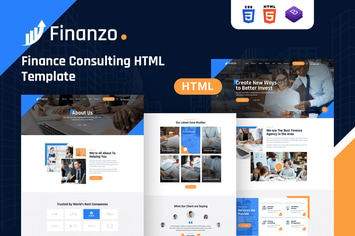
Finanzo | HTML Template
by designingmedia
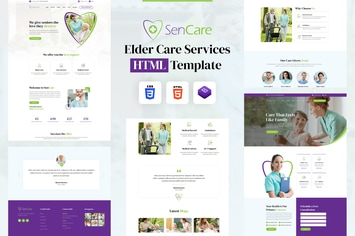
SenCare | Elderly Home & Senior Care HTML Template
by designingmedia
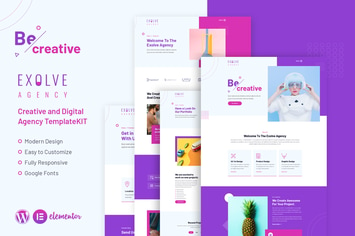
Exolve | Creative Portfolio Elementor Template Kit
by designingmedia
You May Also Like
Morph: Flyout Mobile Menu Plugin for WordPress
by BonfireThemes
Emily Nolan - Creative Photography Portfolio Theme
by MadSparrow
Andier
by ridianur

Basil | Cooking Classes and Workshops WP Theme
by axiomthemes
WordPress Demo Content Manager
by torbara
Image Hover Add-on for WPBakery Page Builder
by infiwebs
Cakecrumbs - Bakery Elementor Template kit
by ingridk

Cryptokit - Blockchain Cryptocurrency Elementor Template Kit
by moxcreative