
Konsultant - Consultancy Firm Elementor Template Kit
Author
ideadriven
Published
Nov 11, 2022
Item Code
b3b3c1cf-2f64-40de-a1ba-35596d466b23
How to Download
- 1 Copy the Item Code above
- 2 Go to fuckdcma.com
- 3 Paste the code in the text box and click "Generate Download Link"
About This Item
KONSULTANT is a modern & clean Elementor Template Kit, built specifically for consultant services. Whether it's an consultancy firm, finance office, or other business services. It's easy to use the pre-made template pages to quickly build your website. Contains 30 different templates and Global Kit Style.
All templates have been carefully tested on a variety of resolutions and devices to ensure that the display is always perfect. No Elementor Pro version is required, and no paid plugins are required, saving you budget. KONSULTANT supports free lifetime upgrades, so you don't have to worry about it.
Templates:
Pages:
Home
About
Services
Case Studies
Team
Clients
News
Contact
Case Details
Member Profile
Single Post
404 Page
Coming Soon
Blocks:
Header
Footer
Sub Footer
Services
Services II
Services III
Statistics
Cases
Team
Testimonials
Logos
Contact
Offices
Features
Contact Form
Request Form
Features:
True zero coding: styles and effects are done within the Elementor panel
Fully compatible with Elementor free version, NO Elementor Pro required
Total 30 templates, includes full page templates, useful blocks
Global theme styles for an easy site-wide style change
Header and footer builder for flexible layout and design
How to Install:
1. Install and Activate the "Envato Elements" plugin from Plugins > Add New in WordPress
2. Do not unzip
3. Go to Elements > Installed Kits and click the Upload Template Kit button.
4. Before importing a template, ensure the Install Requirements button is clicked to activate required plugins
5. For best results, do not import more than one template at a time.
Detailed Guide:
For further support, go to Elementor > Get Help in WordPress menu.
How to Import Metforms
1. Import the metform block templates
2. Import the page template where the form appears and right-click to enable the Navigator
3. Locate and select the Metform widget and click Edit Form. Choose New, then Edit Form. The builder will appear
4. Click ‘Add Template’ grey folder icon.
5. Click ‘My Templates’ tab.
6. Choose your imported metform template, then click ‘Insert’ (click No for page settings).
7. Once the template is loaded, make any desired customizations and click ‘Update & Close’ The form will appear in the template
8. Click Update
This Template Kit uses demo images from Envato Elements. You will need to license these images from Envato Elements to use them on your website, or you can substitute them with your own.
All templates have been carefully tested on a variety of resolutions and devices to ensure that the display is always perfect. No Elementor Pro version is required, and no paid plugins are required, saving you budget. KONSULTANT supports free lifetime upgrades, so you don't have to worry about it.
Templates:
Pages:
Home
About
Services
Case Studies
Team
Clients
News
Contact
Case Details
Member Profile
Single Post
404 Page
Coming Soon
Blocks:
Header
Footer
Sub Footer
Services
Services II
Services III
Statistics
Cases
Team
Testimonials
Logos
Contact
Offices
Features
Contact Form
Request Form
Features:
True zero coding: styles and effects are done within the Elementor panel
Fully compatible with Elementor free version, NO Elementor Pro required
Total 30 templates, includes full page templates, useful blocks
Global theme styles for an easy site-wide style change
Header and footer builder for flexible layout and design
How to Install:
1. Install and Activate the "Envato Elements" plugin from Plugins > Add New in WordPress
2. Do not unzip
3. Go to Elements > Installed Kits and click the Upload Template Kit button.
4. Before importing a template, ensure the Install Requirements button is clicked to activate required plugins
5. For best results, do not import more than one template at a time.
Detailed Guide:
For further support, go to Elementor > Get Help in WordPress menu.
How to Import Metforms
1. Import the metform block templates
2. Import the page template where the form appears and right-click to enable the Navigator
3. Locate and select the Metform widget and click Edit Form. Choose New, then Edit Form. The builder will appear
4. Click ‘Add Template’ grey folder icon.
5. Click ‘My Templates’ tab.
6. Choose your imported metform template, then click ‘Insert’ (click No for page settings).
7. Once the template is loaded, make any desired customizations and click ‘Update & Close’ The form will appear in the template
8. Click Update
This Template Kit uses demo images from Envato Elements. You will need to license these images from Envato Elements to use them on your website, or you can substitute them with your own.
More from ideadriven
View all →
Yogalaxy - Yoga Pilates Fitness Studio Elementor Template Kit
by ideadriven
Swinga - Yoga Health Coach Fitness Studio Elementor Template Kit
by ideadriven
Tow Now - Towing Services Elementor Template Kit
by ideadriven

INGENISM - Architectural Design Agency Elementor Template Kit
by ideadriven

FinOffice - Finance & Accounting Elementor Template Kit
by ideadriven
STARTOR - Agency & Company Elementor Template Kit
by ideadriven
You May Also Like

Trendy - Creative Multi-Purpose WordPress Theme
by tvdathemes

Eject
by ThemeREX
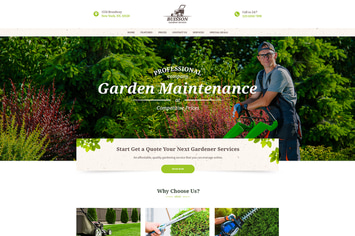
Buisson - Gardening WordPress Theme
by ThemeREX

WPBakery Addon - CountDown Timer PRO
by LambertGroup

Drone - Single Product WordPress Theme
by ApusTheme
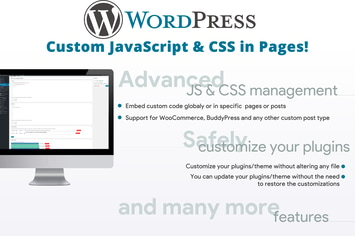
Custom JavaScript & CSS in Pages!
by vanquish
NEX-Forms - MailChimp Add-on
by Basix
Lagom - Multi Concept MultiPurpose WordPress Theme
by themeton