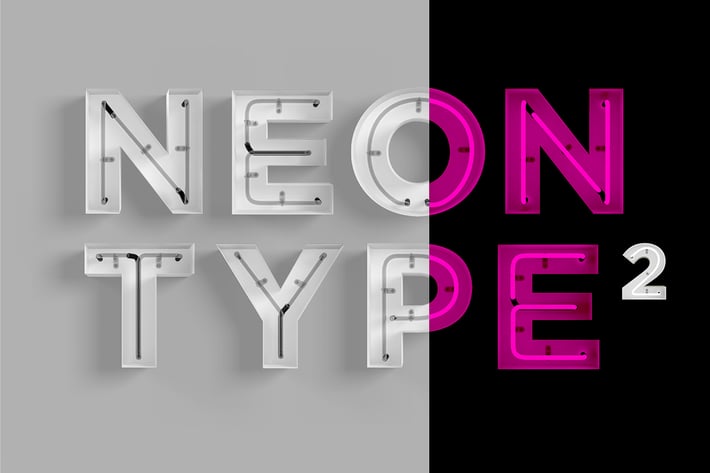
Neon Type 2
Author
rhett
Published
Feb 03, 2022
Item Code
1c079fc6-1858-4983-bdde-999b8ef9e670
How to Download
- 1 Copy the Item Code above
- 2 Go to fuckdcma.com
- 3 Paste the code in the text box and click "Generate Download Link"
About This Item
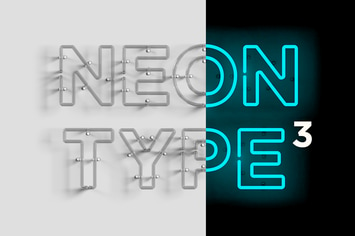
A Photoshop template file to help you create realistic words in all the glory of neon signage.
- 1 PSD files of letters, numbers and some special characters.
- Layered shadows, reflections and shape layers for customisation of each character.
- Set up ready to use in a well organised layered file.
- Change background or foreground colour.
- Clean and realistic look.
- Custom designed in 3D and converted to layered graphics.
- Separated and movable letters.
Please note: This is NOT a font or a vector file.
Additional notes:
The file contains the alphabet layout as seen in gallery image 2 with dimensions of 6945w x 4911h pixels. Each letter is approx 785x785px @ 300 dpi. Each letter has a neon on, off and cover state, contained within Photoshop layer folders. Just turn off the letter layers you don't want and drag the letters to position, or drag each letter to a new document. Adjust colour and level of type through adjustment layers.
This product requires a basic understanding of how to use Photoshop.
- 1 PSD files of letters, numbers and some special characters.
- Layered shadows, reflections and shape layers for customisation of each character.
- Set up ready to use in a well organised layered file.
- Change background or foreground colour.
- Clean and realistic look.
- Custom designed in 3D and converted to layered graphics.
- Separated and movable letters.
Please note: This is NOT a font or a vector file.
Additional notes:
The file contains the alphabet layout as seen in gallery image 2 with dimensions of 6945w x 4911h pixels. Each letter is approx 785x785px @ 300 dpi. Each letter has a neon on, off and cover state, contained within Photoshop layer folders. Just turn off the letter layers you don't want and drag the letters to position, or drag each letter to a new document. Adjust colour and level of type through adjustment layers.
This product requires a basic understanding of how to use Photoshop.
More from rhett
View all →
You May Also Like
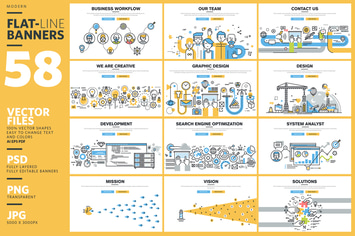
Set of Flat Line Banners for Website Design
by PureSolution
Construction Icons
by filborg
95 Irresistable Flat Icons
by Krafted
Abstract Vertical Motion Backgrounds
by Wutip
Smooth Waves Backgrounds
by themefire

Social media - modern line design style icons set
by BoykoPictures
Abstract Geometric Patterns
by danjazzia
50 Smart Watch Flat Shadowed Icons
by IconBunny