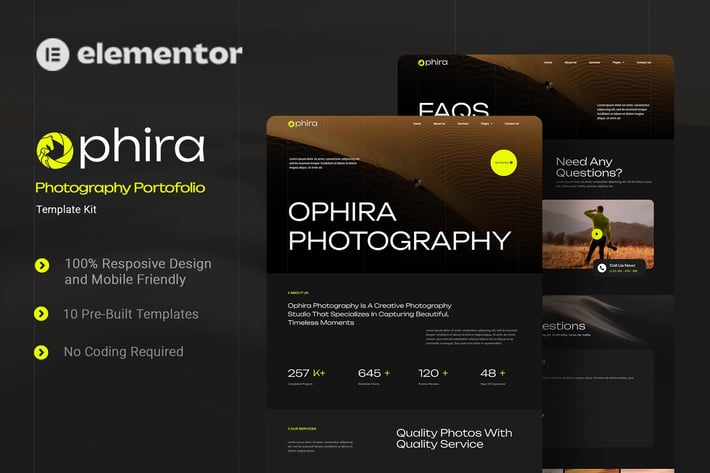
Ophira - Photography Portfolio Elementor Template Kit
Author
Kitpro
Published
Jun 05, 2025
Item Code
73fea3a9-26a2-4175-81dd-0b77963dc567
How to Download
- 1 Copy the Item Code above
- 2 Go to fuckdcma.com
- 3 Paste the code in the text box and click "Generate Download Link"
About This Item
Ophira is an Elementor Template Kit for quickly and easily creating a full website in WordPress for your business featuring a modern and professional design. The kit features a fully compatible design system and professionally hand-picked images for a premium, branded head-start on your next project. Optimized for use with the free Hello Elementor theme, this kit is fine-tuned, fast-loading and fully responsive.
### Features
- True no-code customization with drag and drop visual builder
- Customize fonts and colors in one place or fine-tune on individual elements
- Modern, professional design
- Fast-loading
- Works with most Elementor themes.
### Templates
01. Home
02. About Us
03. Services
04. Project
05. Pricing
06. Team
07. FAQ's
08. Blog
09. 404
10. Contact Us
### Font Used
Unbounded
Roboto
### Plugins installed with kit:
Elementor
ElementsKit
Ultimate Addons for Elementor Lite
Metform
### How to Use Template Kits:
This is not a WordPress Theme. Template kits contain the design data for Elementor only and are installed using the envato Elements plugin for WordPress or directly through Elementor.
Elementor Template Kits use the Envato Elements plugin to install.
Detailed Guide:
For further support, go to Elementor > Get Help in WordPress menu.
How to Import MetForm Custom Form:
1. While edititing a page where a form should appear, open the Elementor navigator to locate the Metform widget.
3. Click Edit Form in the builder panel.
4. Select New, leave blank selected then click Edit Form button.
5. Click ‘Add Template’ grey folder button.
6. Click ‘My Templates’ tab.
7. Choose your imported MetForm template, then click ‘Insert’.
8. Once the template is loaded, click ‘Update’.
Setup Global Header and Footer in UAE
If you have Elementor Pro, setup headers and footers in Theme Builder. Pages you create with Elementor must have the Page Layout set to Elementor Full width for the global header and footer to appear.
1. Go to UAE > Header Footer and click Add New button
3. Give it a title and select Header, Display on Entire Website and click Publish
4. Click Edit with Elementor
5. Click the gray folder icon to access My Templates tab and select the header template to import and Update.
6. Repeat for Footer
Images
This Template Kit uses demo images from Envato Elements. You will need to license these images from Envato Elements to use them on your website, or you can substitute them with your own.
### Features
- True no-code customization with drag and drop visual builder
- Customize fonts and colors in one place or fine-tune on individual elements
- Modern, professional design
- Fast-loading
- Works with most Elementor themes.
### Templates
01. Home
02. About Us
03. Services
04. Project
05. Pricing
06. Team
07. FAQ's
08. Blog
09. 404
10. Contact Us
### Font Used
Unbounded
Roboto
### Plugins installed with kit:
Elementor
ElementsKit
Ultimate Addons for Elementor Lite
Metform
### How to Use Template Kits:
This is not a WordPress Theme. Template kits contain the design data for Elementor only and are installed using the envato Elements plugin for WordPress or directly through Elementor.
Elementor Template Kits use the Envato Elements plugin to install.
Detailed Guide:
For further support, go to Elementor > Get Help in WordPress menu.
How to Import MetForm Custom Form:
1. While edititing a page where a form should appear, open the Elementor navigator to locate the Metform widget.
3. Click Edit Form in the builder panel.
4. Select New, leave blank selected then click Edit Form button.
5. Click ‘Add Template’ grey folder button.
6. Click ‘My Templates’ tab.
7. Choose your imported MetForm template, then click ‘Insert’.
8. Once the template is loaded, click ‘Update’.
Setup Global Header and Footer in UAE
If you have Elementor Pro, setup headers and footers in Theme Builder. Pages you create with Elementor must have the Page Layout set to Elementor Full width for the global header and footer to appear.
1. Go to UAE > Header Footer and click Add New button
3. Give it a title and select Header, Display on Entire Website and click Publish
4. Click Edit with Elementor
5. Click the gray folder icon to access My Templates tab and select the header template to import and Update.
6. Repeat for Footer
Images
This Template Kit uses demo images from Envato Elements. You will need to license these images from Envato Elements to use them on your website, or you can substitute them with your own.
More from Kitpro
View all →
Packega - Packaging Company Elementor Template Kit
by Kitpro

Soccia - Social Media Agency Elementor Template Kit
by Kitpro

Cinepix - Film & Video Production Elementor Template Kit
by Kitpro

Glamping - Glamour Camping & Adventure Elementor Template Kit
by Kitpro

Investure - Venture Capital & Investment Elementor Template Kit
by Kitpro

MedEase - Pharmacy & Medical Elementor Template Kit
by Kitpro
Fixini - Gadget Repair Service Elementor Template Kit
by Kitpro

MindTalk - Psychology & Counseling Elementor Template Kit
by Kitpro
You May Also Like
Contact Form 7 Data Storage
by QuanticaLabs
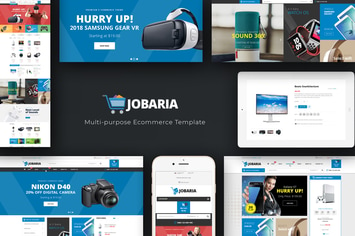
Jobaria - Technology WordPress Theme
by Plaza-Themes
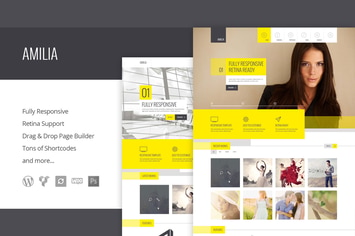
Amilia - Multipurpose One & Multi Page WP Theme
by 11Soft

BookCard - 3D Folded vCard WordPress Theme
by pixelwars

Let's Play
by axiomthemes
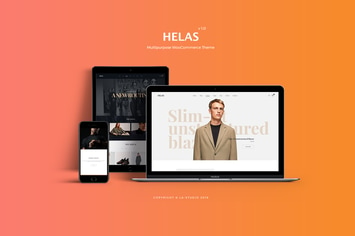
Helas - Multipurpose WooCommerce Theme
by LA-Studio
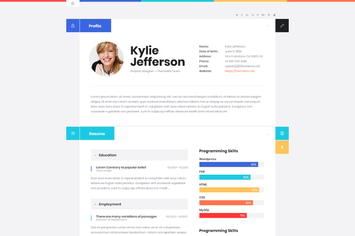
ShiftCV - Blog \ Resume \ Portfolio \ WordPress
by ThemeREX

GlobeCo - Transportation & Logistics WordPress The
by CreativeWS