
Risetech - Managed IT Services Elementor Template Kit
Author
onecontributor
Published
Nov 26, 2024
Item Code
347de09f-cc20-4d09-bb3a-50a9381d43fc
How to Download
- 1 Copy the Item Code above
- 2 Go to fuckdcma.com
- 3 Paste the code in the text box and click "Generate Download Link"
About This Item
Risetech is a modern and clean Managed IT services Template Kit for creating professional and fully functional WordPress-based websites without writing a single line of code. Risetech is fully responsive and retina-ready, and comes with several features to offer, such as templates that will be the perfect starting point for Managed IT, Cybersecurity, IT system maintenance, IT Consulting, and any Managed Cloud.
This template kit includes 20+ carefully crafted templates so you can build your professional website just a click away.
Features:
Modern & Clean Design
10+ Ready to use templates
Fully Responsive Layout
Retina Ready
Fully Customizable
Cross Browser Compatibility: Chrome, Firefox, Safari, Opera
Templates Include:
Home
Services
Services Detail
Industry
Pricing
Testimonial
Team
FAQ
404
Blog
Single post
About
Contact
Header
Footer
Global Theme Style
Plugins installed with kit:
Free Elementor
ElementsKit Lite
MetForm
Jeg Elementor Kit
How to Use Template Kits:
This is not a WordPress Theme. Template kits contain the design data for Elementor only and are installed using the envato Elements plugin for WordPress or directly through Elementor.
Elementor Template Kits use the Envato Elements plugin to install.
Detailed Guide:
For further support, go to Elementor > Get Help in WordPress menu.
How to Import Metforms
1. Import the metform block templates
2. Import the page template where the form appears and right-click to enable the Navigator
3. Locate and select the Metform widget and click Edit Form. Choose New, then Edit Form. The builder will appear
4. Click ‘Add Template’ grey folder icon.
5. Click ‘My Templates’ tab.
6. Choose your imported metform template, then click ‘Insert’ (click No for page settings).
7. Once the template is loaded, make any desired customizations and click ‘Update & Close’ The form will appear in the template
8. Click Update
Setup Global Header and Footer in Header Footer & Blocks plugin
1. Import the header and footer template
2. Go to Appearance > Header Footer and click Add New button
3. Give it a title and select Header, Display on Entire Site and click Publish
4. Click Edit with Elementor
5. Click the gray folder icon to access My Templates tab and select the header template to import and Update.
6. Repeat for Footer
Images:
This Template Kit uses demo images from Envato Elements. You will need to license these images from Envato Elements to use them on your website, or you can substitute them with your
To remove the backgrounds from your own team member photos, take photo against a clear background and use a free online background remover.
This template kit includes 20+ carefully crafted templates so you can build your professional website just a click away.
Features:
Modern & Clean Design
10+ Ready to use templates
Fully Responsive Layout
Retina Ready
Fully Customizable
Cross Browser Compatibility: Chrome, Firefox, Safari, Opera
Templates Include:
Home
Services
Services Detail
Industry
Pricing
Testimonial
Team
FAQ
404
Blog
Single post
About
Contact
Header
Footer
Global Theme Style
Plugins installed with kit:
Free Elementor
ElementsKit Lite
MetForm
Jeg Elementor Kit
How to Use Template Kits:
This is not a WordPress Theme. Template kits contain the design data for Elementor only and are installed using the envato Elements plugin for WordPress or directly through Elementor.
Elementor Template Kits use the Envato Elements plugin to install.
Detailed Guide:
For further support, go to Elementor > Get Help in WordPress menu.
How to Import Metforms
1. Import the metform block templates
2. Import the page template where the form appears and right-click to enable the Navigator
3. Locate and select the Metform widget and click Edit Form. Choose New, then Edit Form. The builder will appear
4. Click ‘Add Template’ grey folder icon.
5. Click ‘My Templates’ tab.
6. Choose your imported metform template, then click ‘Insert’ (click No for page settings).
7. Once the template is loaded, make any desired customizations and click ‘Update & Close’ The form will appear in the template
8. Click Update
Setup Global Header and Footer in Header Footer & Blocks plugin
1. Import the header and footer template
2. Go to Appearance > Header Footer and click Add New button
3. Give it a title and select Header, Display on Entire Site and click Publish
4. Click Edit with Elementor
5. Click the gray folder icon to access My Templates tab and select the header template to import and Update.
6. Repeat for Footer
Images:
This Template Kit uses demo images from Envato Elements. You will need to license these images from Envato Elements to use them on your website, or you can substitute them with your
To remove the backgrounds from your own team member photos, take photo against a clear background and use a free online background remover.
More from onecontributor
View all →
Ginsta - Cloud Hosting Company Elementor Template Kit
by onecontributor

Raymond - Freelancer Personal Portofolio Elementor Template Kit
by onecontributor

Golink - Broadband & Internet Service Provider Template Kit
by onecontributor
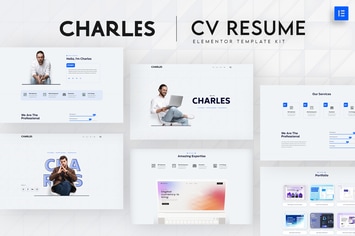
Charles - CV Resume Elementor Template Kit
by onecontributor

Autous - Aerial Photography & Videography Elementor Template Kit
by onecontributor

Keyrank - SEO & Digital Marketing Agency Template Kit
by onecontributor

Pet Cute - Pet Care & Veterinary Elementor Template Kit
by onecontributor

Medika - Alternative Medicine Website Elementor Template Kit
by onecontributor
You May Also Like
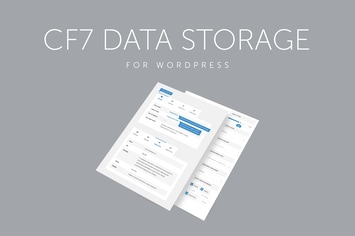
Contact Form 7 Data Storage
by QuanticaLabs

BookCard - 3D Folded vCard WordPress Theme
by pixelwars

Konado - Organic WooCommerce WordPress Theme
by roadthemes
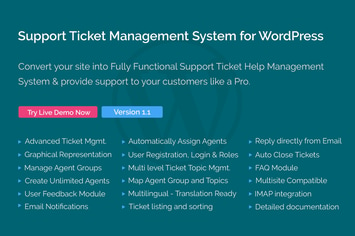
Support Ticket Management System for WordPress
by themepassion
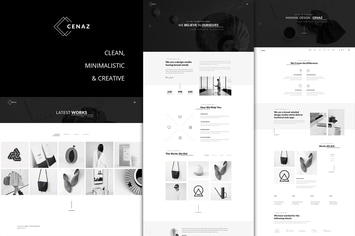
CEZAN - Minimal Creative WordPress Theme
by ovatheme
Helix - Yoga Club Calendar WordPress Theme
by ovatheme
Caliris - Responsive One Page WordPress Theme
by CocoBasic

Glamon - Salon & Barber Shop Theme
by radiantthemes