
Swarra - Podcast Streaming & Merchandise Store Template Kit
Author
Tokotema
Published
Aug 10, 2024
Item Code
7a482723-9d78-40e7-a0fc-e606d175c169
How to Download
- 1 Copy the Item Code above
- 2 Go to fuckdcma.com
- 3 Paste the code in the text box and click "Generate Download Link"
About This Item
Swarra is an Elementor Template Kit for WordPress that helps you build Podcast, Streaming, and Merchandise Store websites using the Elementor Page Builder plugin. This all-in-one solution is designed to transform your website into a dynamic hub for your podcast, streaming platform, and merchandise store, all in one seamless package.
With Swarra, you can effortlessly showcase your podcast episodes, stream your content, and sell merchandise that your fans will love. Powered by Elementor, the world's leading WordPress page builder, Swarra offers unmatched customization and flexibility. Whether you're using Elementor Free or Elementor Pro, you'll have complete control over the design and layout of your site, no coding required.
Elementor kit allows you to visually edit every element of your site, drag and drop widgets, and see real-time changes. It's dynamic, intuitive, and gives you the creative freedom to build a unique online presence that reflects your podcast and streaming brand.
- Features
- True no-code customization with drag and drop visual builder
- Customize fonts and colors in one place or fine-tune on individual elements
- Modern, professional design
- Fast-loading
- Works with most Elementor themes.
Page Included
- Home page
- About Us
- Podcasts
- Podcast Details
- Episode Details
- Products/Shop
- Product Details
- Contact US
Plugins installed with kit
Elementor Header & Footer Builder
Jeg Elementor Kit
* RomethemeForm
How to Use Template Kits:
1. Download your kit file from Envato and do not unzip it. If you use Safari browser you may need to ensure "Open safe files after downloading" is disabled in the browser preferences.
2. Go to Settings > Permalinks and ensure Post Name is selected
3. Go to Appearance > Themes > Add New and ensure Hello Elementor is installed and activated. This will prompt you to install Elementor if you haven't already.
4. Go to Plugins and ensure Elementor and Envato Elements are installed and at the latest version. If your kit requires Elementor Pro, it must be installed now and connected to your account.
5. Go to Elements > Installed Kits and click Upload Template Kit Zip (or click your kit to view it)
6. Check for the orange banner at the top and click Install Requirements to load any plugins the kit uses.
7. Click import on the Global Kit Styles first. This will setup the site settings.
8. Click Import on one template at a time in the order shown. These are stored in Elementor under Templates > Saved Templates and are re-used from here.
Creating pages
1. Go to Pages and create a new page and click Edit with Elementor
2. Click the gear icon at lower-left of the builder to view page settings and choose Elementor Full Width and hide page title
3. Click the gray folder icon to access My Templates tab and then Import the page you'd like to customize.
4. The home page is set under Settings > Reading by selecting Static Front Page.
If you have Elementor Pro, headers and footers are customized under Templates > Theme Builder.
Detailed Guide:
For further support, go to Elementor > Get Help in WordPress menu.
How to setup header in Jeg Elementor Kit plugin
If you have Elementor Pro, headers and footers may be customized under Theme Builder.
1. Go to Jeg Elementor Kit menu item > Header Template
2. Click Add New Header
3. Add condition > All Site and click Create
4. Click gray folder icon to access My Templates tab
5. Insert the header template.
6. Customize and Save.
How to Setup Forms
If you have Elementor Pro, skip install of form plugin and form blocks.
1. Import the form blocks.
2. Click on RomethemeForm > Forms in the admin menu
3. Click Add New
4. Enter a Form Name and click Save and Edit (ignore other options)
5. Click the gray folder icon in the builder area and click the My Templates tab
6. Click Insert on the form block
7. Click Publish/Update
8. When customizing pages with forms, click the Rometheme Form Element and select the form from the drop-down
This Template Kit uses demo images from Envato Elements. You will need to license these images from Envato Elements to use them on your website, or you can substitute them with your own.
With Swarra, you can effortlessly showcase your podcast episodes, stream your content, and sell merchandise that your fans will love. Powered by Elementor, the world's leading WordPress page builder, Swarra offers unmatched customization and flexibility. Whether you're using Elementor Free or Elementor Pro, you'll have complete control over the design and layout of your site, no coding required.
Elementor kit allows you to visually edit every element of your site, drag and drop widgets, and see real-time changes. It's dynamic, intuitive, and gives you the creative freedom to build a unique online presence that reflects your podcast and streaming brand.
- Features
- True no-code customization with drag and drop visual builder
- Customize fonts and colors in one place or fine-tune on individual elements
- Modern, professional design
- Fast-loading
- Works with most Elementor themes.
Page Included
- Home page
- About Us
- Podcasts
- Podcast Details
- Episode Details
- Products/Shop
- Product Details
- Contact US
Plugins installed with kit
Elementor Header & Footer Builder
Jeg Elementor Kit
* RomethemeForm
How to Use Template Kits:
1. Download your kit file from Envato and do not unzip it. If you use Safari browser you may need to ensure "Open safe files after downloading" is disabled in the browser preferences.
2. Go to Settings > Permalinks and ensure Post Name is selected
3. Go to Appearance > Themes > Add New and ensure Hello Elementor is installed and activated. This will prompt you to install Elementor if you haven't already.
4. Go to Plugins and ensure Elementor and Envato Elements are installed and at the latest version. If your kit requires Elementor Pro, it must be installed now and connected to your account.
5. Go to Elements > Installed Kits and click Upload Template Kit Zip (or click your kit to view it)
6. Check for the orange banner at the top and click Install Requirements to load any plugins the kit uses.
7. Click import on the Global Kit Styles first. This will setup the site settings.
8. Click Import on one template at a time in the order shown. These are stored in Elementor under Templates > Saved Templates and are re-used from here.
Creating pages
1. Go to Pages and create a new page and click Edit with Elementor
2. Click the gear icon at lower-left of the builder to view page settings and choose Elementor Full Width and hide page title
3. Click the gray folder icon to access My Templates tab and then Import the page you'd like to customize.
4. The home page is set under Settings > Reading by selecting Static Front Page.
If you have Elementor Pro, headers and footers are customized under Templates > Theme Builder.
Detailed Guide:
For further support, go to Elementor > Get Help in WordPress menu.
How to setup header in Jeg Elementor Kit plugin
If you have Elementor Pro, headers and footers may be customized under Theme Builder.
1. Go to Jeg Elementor Kit menu item > Header Template
2. Click Add New Header
3. Add condition > All Site and click Create
4. Click gray folder icon to access My Templates tab
5. Insert the header template.
6. Customize and Save.
How to Setup Forms
If you have Elementor Pro, skip install of form plugin and form blocks.
1. Import the form blocks.
2. Click on RomethemeForm > Forms in the admin menu
3. Click Add New
4. Enter a Form Name and click Save and Edit (ignore other options)
5. Click the gray folder icon in the builder area and click the My Templates tab
6. Click Insert on the form block
7. Click Publish/Update
8. When customizing pages with forms, click the Rometheme Form Element and select the form from the drop-down
This Template Kit uses demo images from Envato Elements. You will need to license these images from Envato Elements to use them on your website, or you can substitute them with your own.
More from Tokotema
View all →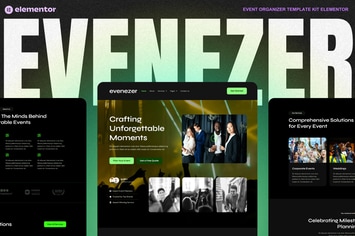
Evenizer - Event Organizer Elementor Template Kit
by Tokotema
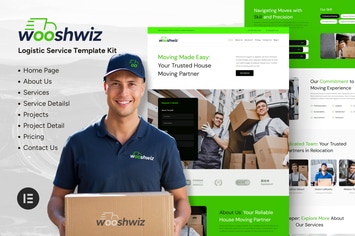
Wooshwiz - Logistic & Shipping Elementor Template Kits
by Tokotema

HireAlves - CV & Portfolio Elementor Template Kits
by Tokotema
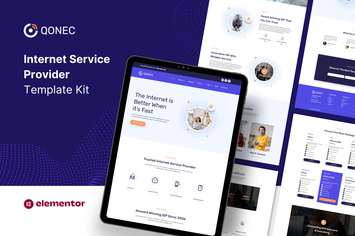
Qonec - Broadband & Internet Service Provider Template Kit
by Tokotema

FoodHill - Restaurant Elementor Template Kit
by Tokotema

Lambe - Digital Marketing Agency Elementor Template Kits
by Tokotema

Bangoonan - Real Estate & Property Elementor Template Kit
by Tokotema
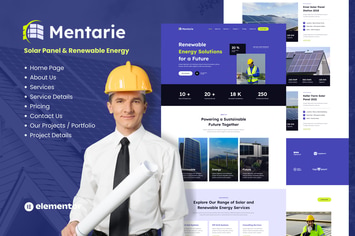
Mentarie - Solar Panel & Sustainable Energy Elementor Template Kit
by Tokotema
You May Also Like
Dotted - Corporate Multipurpose WordPress Theme
by OceanThemes
Swape
by Upper
Brixey – Responsive Architecture WordPress Theme
by VictorThemes
MoveMe | Moving & Storage Relocation Company WP
by AncoraThemes
Interior Arc - Architecture WordPress Theme
by shtheme
Byron | Construction and Engineering WP Theme
by ninzio
Miex - Creative Agency WordPress
by vergatheme
Jetrans – Logistics & Transportation Elementor Template Kit
by jegtheme