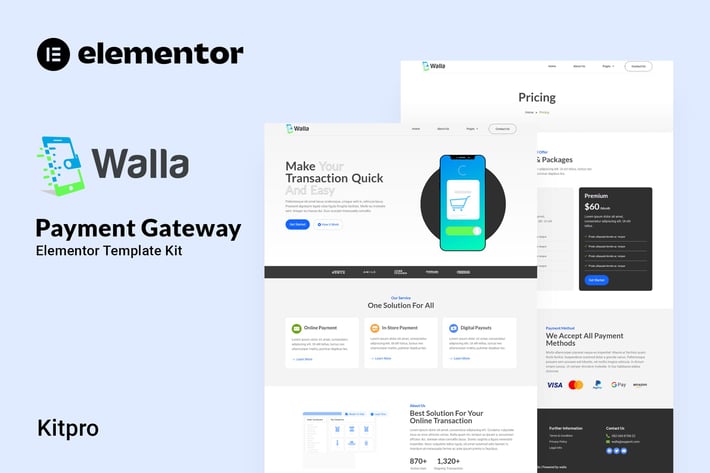
Walla - Payment Gateway Elementor Template Kit
Author
Kitpro
Published
Aug 17, 2024
Item Code
95930239-969d-4f93-915d-9aae244b672d
How to Download
- 1 Copy the Item Code above
- 2 Go to fuckdcma.com
- 3 Paste the code in the text box and click "Generate Download Link"
About This Item
Walla is an Elemetor template kit for setup a website for Payment Gateway Service. Walla is using elementor free, so dont fret to try this one .
Walla provide you with various pages and Blocks including Home, About Us, Service, Contact Us, Single-Service, Team, Pricing, Support, Blog, 404.
Elementor
Elemenskit
Happy Elementor Addons
Jeg Elementor Kit
Metform
Header, Footer & Blocks Template
Templates
01. Home
02. About us
03. Service
04. Contact Us
05. Single-Service
06. Team
07. Pricing
08. Support
09. Blog
10. 404
Font Used
Lato
Roboto
How to import Metform custom form and Content Block
1. Import metform template -
2. Import the template where the form appears, then edit in Elementor. -
3. Install and activate theme "Hello Elementor" from Appearance > Themes
4. Click the Metform widget in the column where the form should be and click Edit Form. –
5. Select New, leave blank selected then click Edit Form button –
6. Click ‘Add Template’ grey folder button. –
7. Click ‘My Templates’ tab. -
8. Choose your imported metform template, then click ‘Insert’.
9. Once the template is loaded, click ‘Update’.
This Template Kit uses demo images from Envato Elements. You will need to license these images from Envato Elements to use them on your website, or you can substitute them with your own.
Walla provide you with various pages and Blocks including Home, About Us, Service, Contact Us, Single-Service, Team, Pricing, Support, Blog, 404.
Elementor
Elemenskit
Happy Elementor Addons
Jeg Elementor Kit
Metform
Header, Footer & Blocks Template
Templates
01. Home
02. About us
03. Service
04. Contact Us
05. Single-Service
06. Team
07. Pricing
08. Support
09. Blog
10. 404
Font Used
Lato
Roboto
How to import Metform custom form and Content Block
1. Import metform template -
2. Import the template where the form appears, then edit in Elementor. -
3. Install and activate theme "Hello Elementor" from Appearance > Themes
4. Click the Metform widget in the column where the form should be and click Edit Form. –
5. Select New, leave blank selected then click Edit Form button –
6. Click ‘Add Template’ grey folder button. –
7. Click ‘My Templates’ tab. -
8. Choose your imported metform template, then click ‘Insert’.
9. Once the template is loaded, click ‘Update’.
This Template Kit uses demo images from Envato Elements. You will need to license these images from Envato Elements to use them on your website, or you can substitute them with your own.
More from Kitpro
View all →
Packega - Packaging Company Elementor Template Kit
by Kitpro

Soccia - Social Media Agency Elementor Template Kit
by Kitpro

Cinepix - Film & Video Production Elementor Template Kit
by Kitpro

Glamping - Glamour Camping & Adventure Elementor Template Kit
by Kitpro

Investure - Venture Capital & Investment Elementor Template Kit
by Kitpro

MedEase - Pharmacy & Medical Elementor Template Kit
by Kitpro
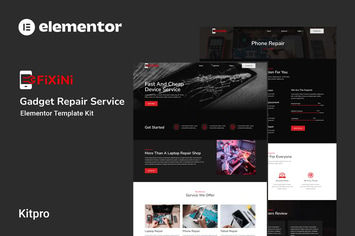
Fixini - Gadget Repair Service Elementor Template Kit
by Kitpro

MindTalk - Psychology & Counseling Elementor Template Kit
by Kitpro
You May Also Like

Manan - Interior Designer Elementor Template Kit
by energeticthemes
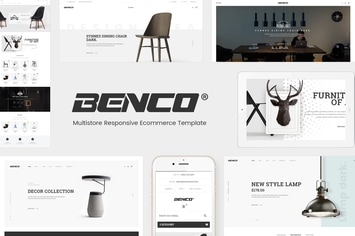
Benco - Responsive Furniture WooCommerce WordPress
by Plaza-Themes

Kapena - Minimal Portfolio WordPress Theme
by CocoBasic

Alanzo
by AncoraThemes

NEW Retina Ready WordPress Vcard Theme
by mutationthemes

Carbon
by Upper

Fast Media Gallery For Elementor WordPress Plugin
by ad-theme
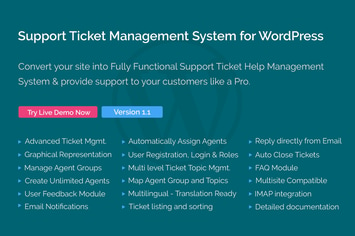
Support Ticket Management System for WordPress
by themepassion