
Fashable - Stylist eCommerce Elementor Template Kit
Author
PuriCreativeStudio
Published
May 03, 2022
Item Code
ccee2da7-4a58-49eb-ad84-65fd1d374900
How to Download
- 1 Copy the Item Code above
- 2 Go to fuckdcma.com
- 3 Paste the code in the text box and click "Generate Download Link"
About This Item
Introducing Fashable - Fashion E-Commerce Elementor Kit, the most complete and fashionable elementor kit for your e-commerce project. The concept is Black and Broken White which make this template kit beautiful. It rich with E-Commmerce feature that you need, it is include with Shop Page, Cart Page, Checkout Page and Shop Categories Page.
Fashable is fast, powerful and easy to use. All you need just drag and drop and replace the image and the content within the kit. No code required to modify this theme. It powered with Hello Theme and latest Elementor Pro. Make sure you have Elementor Pro installed.
Page Templates :
+ Homepage
+ About
+ Shop
+ Blog
+ Contact
+ Single Blog
+ Single Shop
+ Single 404
+ Single Search Result
+ Sub Category Shop
+ My Account Page
+ Cart Page
+ Checkout Page
Sections :
+ Header
+ Header for Shop Page
+ Footer
+ My Account Section Tab
+ Form Confirmation Order Section Tab
+ Form Confirmation Section Tab
+ Contact Section Tab
Required Plugins (will be installed automatically) :
+ Elementor
+ Premium Addons for Elementor
+ WooLentor
+ Essential Addons for Elementor
This kit requires the Elementor Pro upgrade for some templates and features (not included)
How to Install:
+ Install and Activate the Envato Elements plugin from Plugins > Add New in WordPress, then activate your subscription. Premium kits may be loaded directly from the Premium Kits library.
+ Manual import: Do not unzip the download. Upload the Kit zip under Elements> Installed Kits by clicking the Import Kit button. Before importing a template, ensure the Install Requirements button is clicked to activate required plugins. For best results, do not import more than one template at a time.
How to Install the Slider:
+ Import the slider
+ Make the copy of main slider
+ Import the homepage
+ Click section to Carousel Widget
+ Choose Repeater Tab and Choose the Slide Template
+ Set the hashtag of each slide (For Instance #slide-1)
+ Go to Main Slider Section,
+ Click the color button of the slide
+ Click Advance and set the CSS ID to slide-1 (without hash)
+ There you Go
Images :
This Template Kit uses demo images from Envato Elements. You will need to license these images from Envato Elements to use them on your website, or you can substitute them with your own.
I Hope you enjoy Thanks!
Fashable is fast, powerful and easy to use. All you need just drag and drop and replace the image and the content within the kit. No code required to modify this theme. It powered with Hello Theme and latest Elementor Pro. Make sure you have Elementor Pro installed.
Page Templates :
+ Homepage
+ About
+ Shop
+ Blog
+ Contact
+ Single Blog
+ Single Shop
+ Single 404
+ Single Search Result
+ Sub Category Shop
+ My Account Page
+ Cart Page
+ Checkout Page
Sections :
+ Header
+ Header for Shop Page
+ Footer
+ My Account Section Tab
+ Form Confirmation Order Section Tab
+ Form Confirmation Section Tab
+ Contact Section Tab
Required Plugins (will be installed automatically) :
+ Elementor
+ Premium Addons for Elementor
+ WooLentor
+ Essential Addons for Elementor
This kit requires the Elementor Pro upgrade for some templates and features (not included)
How to Install:
+ Install and Activate the Envato Elements plugin from Plugins > Add New in WordPress, then activate your subscription. Premium kits may be loaded directly from the Premium Kits library.
+ Manual import: Do not unzip the download. Upload the Kit zip under Elements> Installed Kits by clicking the Import Kit button. Before importing a template, ensure the Install Requirements button is clicked to activate required plugins. For best results, do not import more than one template at a time.
How to Install the Slider:
+ Import the slider
+ Make the copy of main slider
+ Import the homepage
+ Click section to Carousel Widget
+ Choose Repeater Tab and Choose the Slide Template
+ Set the hashtag of each slide (For Instance #slide-1)
+ Go to Main Slider Section,
+ Click the color button of the slide
+ Click Advance and set the CSS ID to slide-1 (without hash)
+ There you Go
Images :
This Template Kit uses demo images from Envato Elements. You will need to license these images from Envato Elements to use them on your website, or you can substitute them with your own.
I Hope you enjoy Thanks!
More from PuriCreativeStudio
View all →
Vilanova Swash Calligraphy font
by PuriCreativeStudio
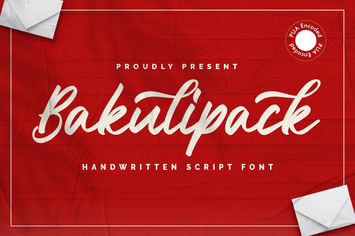
Bakulipack - Handwritten Script Font
by PuriCreativeStudio

Omaglo – Unique Modern Sans Font
by PuriCreativeStudio
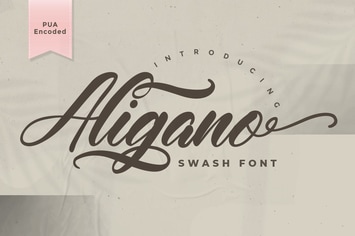
Aligano - Swash Font
by PuriCreativeStudio
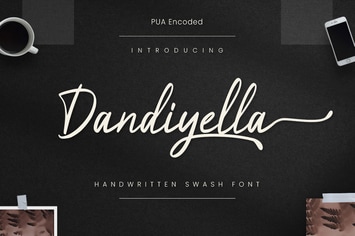
Dandiyella - Handwritten Swash Font
by PuriCreativeStudio

Serena - Modern Classic Sans Serif Font
by PuriCreativeStudio
Almond Cupcakes - Handwritten Font
by PuriCreativeStudio
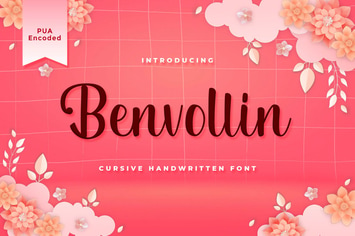
Benvollin - Cursive Handwritten Font
by PuriCreativeStudio
You May Also Like

Agenture | Digital Agency & Startup Elementor Template Kit
by Tokokoo

Kings & Queens
by AncoraThemes

Farvis - Multipurpose WordPress Theme
by Templines

WPBakery Addon - HTML5 Radio Player
by LambertGroup

Indoor Plants | Houseplants store & Gardening WP
by AncoraThemes

Kroth - Business/Consulting WordPress Theme
by VictorThemes

Cena Store - Multipurpose WooCommerce WordPress Th
by thembay

iPages Flipbook For WordPress
by Avirtum