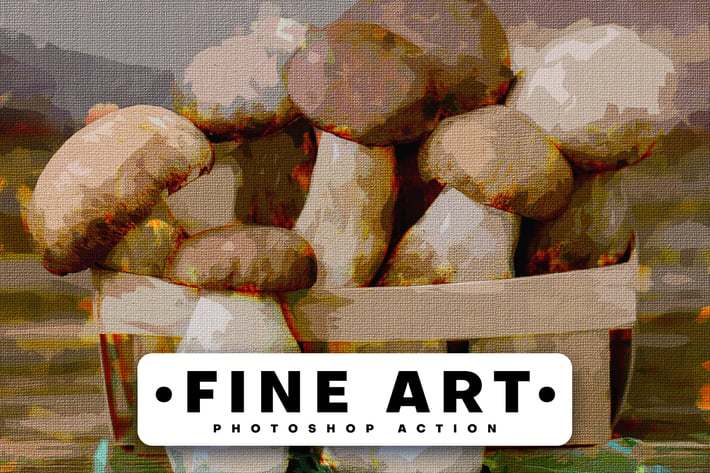
Fine Art Photoshop Action
Author
Oxygen_Art
Published
Jun 24, 2021
Item Code
4c80a4d3-40f0-4b05-949e-602ae749212b
How to Download
- 1 Copy the Item Code above
- 2 Go to fuckdcma.com
- 3 Paste the code in the text box and click "Generate Download Link"
About This Item
Fine Art Photoshop Action:
Transform your photo to painting with just a few clicks and get a really original piece of art! Open your photo and just play the action. It’s really that simple! Using the painting Photoshop action, creating this advanced Fine Art effect has never been this easy and fun.
The action will do all the work for you, leaving you fully layered and customizable results that you can further modify. Every element is a single layer. The action will also create 20 color looks that you can choose from.
The action is also made so that every time you run the action – you’ll get unique painting results, even if you use the same brushed area. The action will always create a unique brush strokes variation. You can create an unlimited number of results!
FEATURES:
+ Simple, easy, and fun to use – even for complete beginners.
+ Saves hours and days of work.
+ Unlimited/randomized results – you always get a unique results.
+ Fully layered and customizable results – every element is a single layer.
+ A lot of options for customizing the results.
+ 20 preset color looks included.
COMPATIBILITY:
The action is tested and working in Photoshop (English versions) CS3, CS4, CS5, CS6, CC, CC 2015.5, CC 2017, CC 2018, CC 2019, CC 2020, CC2021.
The action is only working in English versions of Photoshop. If you are using another language, you can change the language (Search in Adobe Official Site). After you play the action, you can change it back to your native language.
The action needs Oil Paint Plugin, you can check if your Photoshop includes it by going to Filter >> Stylize >> Oil Paint…, if the plugin is available, you can use the action but if not! you can activate it (Search in Adobe Official Site), depends on your machine power.
SUPPORT:
If you need any help with the action or got any questions, please contact us anytime at [email protected].
Transform your photo to painting with just a few clicks and get a really original piece of art! Open your photo and just play the action. It’s really that simple! Using the painting Photoshop action, creating this advanced Fine Art effect has never been this easy and fun.
The action will do all the work for you, leaving you fully layered and customizable results that you can further modify. Every element is a single layer. The action will also create 20 color looks that you can choose from.
The action is also made so that every time you run the action – you’ll get unique painting results, even if you use the same brushed area. The action will always create a unique brush strokes variation. You can create an unlimited number of results!
FEATURES:
+ Simple, easy, and fun to use – even for complete beginners.
+ Saves hours and days of work.
+ Unlimited/randomized results – you always get a unique results.
+ Fully layered and customizable results – every element is a single layer.
+ A lot of options for customizing the results.
+ 20 preset color looks included.
COMPATIBILITY:
The action is tested and working in Photoshop (English versions) CS3, CS4, CS5, CS6, CC, CC 2015.5, CC 2017, CC 2018, CC 2019, CC 2020, CC2021.
The action is only working in English versions of Photoshop. If you are using another language, you can change the language (Search in Adobe Official Site). After you play the action, you can change it back to your native language.
The action needs Oil Paint Plugin, you can check if your Photoshop includes it by going to Filter >> Stylize >> Oil Paint…, if the plugin is available, you can use the action but if not! you can activate it (Search in Adobe Official Site), depends on your machine power.
SUPPORT:
If you need any help with the action or got any questions, please contact us anytime at [email protected].
More from Oxygen_Art
View all →
Watercolor Art Photoshop Action
by Oxygen_Art
Isometrical - 3D View Generator - Photoshop Plugin
by Oxygen_Art
Diffusion - Artistic Photoshop Action
by Oxygen_Art
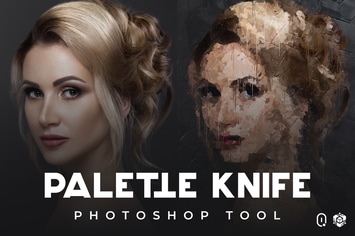
Palette Knife Photoshop Tool
by Oxygen_Art
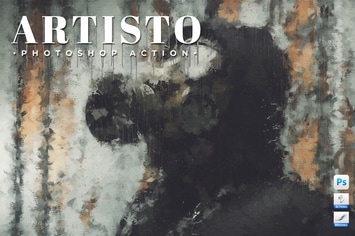
Artisto - Realistic Painting Photoshop Action
by Oxygen_Art
Enso Art Photoshop Tool
by Oxygen_Art
Fabulous - Photoshop Action
by Oxygen_Art
The Storm Photoshop Action
by Oxygen_Art
You May Also Like
Dotted Wavy Swirls Photoshop Brushes
by themefire
Essential Light Leak Lightroom Presets
by Presetworks
Cross-Hatching and Scribble Brush Pack
by JRChild
3D Retro Text Creator
by sparklestock
Liquify Photoshop Action
by sevenstyles
Glitter Brushes
by JRChild
Animated Space Photoshop Action
by iHemalaya
Duotone Master Kit - Super Easy Photoshop Actions
by Pixflow