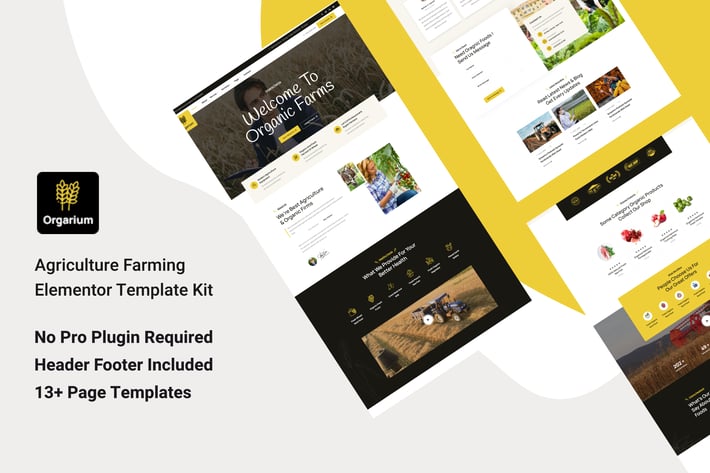
Orgarium - Agriculture Organic Farming Template Kit
Author
designTone
Published
Jul 31, 2024
Item Code
70d01f8a-faf0-4e8a-b5b9-28e1036be847
How to Download
- 1 Copy the Item Code above
- 2 Go to fuckdcma.com
- 3 Paste the code in the text box and click "Generate Download Link"
About This Item
Orgarium is a fully responsive, unique & modern designed Agriculture & Farming Elementor Template Kit that perfectly appropriate agriculture fields, farms, farmers, eco solutions, and organic food products.
Features:
Clean, Professional design
Responsive to different devices
Build with Elementor page builder
Google fonts
Social links
Templates:
Global Styles
Page – Home 01
Page – Home 02
Page – About
Page – Services
Page – Service Details
Page – Faq
Page – Farmer
Page – Portfolio
Page – Portfolio Details
Page – Contact
Section – Header
Section – Footer
Required Addons
Elementor
ElementsKit Lite
* MetForm
How to Use Template Kits:
This is not a WordPress Theme. Template kits contain the design data for Elementor only and are installed using the envato Template Kit Import plugin for WordPress or directly through Elementor.
Detailed Guide:
For further support, go to Elementor > Get Help in WordPress menu.
How to Import MetForm Custom Form:
1. While edititing a page where a form should appear, open the Elementor navigator to locate the Metform widget.
2. Click Edit Form in the builder panel.
3. Select New, leave blank selected then click Edit Form button.
4. Click ‘Add Template’ grey folder button.
5. Click ‘My Templates’ tab.
6. Choose your imported MetForm template, then click ‘Insert’.
7. Once the template is loaded, click ‘Update’.
Setup Header in ElementsKit Lite
If you have Elementor Pro, setup headers and footers in Theme Builder. Pages you create with Elementor must have the Page Layout set to Elementor Full width for the global header and footer to appear.
1. Go to ElementsKit > Header Footer
2. If prompted to go through the wizard, click Next all the way through and then return to step 1 (you are not required to enter your email address or share your information)
3. Click Add New Template button at the top
4. Name your template, then toggle "Activate/Deactivate:" to On
5. Click the gray Edit Content button. Elementor will open.
6. Click the gray folder icon to access My Templates tab and Insert the header or footer template.
7. Customize and Publish
Images
This Template Kit uses demo images from Envato Elements. You will need to license these images from Envato Elements to use them on your website, or you can substitute them with your own.
Image Collection:
Features:
Clean, Professional design
Responsive to different devices
Build with Elementor page builder
Google fonts
Social links
Templates:
Global Styles
Page – Home 01
Page – Home 02
Page – About
Page – Services
Page – Service Details
Page – Faq
Page – Farmer
Page – Portfolio
Page – Portfolio Details
Page – Contact
Section – Header
Section – Footer
Required Addons
Elementor
ElementsKit Lite
* MetForm
How to Use Template Kits:
This is not a WordPress Theme. Template kits contain the design data for Elementor only and are installed using the envato Template Kit Import plugin for WordPress or directly through Elementor.
Detailed Guide:
For further support, go to Elementor > Get Help in WordPress menu.
How to Import MetForm Custom Form:
1. While edititing a page where a form should appear, open the Elementor navigator to locate the Metform widget.
2. Click Edit Form in the builder panel.
3. Select New, leave blank selected then click Edit Form button.
4. Click ‘Add Template’ grey folder button.
5. Click ‘My Templates’ tab.
6. Choose your imported MetForm template, then click ‘Insert’.
7. Once the template is loaded, click ‘Update’.
Setup Header in ElementsKit Lite
If you have Elementor Pro, setup headers and footers in Theme Builder. Pages you create with Elementor must have the Page Layout set to Elementor Full width for the global header and footer to appear.
1. Go to ElementsKit > Header Footer
2. If prompted to go through the wizard, click Next all the way through and then return to step 1 (you are not required to enter your email address or share your information)
3. Click Add New Template button at the top
4. Name your template, then toggle "Activate/Deactivate:" to On
5. Click the gray Edit Content button. Elementor will open.
6. Click the gray folder icon to access My Templates tab and Insert the header or footer template.
7. Customize and Publish
Images
This Template Kit uses demo images from Envato Elements. You will need to license these images from Envato Elements to use them on your website, or you can substitute them with your own.
Image Collection:
More from designTone
View all →
Givoxin - Charity Elementor Template Kit
by designTone

Lezar Beauty Salon & Spa Elementor Template Kit
by designTone

Wellern - Coach Online Courses Elementor Template Kit
by designTone

Fijar - Plumbing Service Elementor Template Kit
by designTone
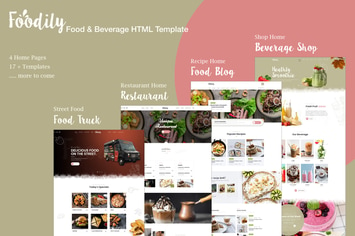
Foodily - Food and Beverage Shop HTML Template
by designTone

Truder - CCTV Security Agency HTML Template
by designTone
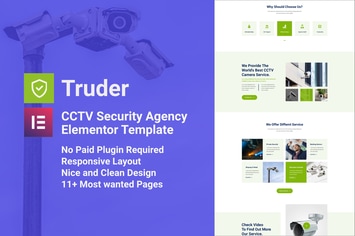
Truder - CCTV Security Service Elementor Template Kit
by designTone
You May Also Like
NEX-Forms - MailChimp Add-on
by Basix

Elementy - Multipurpose WordPress Theme
by 11Soft

Redel - Responsive App Landing WordPress Theme
by VictorThemes
Hreflang Flags
by DAEXT

WPBakery Addon - HTML5 Radio Player
by LambertGroup
Arena - Business & Agency WordPress Theme
by Nunforest
CEZAN - Minimal Creative WordPress Theme
by ovatheme
Hobo
by AncoraThemes